HTML and image positioning

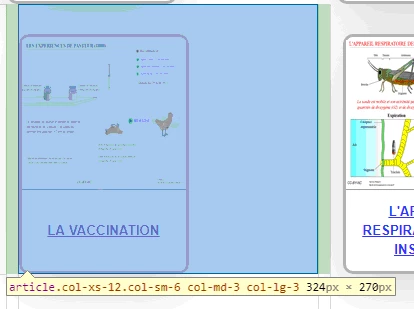
Hello, Created with Dreamweaver, I want to change the 324 value displayed in the photo above. This value does not appear in the css file, nor in the HTM file. Can you help me ?

Hello, Created with Dreamweaver, I want to change the 324 value displayed in the photo above. This value does not appear in the css file, nor in the HTM file. Can you help me ?
Your 3rd row 'container' div is closed in the wrong place in the code.
You have closed it after your h2:
<h2> ORGANES</h2>
</div>
You should close it (see in red below):
<article class="col-xs-12 col-sm-6 col-md-3 col-lg-3">
<div>
<a href="clonage_1.htm" target="_blank"><img src="img/clonage.png" width="164" height="150" alt=""/></a>
<a href="clonage_1.htm" target="_blank"><p>LE CLONAGE DE LA GRENOUILLE</p></a>
</div>
</article>
</div>
</div>
Then move the <h2>ORGANES</h2>:
<!-- ORGANES -->
<div class="container">
<h2>ORGANES</h2>
<div class="row">
Same for the rest of the sections, you're closing the 'container' divs in the wrong places, causing a slight horizontal shift.
You dont actually need a 'container' div to wrap each of your rows. Simplify the construction by just using one 'container' div for each of your sections:
You dont need the extra <div></div> either that wraps the images (see below in bold):
<article class="col-xs-12 col-sm-6 col-md-3 col-lg-3">
<div>
<a href="vaccin.html" target="_blank"><img src="img/vaccin.png" width="164" height="150" alt=""/></a>
<a href="vaccin.html" target="_blank"><p>LA VACCINATION</p></a>
</div>
</article>
Already have an account? Login
Enter your E-mail address. We'll send you an e-mail with instructions to reset your password.