This topic is closed to new replies. Start a new post to keep the conversation going.
Nancy OShea
Nancy OSheaCorrect answer
Community Expert
September 17, 2017

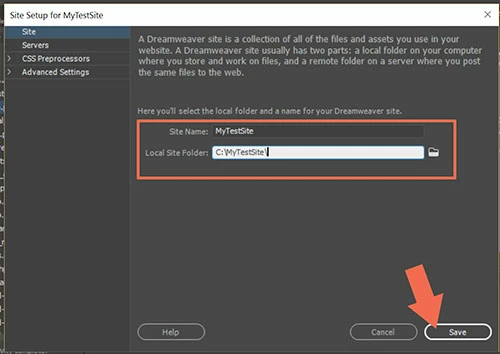
DW is a not a remote site editor.  For best results, define a local site folder for your project by going to Site > New Site.  See screenshot.

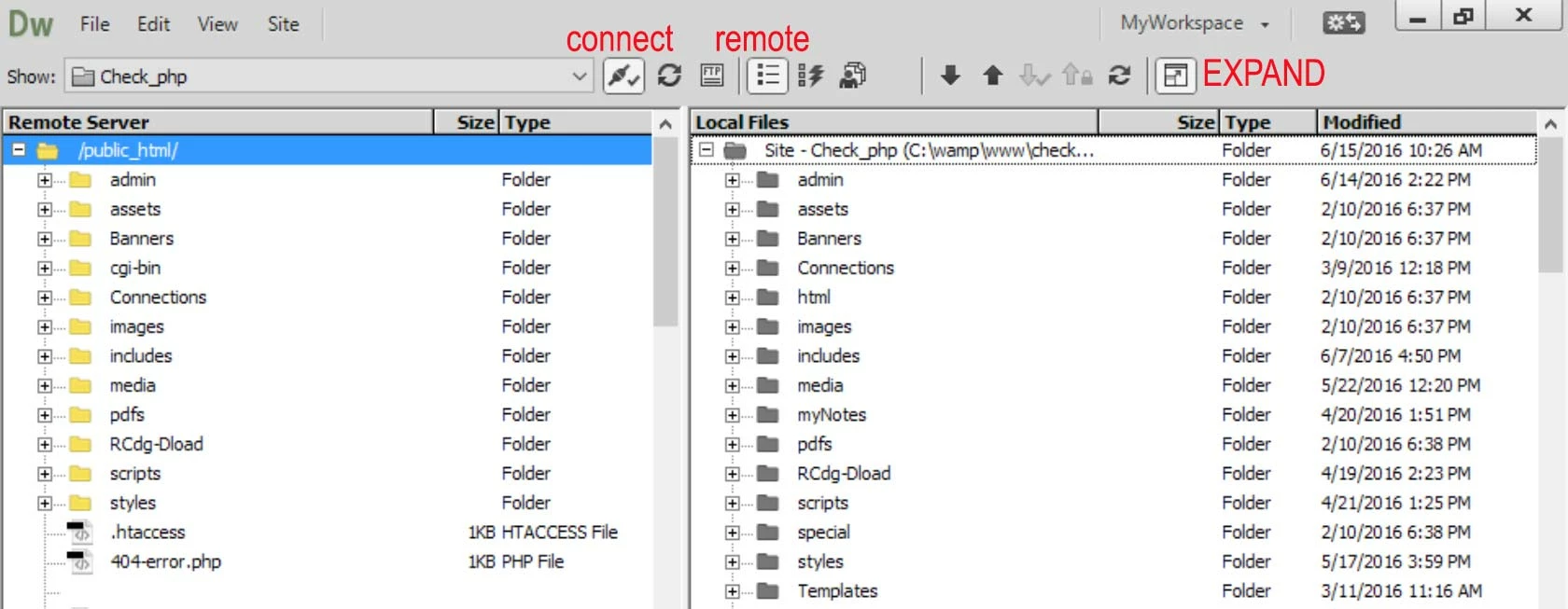
With Files Panel expanded, GET files from remote server by clicking on the DOWN arrow (middle of toolbar).

Edit local files as required.  Save & upload to remote server with the UP arrow or Ctrl+Shift+U. 

Nancy O'Shea— Product User & Community Expert

1 reply

Nancy OShea
Community Expert
Nancy OSheaCommunity ExpertCorrect answer
Community Expert
September 17, 2017

DW is a not a remote site editor.  For best results, define a local site folder for your project by going to Site > New Site.  See screenshot.

With Files Panel expanded, GET files from remote server by clicking on the DOWN arrow (middle of toolbar).

Edit local files as required.  Save & upload to remote server with the UP arrow or Ctrl+Shift+U. 

Translate
Nancy O'Shea— Product User & Community Expert