


Inspiring
July 29, 2024
Answered
I can't collapse all folders at once after doing a file upload
- 3 replies
- 549 views
- Translate
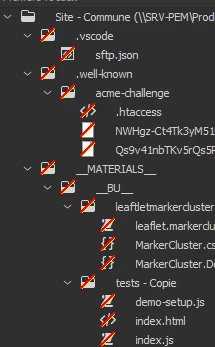
I did "edit: select recently modified" in the "remote/local site" page, and uploaded those files. All the folders and sub-folders are now open. I used to be able to close them globally by doing "ctrl -" on the "site" folder, then just the plus (+) sign. And all folders were closed. It's not working like that any more. Any hints on how to globally collapse all folders? I don't know how many hundreds of folders I have; I'd rather not do each one separately...
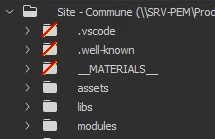
Some of the forums indicate that there should be + and - signs on the folders; the screenshot is what my site looks like, no + and - signs.
 AdChoices