christineavatar
Legend
December 20, 2021
Answered

I cannot figure out what to do with my web page

  • December 20, 2021
  • 1 reply
  • 238 views

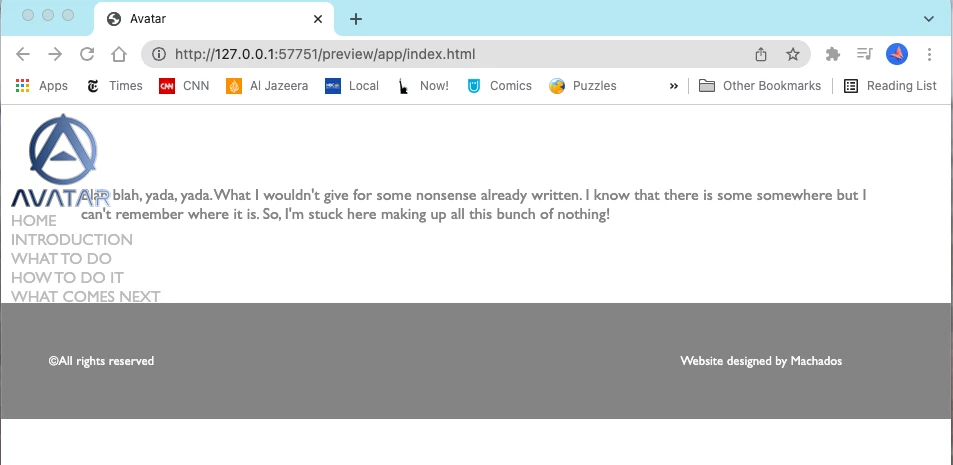
I am trying to set up my page buttons at the top of the page in a single line to the right. According to the tutorials I've done everything correctly but I get this:

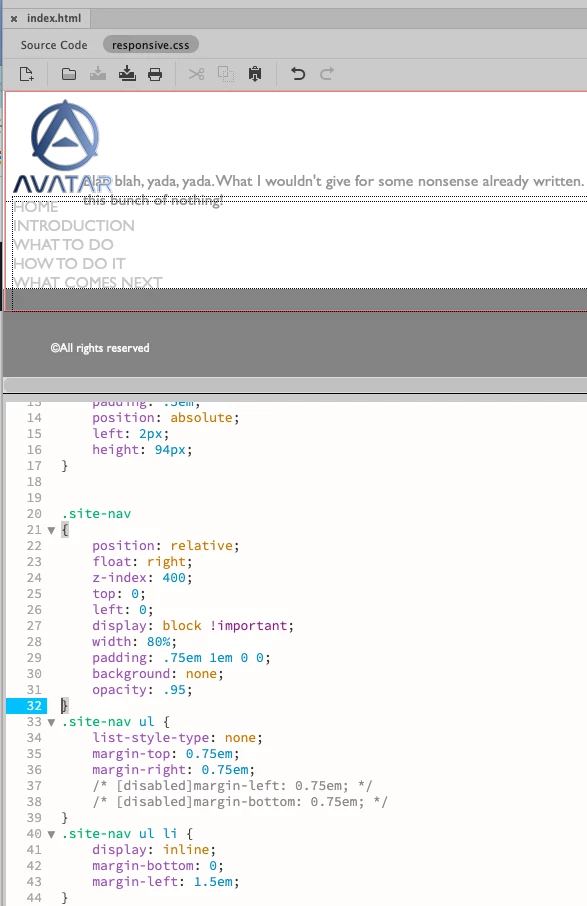
 Here is my CSS page:

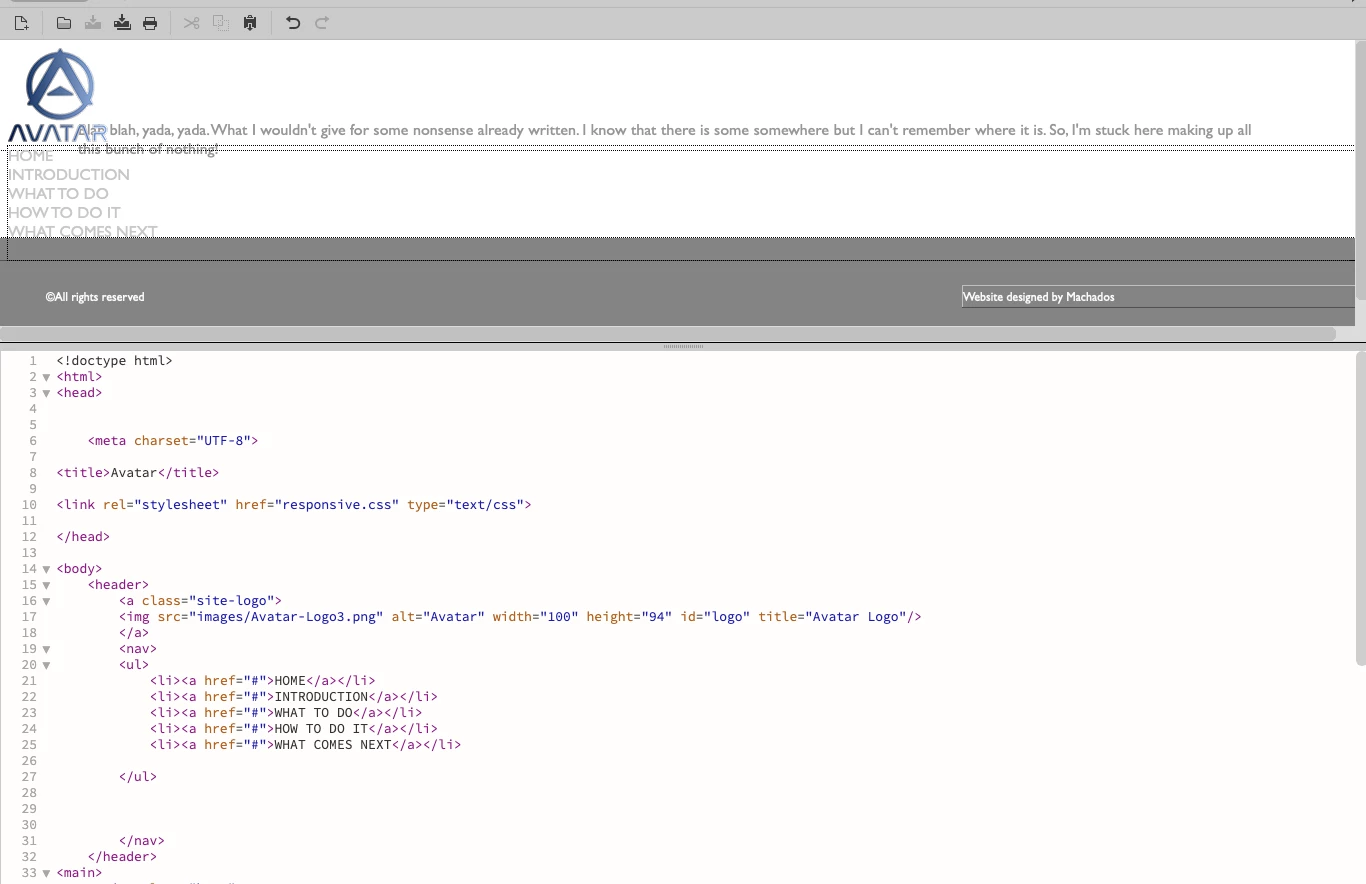
 And here is my html page:

 What the heck am I doing wrong?

    This topic has been closed for replies.
    Correct answer BenPleysier

    Copy and paste the following code into a new document to see the result


    <!doctype html>
    <html lang="zxx">
    
    <head>
        <meta charset="utf-8">
        <meta name="viewport" content="width=device-width, initial-scale=1, shrink-to-fit=no">
        <title>Untitled</title>
        <style>
            html {
                box-sizing: border-box;
            }
    
            *,
            *::before,
            *::after {
                box-sizing: inherit;
                margin: 0;
                padding: 0;
            }
    
            body {
                font-family: -apple-system, BlinkMacSystemFont, 'Segoe UI', Roboto, Oxygen, Ubuntu, Cantarell, 'Open Sans', 'Helvetica Neue', sans-serif;
            }
    
            nav {
                width: 100%;
                background-color: #101010;
                padding: 10px 30px;
                display: flex;
                justify-content: space-between;
                align-items: center;
            }
    
            .logo {
                display: inline-block;
            }
    
            .nav-links {
                list-style: none;
                display: flex;
            }
    
            .nav-item a {
                display: inline-block;
                padding: 10px 15px;
                text-decoration: none;
                color: white;
            }
    
            .nav-item:hover {
                background-color: white;
            }
    
            .nav-item:hover a {
                color: darkgreen;
            }
    
            .logo img {
                width: 40px;
                vertical-align: middle;
            }
        </style>
    </head>
    
    <body>
        <nav class="navbar">
            <a href="https://wappler.io" class="logo">
                <img src="https://wappler.io/img/logos/wappler-logo.svg" alt="freeCodeCamp logo">
            </a>
            <ul class="nav-links">
                <li class="nav-item"><a href="#">Home</a></li>
                <li class="nav-item"><a href="#">Introduction</a></li>
                <li class="nav-item"><a href="#">What to do</a></li>
                <li class="nav-item"><a href="#">How to do it</a></li>
                <li class="nav-item"><a href="#">What to do next</a></li>
            </ul>
        </nav>
    </body>
    
    </html>



    As a side note, why not use Bootstrap to save time (and money).

    1 reply

    BenPleysier
    Community Expert
    BenPleysierCommunity ExpertCorrect answer
    Community Expert
    December 20, 2021

    Copy and paste the following code into a new document to see the result


    <!doctype html>
    <html lang="zxx">
    
    <head>
        <meta charset="utf-8">
        <meta name="viewport" content="width=device-width, initial-scale=1, shrink-to-fit=no">
        <title>Untitled</title>
        <style>
            html {
                box-sizing: border-box;
            }
    
            *,
            *::before,
            *::after {
                box-sizing: inherit;
                margin: 0;
                padding: 0;
            }
    
            body {
                font-family: -apple-system, BlinkMacSystemFont, 'Segoe UI', Roboto, Oxygen, Ubuntu, Cantarell, 'Open Sans', 'Helvetica Neue', sans-serif;
            }
    
            nav {
                width: 100%;
                background-color: #101010;
                padding: 10px 30px;
                display: flex;
                justify-content: space-between;
                align-items: center;
            }
    
            .logo {
                display: inline-block;
            }
    
            .nav-links {
                list-style: none;
                display: flex;
            }
    
            .nav-item a {
                display: inline-block;
                padding: 10px 15px;
                text-decoration: none;
                color: white;
            }
    
            .nav-item:hover {
                background-color: white;
            }
    
            .nav-item:hover a {
                color: darkgreen;
            }
    
            .logo img {
                width: 40px;
                vertical-align: middle;
            }
        </style>
    </head>
    
    <body>
        <nav class="navbar">
            <a href="https://wappler.io" class="logo">
                <img src="https://wappler.io/img/logos/wappler-logo.svg" alt="freeCodeCamp logo">
            </a>
            <ul class="nav-links">
                <li class="nav-item"><a href="#">Home</a></li>
                <li class="nav-item"><a href="#">Introduction</a></li>
                <li class="nav-item"><a href="#">What to do</a></li>
                <li class="nav-item"><a href="#">How to do it</a></li>
                <li class="nav-item"><a href="#">What to do next</a></li>
            </ul>
        </nav>
    </body>
    
    </html>


    As a side note, why not use Bootstrap to save time (and money).

    Wappler is the DMXzone-made Dreamweaver replacement and includes the best of their powerful extensions, as well as much more!
    christineavatar
    Legend
    December 20, 2021

    I haven't been working in Dreamweaver for years. My nephew needed some help so I stepped up. I am not familiar with Bootstrap, but I guess now is the time to get familiar.