


Participant
January 10, 2023
Question

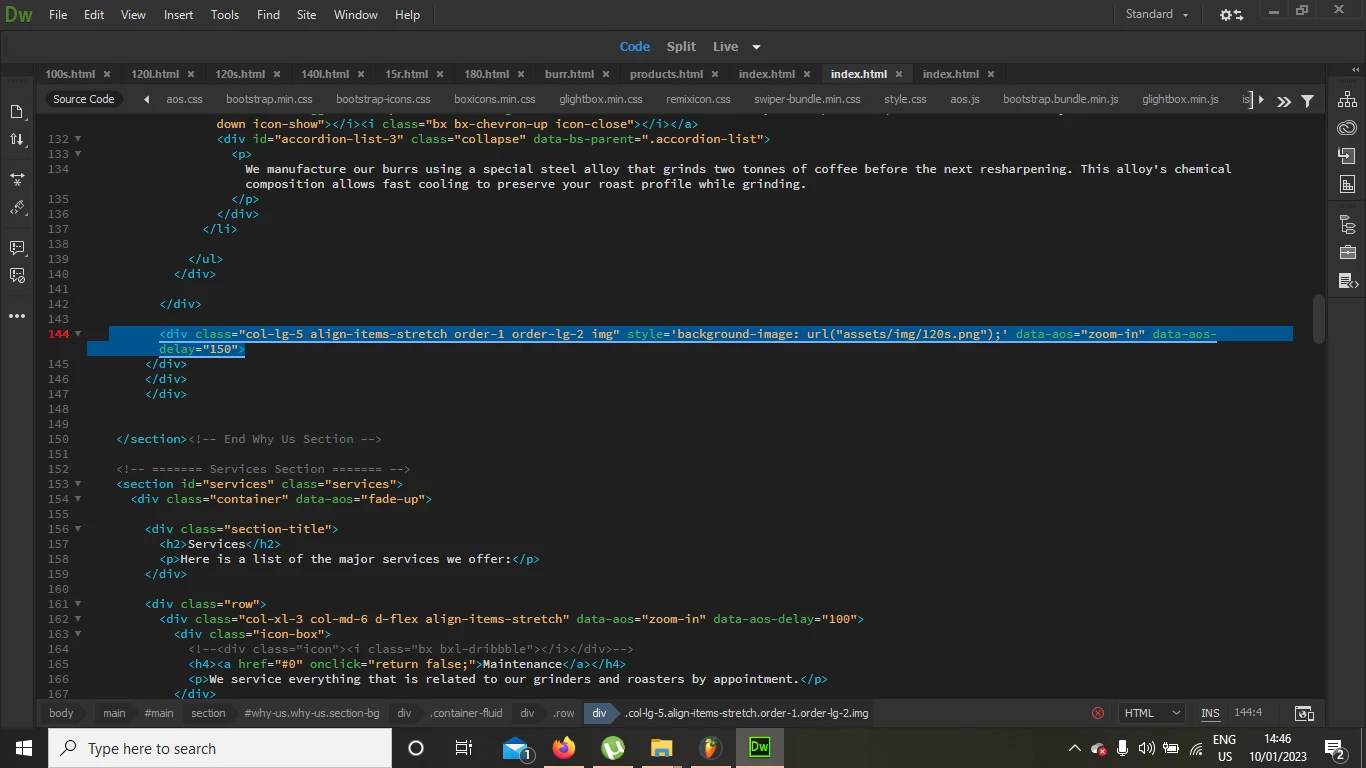
I keep getting this error: The value of attribute [ style ] must be in double quotes.

  • January 10, 2023
  • 3 replies
  • 1532 views

Hello,


I am using this bottstrap template and i keep getting this error no matter how i modify my code.

if i use double quotes, my image wont show as a background.


the website is live on: www.elissaco.com


and here is a text copy of the code:

<div class="col-lg-5 align-items-stretch order-1 order-lg-2 img" style='background-image: url("assets/img/120s.png");' data-aos="zoom-in" data-aos-delay="150">
</div


along with a screenshot of what adobe shows me
    This topic has been closed for replies.

    3 replies

    Nancy OShea
    Community Expert
    Community Expert
    January 10, 2023

    This works.

    style="background-image: url('assets/img/120s.png');"


    Nancy O'Shea— Product User & Community Expert
    majd0D4CAuthor
    Participant
    January 10, 2023

    Thank you! it worked ))

    Jon Fritz
    Community Expert
    Community Expert
    January 10, 2023

    Yeah, this is part of DW's Linter settings and can be turned off, since alternating nested quote styles is correct. The Linter is just a bit overzealous and tries to force the will of whoever designed it onto your code. 

    1. Open DW and go to Edit > Preferences > Linting

    2. Click HTML so it's highlighted

    3. Click Edit & Apply Changes

    4. In the file that comes up, near the top, change the line... 

    "attr-value-double-quotes": true,

    ...to...

    "attr-value-double-quotes": false,

    4. Save and close. The warning should be gone.

    Legend
    January 10, 2023

    Try using double quotes around the style tag but single quotes around the background image url path/name. 


    It doesn't matter if the style tag has single quotes around it. I think Dreamweaver is just using its own preference rather than it being an exacting requirement.