Inspiring
October 16, 2018
Answered

I need help resizing my panels after upgrading

  • October 16, 2018
  • 2 replies
  • 727 views

I've just uploaded the newest DW CC version and I found that it changed the layout of my windows and panes without asking for that change.

I want the Document window to be separated from the Files panel, allowing portions of my desktop to be visible between both. Currently, my entire 27-inch iMac screen is wall-to-wall DW CC, which I don't want. I cannot intuitively figure out how to grab a corner of the corner of the Document window so I can drag it to make it much narrower.

I don't find a handle to control the size. I'm able only to enlarge the Files panel while narrowing the Documents window, however, they remain joined, which prevents me from accessing and viewing what's on the desktop.

How can I learn how to set up my DW CC panes the way I want?

Thanks, in advance.

Warren

_______

    This topic has been closed for replies.
    Correct answer BenPleysier

    2 replies

    wcampAuthor
    Inspiring
    October 16, 2018

    Thanks, Ben, for your prompt e-reply.

    That's the page I reviewed before entering my forum inquiry. I see nothing on that page that instructs users on how to separate the Documents window from the Panes panel. If you do, please highlight that specific location and instruction. Thanks.

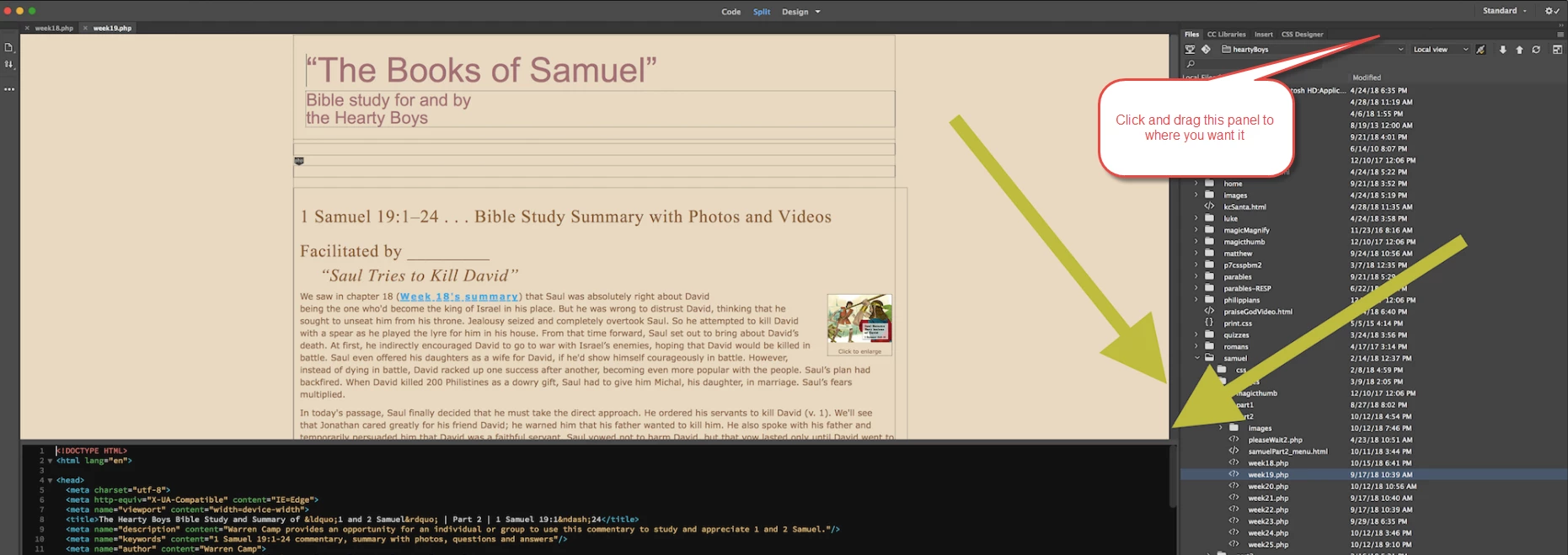
    If it helps, I'll attach a screenshot showing what I now get when I open DW CC, and where I want to create that separation or void.

    Please suggest how to accomplish this using the latest DW CC version (on Mac High Sierra). Thank you.

    Warren

    BenPleysier
    Community Expert
    BenPleysierCommunity ExpertCorrect answer
    Community Expert
    October 16, 2018

    Wappler is the DMXzone-made Dreamweaver replacement and includes the best of their powerful extensions, as well as much more!
    BenPleysier
    Community Expert
    Community Expert
    October 16, 2018
    Wappler is the DMXzone-made Dreamweaver replacement and includes the best of their powerful extensions, as well as much more!