Participant
April 5, 2019
Answered

Importing a Website

  • April 5, 2019
  • 3 replies
  • 1128 views

I've got a client who's website was built by a previous web designer and they pay me monthly for maintenance.  To make it easier, we transferred all of the Dreamweaver files from her computer to mine.  She has no idea what her FTP information is so I can upload her website to her hosting site from my computer.  Where would I find this information in her CS6 version of Dreamweaver and how do I add it into my CC 2019 version?  I'm new to Dreamweaver.  I mostly work with HTML and CSS.
This topic has been closed for replies.
Correct answer Nancy OShea

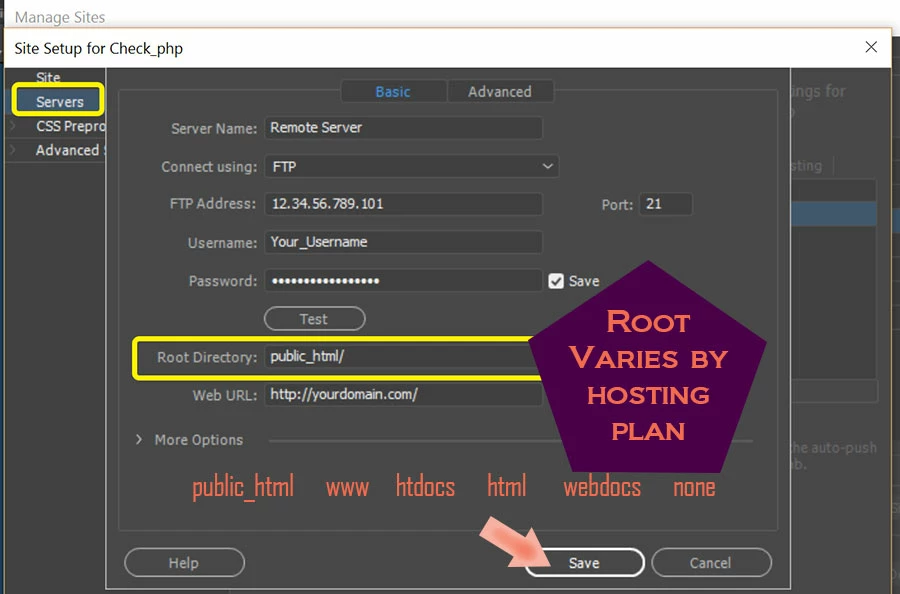
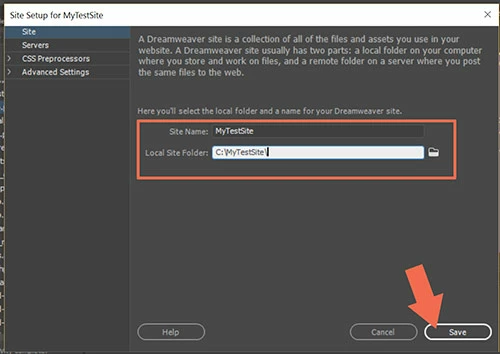
You will need to create a new site definition in DW.  Go to Site > New Site and enter the FTP log-in and root directory provided to you by the web host.  See screenshots.

Local site folder

Server Basic.  If unsure what to use here, contact the hosting provider.

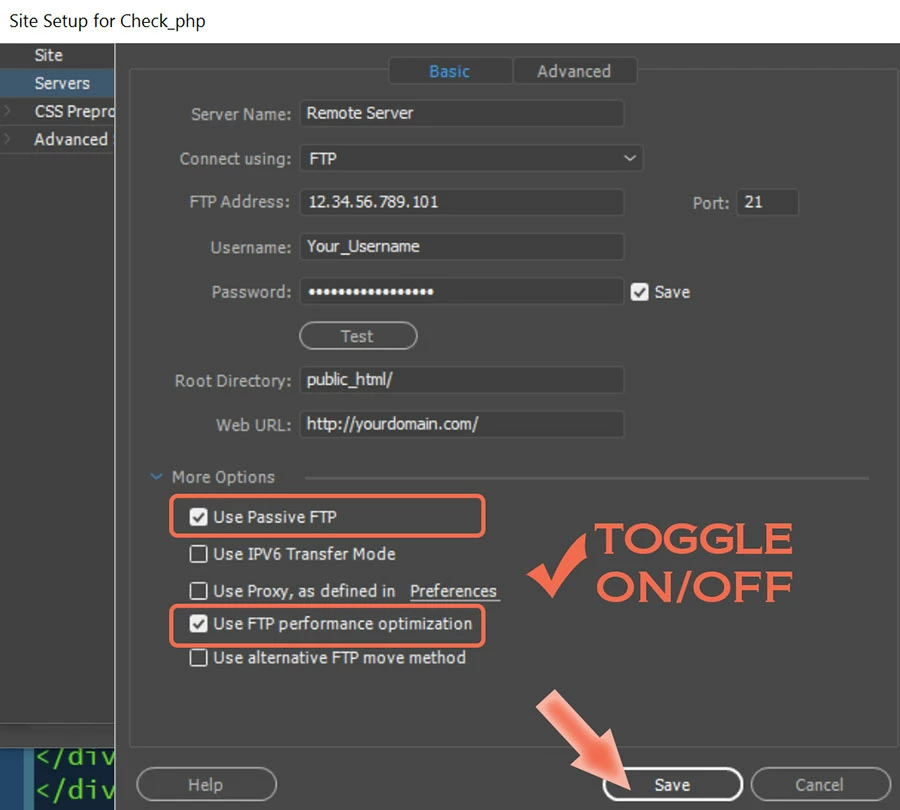
Hit the TEST button or More Options if needed.

3 replies

Nancy OShea
Community Expert
Nancy OSheaCommunity ExpertCorrect answer
Community Expert
April 5, 2019

You will need to create a new site definition in DW.  Go to Site > New Site and enter the FTP log-in and root directory provided to you by the web host.  See screenshots.

Local site folder

Server Basic.  If unsure what to use here, contact the hosting provider.

Hit the TEST button or More Options if needed.

Nancy O'Shea— Product User & Community Expert
Legend
April 5, 2019

Failing the advice already given. Someone must pay for the hosting fees of the wesbite, even if the previous web designer has gone awol. Find out who pays for the hosting fees and get them to contact the hosting provider - ask the hosting provider for the FTP details.

anissa_thompson
Community Expert
Community Expert
April 5, 2019

If your client still has her Dreamweaver access, she can create a Site Definition Export (.ste) site backup file that can be used to transfer/copy her previous FTP settings to your current Dreamweaver app on your computer.

How to import and export Dreamweaver site settings

Hope this helps! Make sure to press "✔ Correct Answer" on this post if this answers your question. Happy Creating!Anissa • @anissat
intimategems
Participant
October 6, 2021

Thanks - this made things easier.