


Participating Frequently
September 30, 2017
Answered

Inserting an image no longer works

  • September 30, 2017
  • 3 replies
  • 539 views

Very frustrating, when I go to insert an image I no longer get the window to select my image. Instead, it just inserts a small gray box with an ( X ). I'm in version 2014 and I upgraded to see if that might fix it but the problem remained. I'm not a coder, but here's the affected line:                 

<td width="54"><h1><img src="" alt=""/></h1>
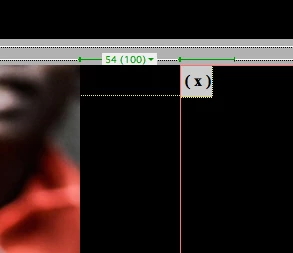
    This topic has been closed for replies.

    3 replies

    Participating Frequently
    September 30, 2017

    Thanks - this is only happening on my desktop Mac, the exact same files work perfectly on my desktop mac. It happens on all the sites I've created, but again only on my desktop. I will tech support on Tuesday.

    Nancy OShea
    Community Expert
    Nancy OSheaCommunity ExpertCorrect answer
    Community Expert
    October 1, 2017
    Nancy O'Shea— Product User & Community Expert
    Participating Frequently
    October 1, 2017

    Thanks, Nancy! That fixed it!

    Nancy OShea
    Community Expert
    Community Expert
    September 30, 2017

    Your document probably contains code errors.  Validate your code and fix reported errors. Screenshots below are from the current version, CC 2017.

    Nancy O'Shea— Product User & Community Expert
    hans-g.
    Legend
    September 30, 2017

    Hello Daniel,

    in my DW 2015 it's written like this

    <img src="MyImages/MyImage001.jpg" width="193" height="145" alt=""/>

    This width="193" height="145" is my option in this case, please use yours.

    Hans-Günter
