You should use real text for search engines, language translators and screen readers. Images of text especially in the background cannot be indexed. Feel free to use a Google or Typekit web font to dress it up a little.
Here's a working example of a Goggle web font styled with CSS.
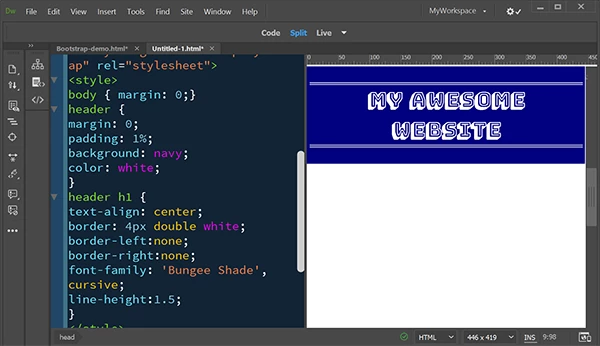
<!doctype html>
<html lang="en">
<head>
<meta charset="utf-8">
<title>Example Header</title>
<meta http-equiv="X-UA-Compatible" content="IE=edge">
<meta name="viewport" content="width=device-width, initial-scale=1">
<!--Google Web Font-->
<link href="https://fonts.googleapis.com/css?family=Bungee+Shade&display=swap" rel="stylesheet">
<style>
body { margin: 0;}
header {
margin: 0;
padding: 1%;
background: navy;
color: white;
}
header h1 {
text-align: center;
border: 4px double white;
border-left:none;
border-right:none;
font-family: 'Bungee Shade', cursive;
line-height:1.5;
}
</style>
</head>
<body>
<header>
<h1>My Awesome Website</h1>
</header>
</body>
</html>
 This is where I want to add it to.



 AdChoices