


jamieh2os
Known Participant
February 3, 2018
Answered

issues with "Transform rotate"

  • February 3, 2018
  • 1 reply
  • 571 views

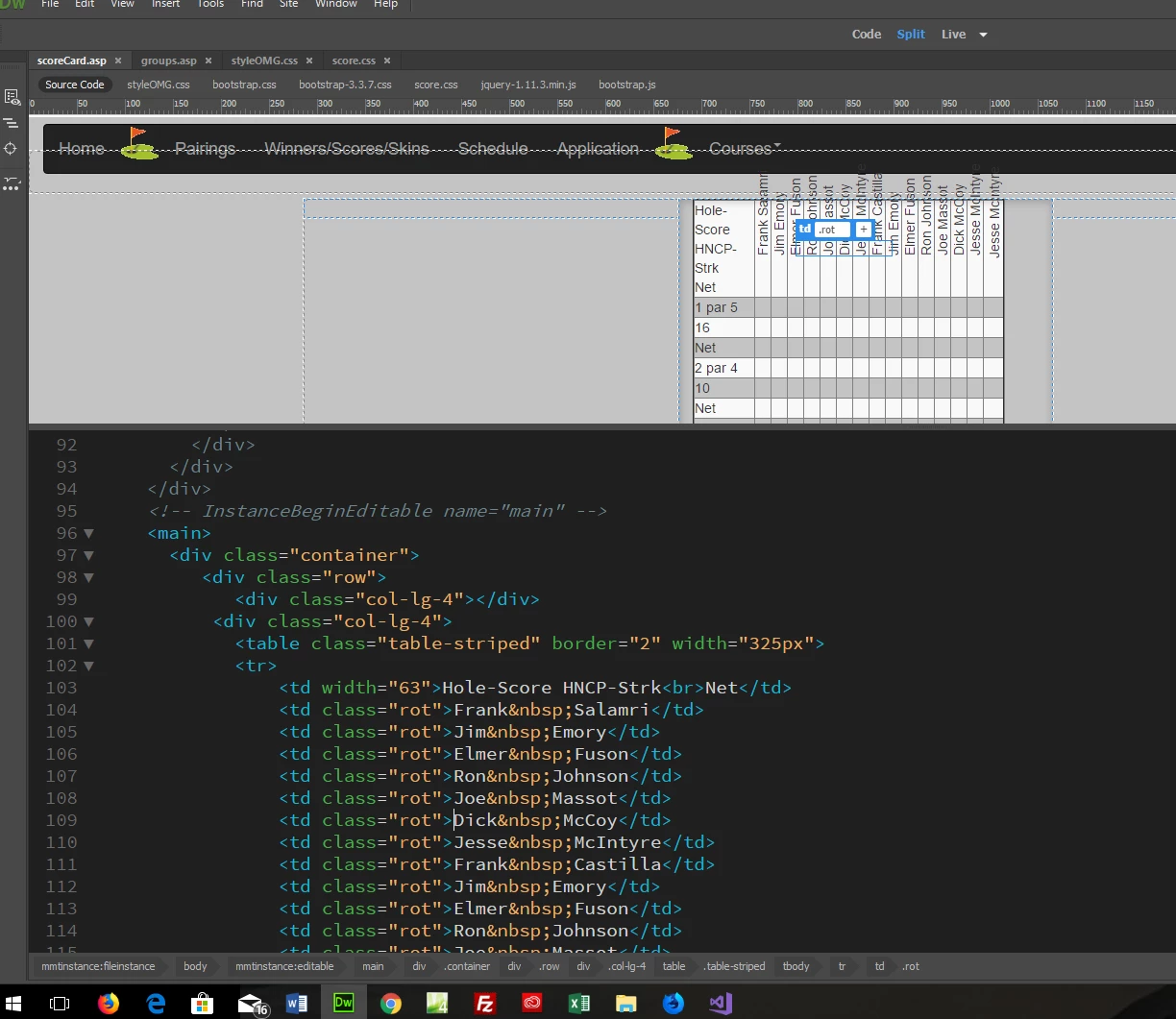
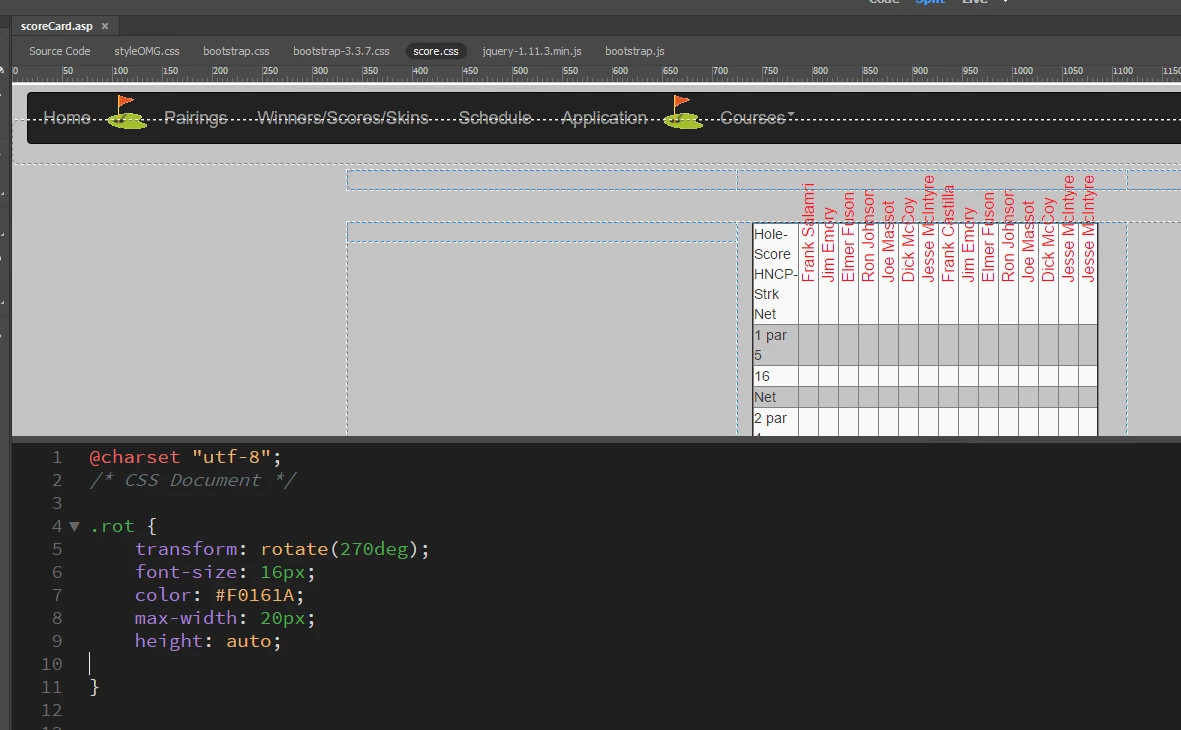
Thanks for your time in looking at this post.  I used the "transform rotate" command to rotate the text in a td cell of a table.  The text was rotated as beyond the limits of the table.  I noticed that only the text was rotated; not the td cell.  this is shown in the image with code and image above.  the other image shows the style sheet entries.  i tried to wrap all the td's in div and rotate them without any success.  The rotated text cannot be moved with margin, padding, and align options.  The table cells are in their original position with the text rotated out.  Any insight you can provide is greatly appreciated....thanks for your help
This topic has been closed for replies.
Correct answer BenPleysier

Wrap the headings in a DIV and a SPAN as in

<th class="rot"><div><span>Frank Salamri</span></div></th>

and write a few style rules as in

th.rot {

height: 140px;

white-space: nowrap;

}

th.rot > div {

  transform:

    /* magic numbers */

    translate(25px, 51px)

    /* adjust to suit*/

    rotate(315deg);

  width: 30px;

}

th.rot > div > span {

  border-bottom: 1px solid #ccc;

  padding: 5px 10px;

}

1 reply

BenPleysier
Community Expert
BenPleysierCommunity ExpertCorrect answer
Community Expert
February 3, 2018

Wrap the headings in a DIV and a SPAN as in

<th class="rot"><div><span>Frank Salamri</span></div></th>

and write a few style rules as in

th.rot {

height: 140px;

white-space: nowrap;

}

th.rot > div {

  transform:

    /* magic numbers */

    translate(25px, 51px)

    /* adjust to suit*/

    rotate(315deg);

  width: 30px;

}

th.rot > div > span {

  border-bottom: 1px solid #ccc;

  padding: 5px 10px;

}

Wappler is the DMXzone-made Dreamweaver replacement and includes the best of their powerful extensions, as well as much more!
