


pliles
Inspiring
June 25, 2025
Question

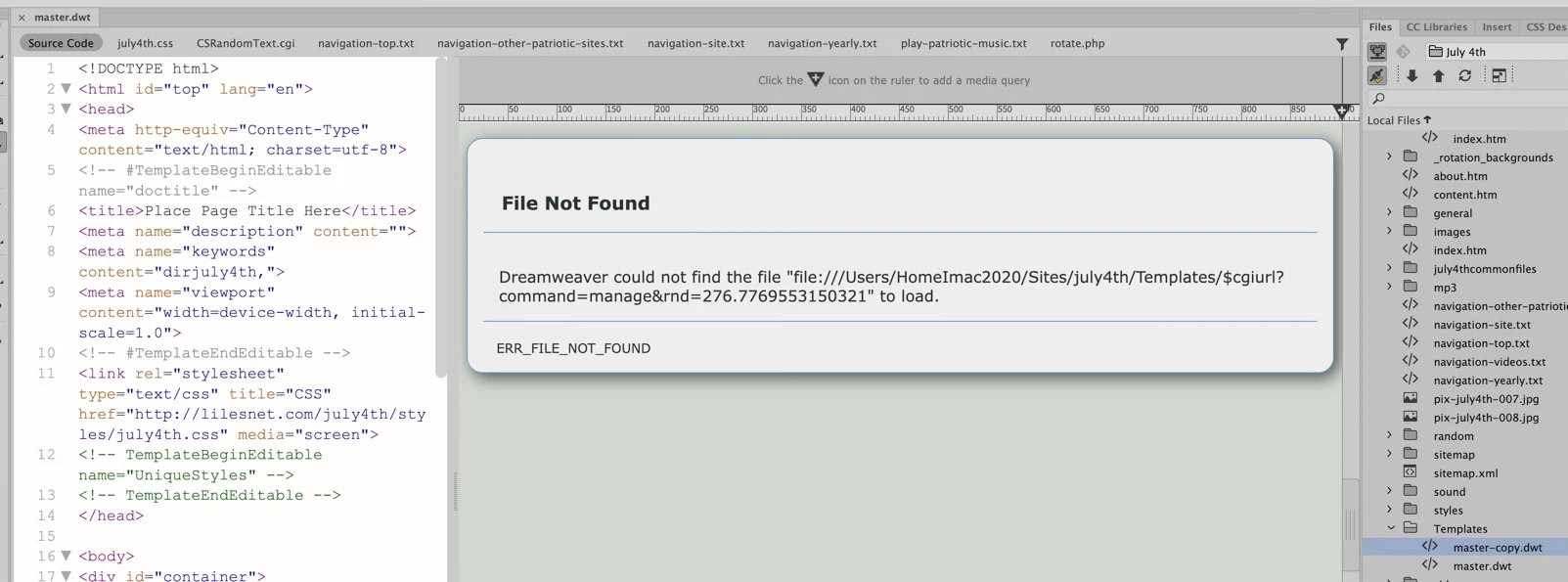
"Item Deleted"???

  • June 25, 2025
  • 3 replies
  • 330 views

My Template all of a sudden  ould not be updates


All of a sudden, I get this funny error message, but the file exists locally and on the server.    I have deleted it and reloaded a new copy, and get the same thing?  I am now sure what to do next!!


The URL is:  http://lilesnet.com/july4th/2025/index.htm    


BTW, when I attempt to edit this page using Dreamweaver, I also get "File Deleted" message.


Any assistance would be appreciated!!
 

    3 replies

    Nancy OShea
    Community Expert
    Community Expert
    June 27, 2025

    Which version of Dreamweaver?

    Which operating system & version?


    Nancy O'Shea— Product User & Community Expert
    pliles
    plilesAuthor
    Inspiring
    June 28, 2025

    Hi NAncy!


    MAC OS Sequora 15.5

    DW 21.5  15662 Build


    I am so happy you showed up!  You have saved me several times in the past!


    Paul


    BenPleysier
    Community Expert
    Community Expert
    June 28, 2025

    Hi Paul, It sounds like those two pages may have lost their connection to the template—especially since everything else is still functioning. You might want to open the non-working pages in Code view and check for the `<!-- InstanceBegin template="..." -->` tag at the top. If it’s missing or malformed, Dreamweaver won’t be able to reapply the template, and the “File Deleted” message makes sense in that context.


    Another factor could be Dreamweaver itself. Version 21.5 build 15662 on macOS Sequoia has reportedly been unstable for some users, especially around site definitions and template linkage. If the issue persists, it might be worth testing with an earlier version—just to rule out a bug in the current build.


    Hope that helps!


    Wappler is the DMXzone-made Dreamweaver replacement and includes the best of their powerful extensions, as well as much more!
    pliles
    plilesAuthor
    Inspiring
    June 27, 2025

    Day Three and no success.    I did find that several of the HTML pages will NOT allow me to apply a template!  24 do and two will not?  On the 24, the Applyh Template is greyed out!

    pliles
    plilesAuthor
    Inspiring
    June 27, 2025

    Day Two:


    I tried downloading the master.dwt from the remote site and nada.

    I tried copying the entire site to another spot locally and still got a "File Not Found"

    I tried deleting the master.dwt file and took another master.dwt file from another site and put it in, nada

    Losing my hair.  The site has pictures going back almost 24 years and I do not want to lose it (or recreate it)