


ashleighs112417
Known Participant
July 18, 2017
Answered

Large Margin Next To Image In Table

  • July 18, 2017
  • 1 reply
  • 359 views

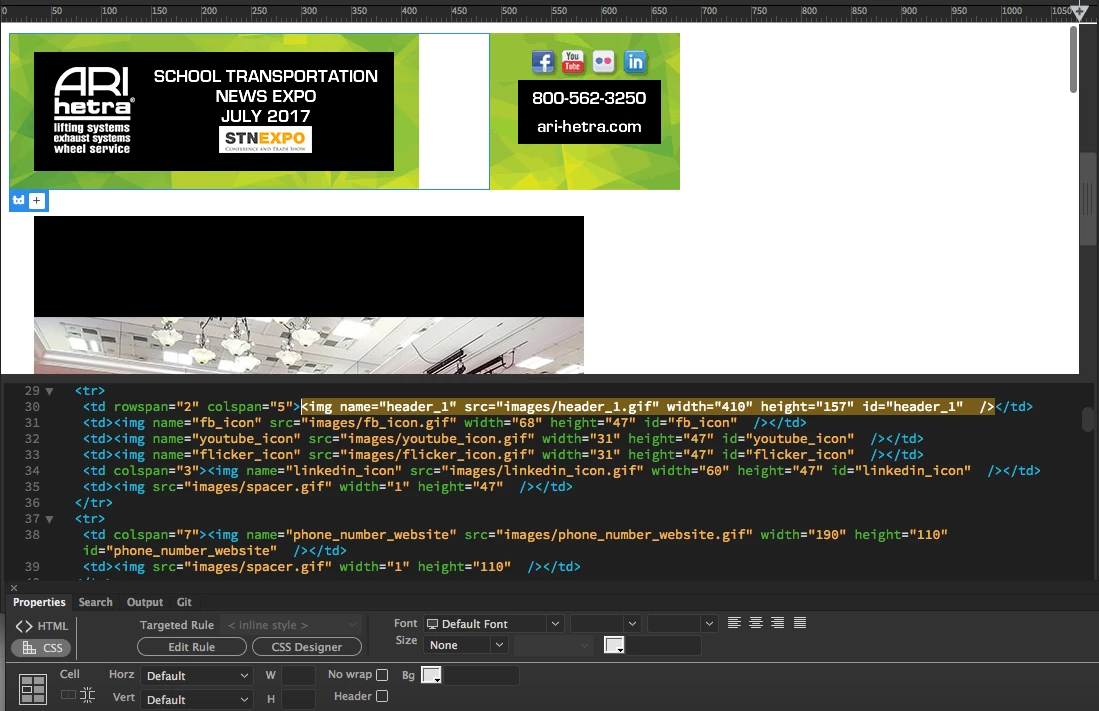
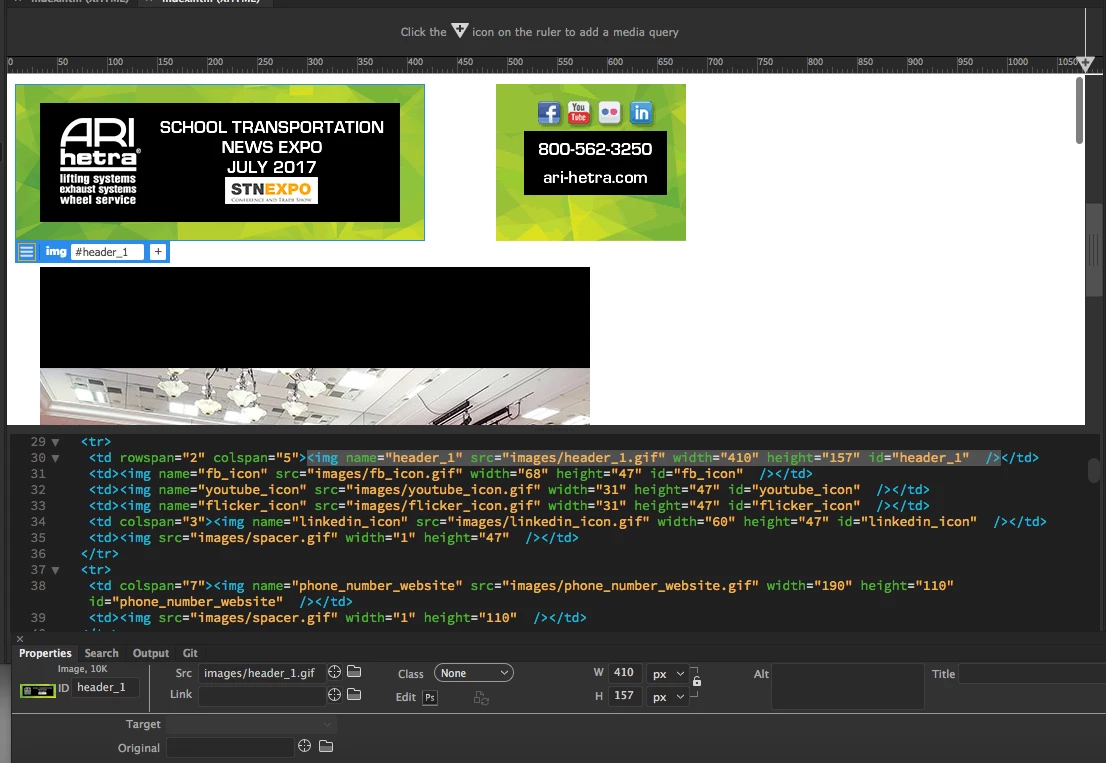
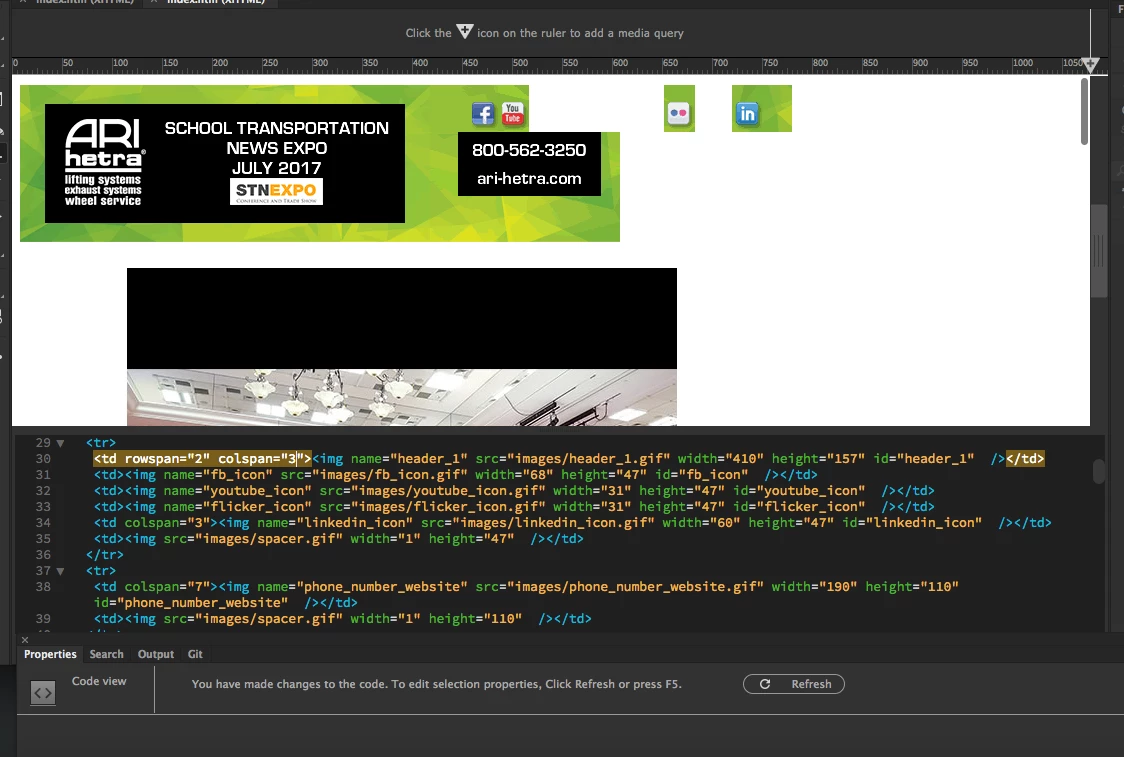
Attached are a few screenshots of what i am referring to.

I am needing to make an email for my boss to send out to clients. However, I am VERY new to dreamweaver. I know, not ideal to start here but no other choice.... So i want the social media icons and the phone number and website to be flush with the header, as it is in Fireworks, however, there is just this strange white margin between them, and it looks to be in the table that the header image is in.
Tried to change the colspan/rowspan and that just moves everything else around.
I have td img {display: block;} in the top of the coding.
I have watched every youtube video there is. Googled every possible thing i could think of.
H E L P.

Thank you in advance for any input/suggestions!!!

This topic has been closed for replies.
Correct answer Jon Fritz

The tables that Fireworks and Photoshop build are notoriously touchy, rigid and shouldn't be used for any "real" product. Yours are being blown apart by oddities with column and row span usage.

It would be better to create new tables to house your images from scratch within DW.

Rather than creating a single table with multiple column and row span settings, you would instead use much simpler "only row" or "only column" tables that you nest within each other to get the same effect.

1. Create a two column, 1 row table. Make sure there is no padding, spacing or border
2. Drop your large, left-hand image in the left cell
3. In the right cell, create a 2 row/1 column table, again no padding, spacing or border

4. Drop your phone number image in the bottom cell of the new table

5. In the top cell of the table from step 3, place your social media icons

As long as the total width of the social icons exactly matches the width of the phone number image, they'll sit horizontally

1 reply

Jon Fritz
Community Expert
Jon FritzCommunity ExpertCorrect answer
Community Expert
July 18, 2017

The tables that Fireworks and Photoshop build are notoriously touchy, rigid and shouldn't be used for any "real" product. Yours are being blown apart by oddities with column and row span usage.

It would be better to create new tables to house your images from scratch within DW.

Rather than creating a single table with multiple column and row span settings, you would instead use much simpler "only row" or "only column" tables that you nest within each other to get the same effect.

1. Create a two column, 1 row table. Make sure there is no padding, spacing or border
2. Drop your large, left-hand image in the left cell
3. In the right cell, create a 2 row/1 column table, again no padding, spacing or border

4. Drop your phone number image in the bottom cell of the new table

5. In the top cell of the table from step 3, place your social media icons

As long as the total width of the social icons exactly matches the width of the phone number image, they'll sit horizontally

ashleighs112417
Known Participant
July 18, 2017

Thank you for the quick reply. i am going to try this out right now !!!!

Nancy OShea
Community Expert
Community Expert
July 18, 2017

I would stay away from image slices.  They make your life harder.  One header image will do what you need and remain connected.

I would also recommend starting your project with an industry tested HTML email layout.  This will be more stable than anything generated from a graphics app.    Don't forget to add real text for people who can't see images in their email client.   See link below for more details.

HTML E-Mail & Newsletter Blasts - http://alt-web.com/

Nancy

Nancy O'Shea— Product User & Community Expert