


Participant
April 21, 2024
Answered

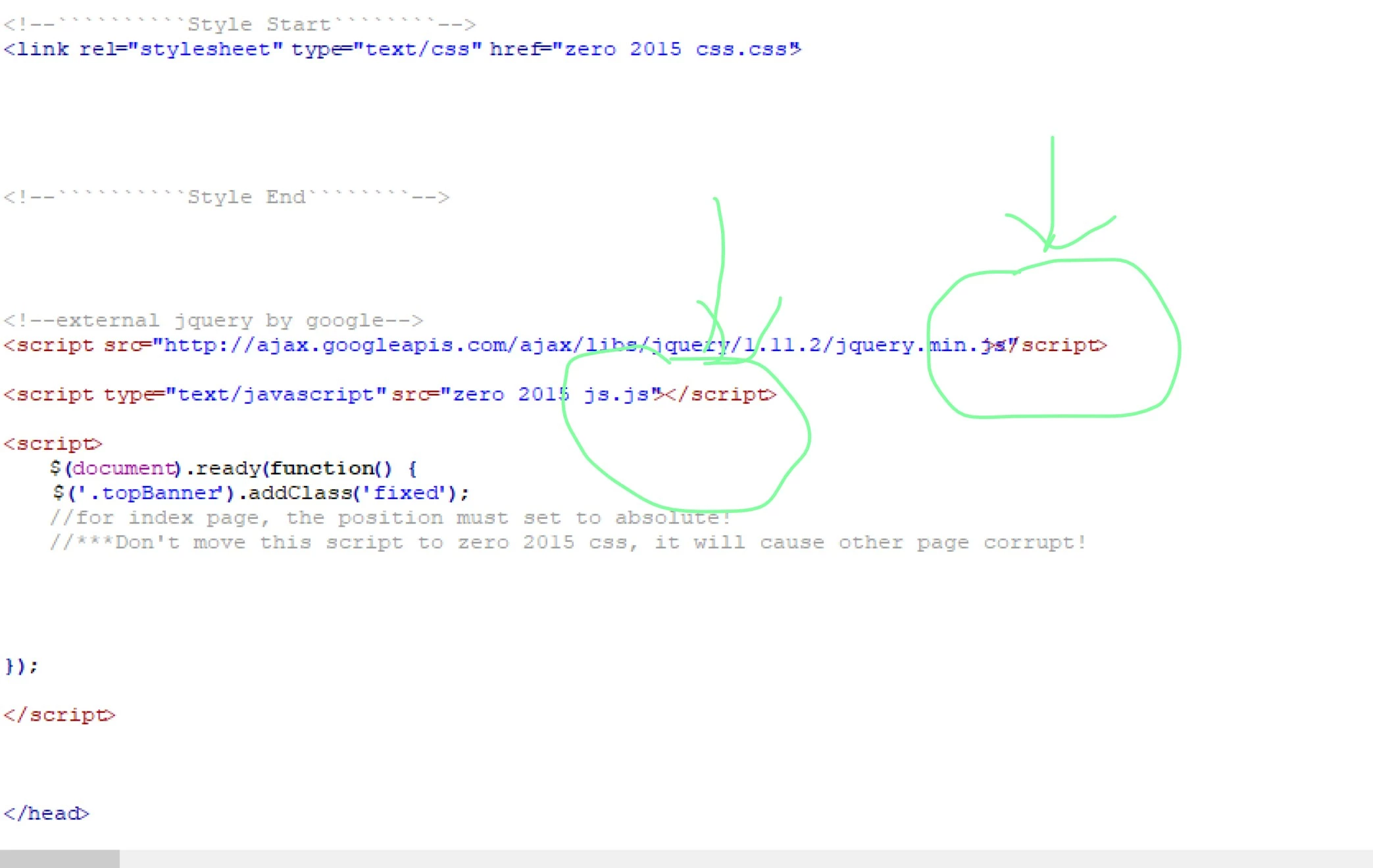
Letters on the code page overlapping

  • April 21, 2024
  • 2 replies
  • 342 views

I use dreamweaver cs6 on Win11 64bit, no problem before but it is not work now becasue the letters of the code page stick together and some are overlapping! I cannot put the cursor to the correct positon (even where the letter space is normal), no way i can edit it! Any solution? Many thanks in advance.
    This topic has been closed for replies.
    Correct answer Ben M

    If you go to the Settings --> Fonts, can you try changing the code view font/size to see if a different combination produces a better result?

    2 replies

    Ben MCommunity ExpertCorrect answer
    Community Expert
    April 21, 2024

    If you go to the Settings --> Fonts, can you try changing the code view font/size to see if a different combination produces a better result?

    Participant
    April 24, 2024

    Dear Ben,

    It works! I change the font and it works. Now a lot of space before the code. Many many thanks.


    Nancy OShea
    Community Expert
    Community Expert
    April 21, 2024

    Unsupported, 12 year old legacy software (CS6) meets bleeding-edge operating system (Win11) & updates. 

    What could possibly go wrong?  🤔 🤔


    Try using a modern code editor (free or paid):

    -- Adobe Dreamweaver CC - https://www.adobe.com/products/dreamweaver.html
    -- Codespaces (free, browser-based) - https://github.com/features/codespaces
    -- Pinegrow - https://pinegrow.com/
    -- Sublime Text - http://www.sublimetext.com/
    -- Visual Studio Code (free) - https://code.visualstudio.com/


    Let us know if that helps you.


    Nancy O'Shea— Product User & Community Expert
    Nancy OShea
    Community Expert
    Community Expert
    April 21, 2024

    Reduce the magnification settings in your Code View panel -- Ctr+0 or Ctrl+ - (minus).

    View > Code View Options.  See screenshot from Dreamweaver CC (version 21).


    Nancy O'Shea— Product User & Community Expert
    Participant
    April 24, 2024

    Thanks anyway.