Participant
Oct 18, 2019 2:48 PM UTC
Answered

Lists are piling on top of one another?

Please be nice. I'm pretty new to desiging in dreamweaver. I have to do it for work so bear with me if I don't know what your talking about. 

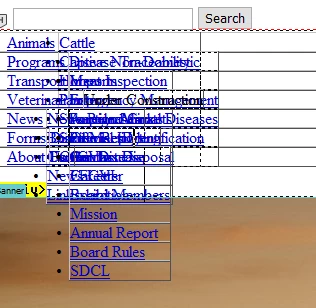
I have a horizontal drop down menue bar to navigate the web page. In the Design part of dreamweaver my lists are piled on top of each other. I'll try to attach a picture. It's only in the design view it looks like this. The published web page is fine. 
 

    This topic is closed to new replies. Start a new post to keep the conversation going.
    Nancy OShea
    Nancy OSheaCorrect answer
    Community Expert
    Oct 21, 2019 9:08 PM UTC

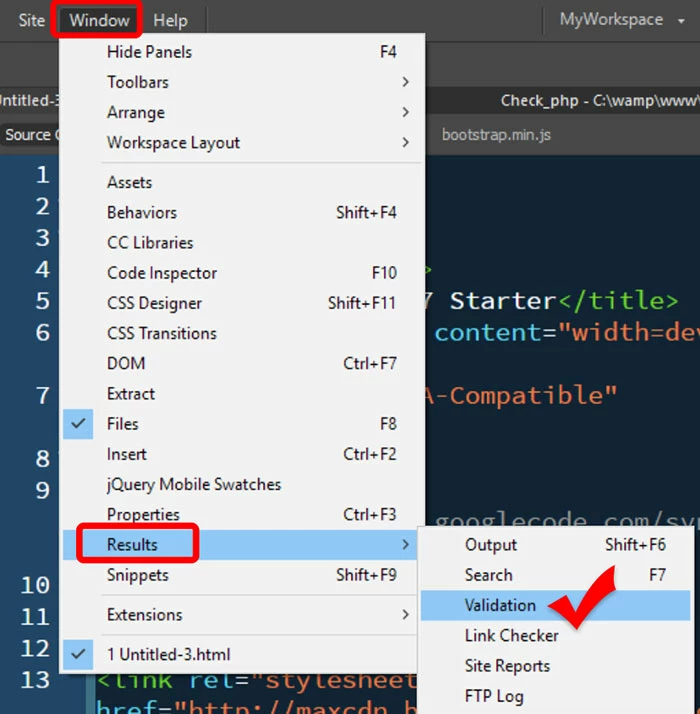
    Fix your code errors.  See screenshot from DW CC 2019.


    Nancy O'Shea— Product User & Community Expert

    6 replies

    Nancy OShea
    Community Expert
    Nancy OSheaCommunity ExpertCorrect answer
    Community Expert
    Oct 21, 2019 9:08 PM UTC

    Fix your code errors.  See screenshot from DW CC 2019.


    Translate
    Nancy O'Shea— Product User & Community Expert
    Participant
    Oct 21, 2019 9:39 PM UTC

    You are a life saver!!! THANK YOU SO MUCH!!!!!!!!!! 🙂

    Translate
    Participant
    Oct 18, 2019 3:17 PM UTC

    Ok. So new thing I found. 

    I went to Insert - HTML - Horizontal Rul and now it looks thike this. Which I'm ok with. But it won't save like that? I have to do that every time to all the pages to make it unbunch itself. I know none of this sounds smart or like I know what i'm doing. I apologize. would still like someones response. 


    Translate
    Nancy OShea
    Community Expert
    Community Expert
    Oct 18, 2019 5:54 PM UTC

    Screenshots don't tell us much.  What matters is the code and how your site performs in real browsers.  Can you upload your work to a TEST folder on your remote server and post the URL here?  That's the quickest way for us to help you in this forum. 


    I will tell you this though.  Dreamweaver design view is not accurate.  At best it's an approximation of what your page will look like in some older browsers.   Live view is more accurate but slower for editing purposes. 

    Translate
    Nancy O'Shea— Product User & Community Expert
    Participant
    Oct 21, 2019 8:51 PM UTC

    I'm not sure how to do that... I work for the state so I'm very limited on what I can upload and download. My computer is blocked from doing certain things. 

    And the page looks exactly how I want it to in the live view, I guess I was always told to make edits and changes in the design view.. And that's where ut gets messy. 

    Translate