Participant
June 9, 2017
Answered

Live/Design view only showing a grey background

  • June 9, 2017
  • 1 reply
  • 355 views

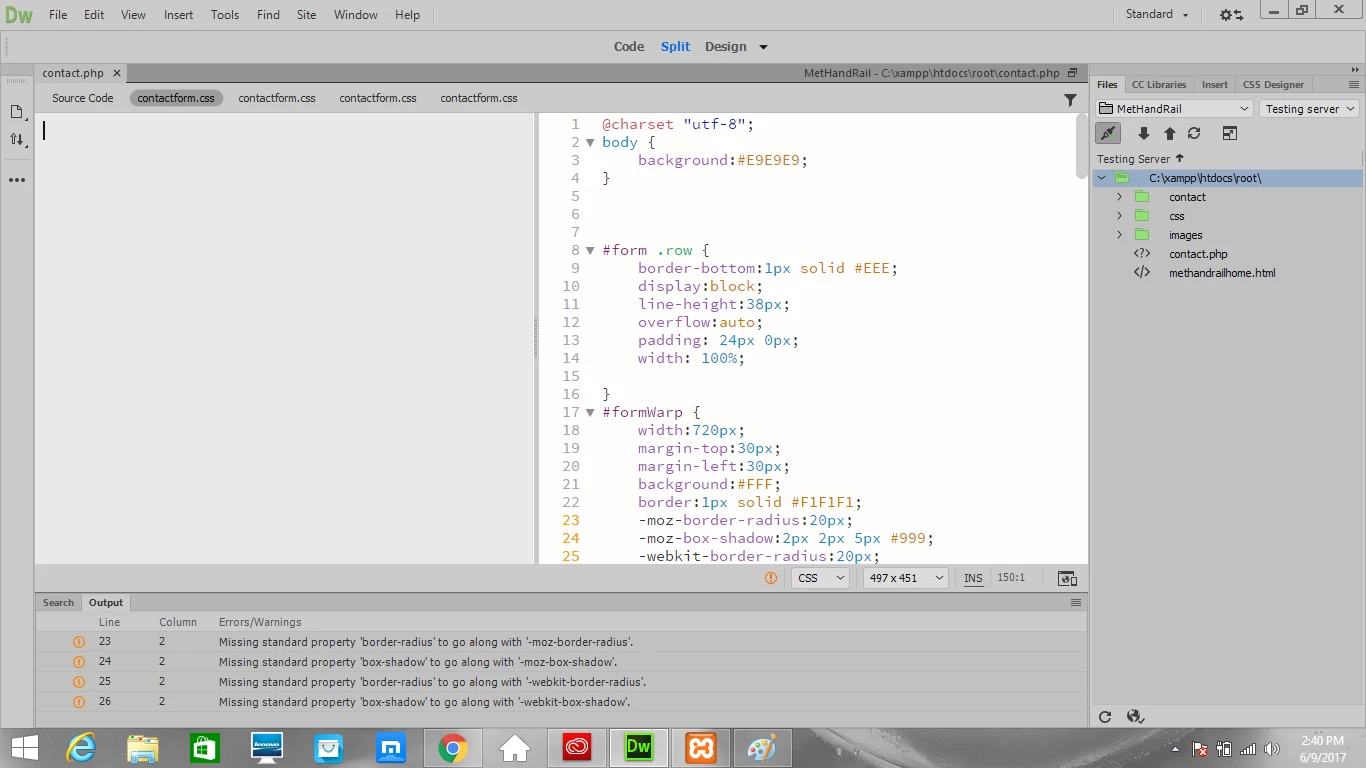
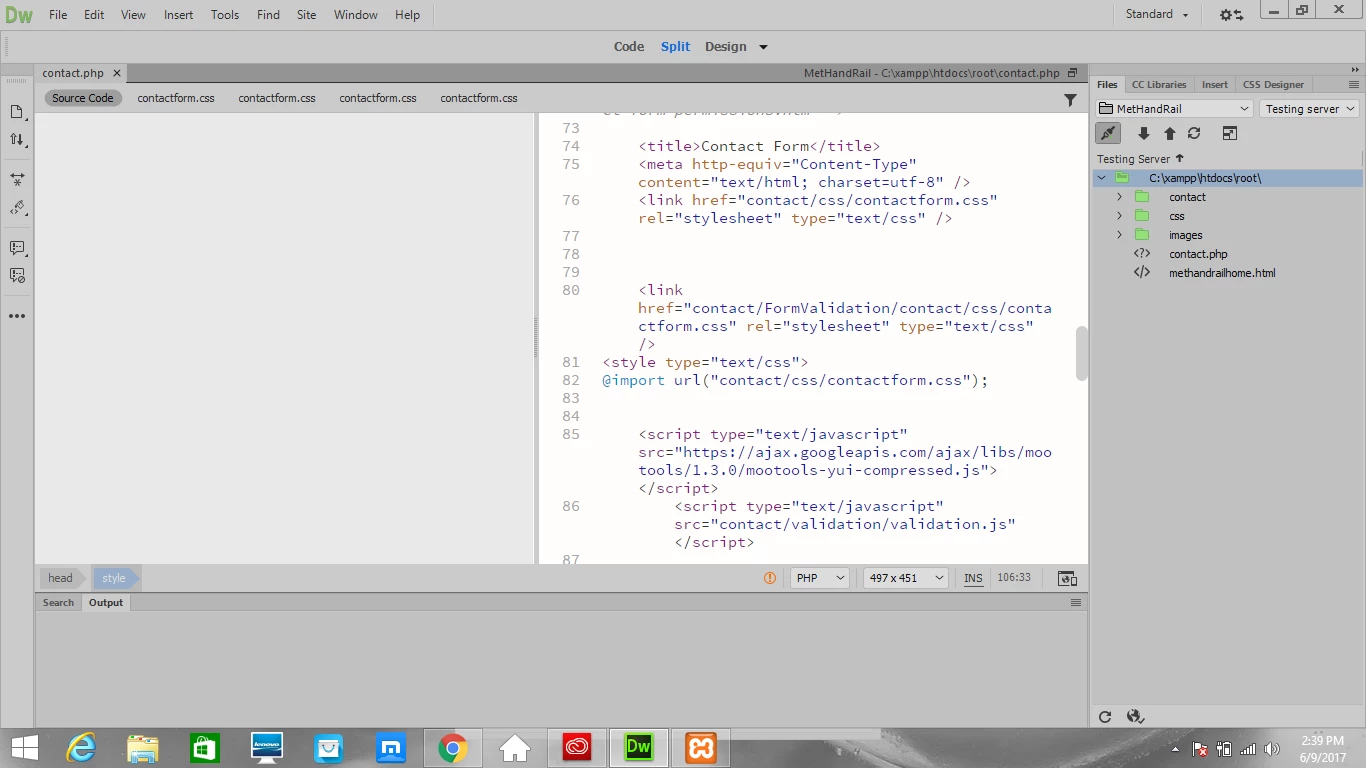
Hi everyone I'm working in a website for a family member and everything was going nice, I have a nice main page, gallery and a dynamic contact forum that works! However I was just editing on the contact forum brushing up a little design and I removed a css style link, and relinked it but now nothing shows up at all on the page. its just all grey in design view, live view, and in browser view. I don't see anything wrong with the code so I'm not sure if i did mess it up without knowing or if its just another Dreamweaver error. I'll provide some pictures of my problem so you can see it. Before this I was able to view it just fine in all three modes. everything was working
This topic has been closed for replies.
Correct answer Nancy OShea

You don't need @import for this.  In fact, it's better if you don't use it.  Just use a straight link to your CSS file and make sure the path is correctly pointing to the right folder and filename in your local site.

<link href="folder/filename.css" rel="stylesheet">

If styles are still not showing up, check your code for errors.

CSS - http://jigsaw.w3.org/css-validator/

HTML5 - https://validator.w3.org/nu/

1 reply

Nancy OShea
Community Expert
Nancy OSheaCommunity ExpertCorrect answer
Community Expert
June 9, 2017

You don't need @import for this.  In fact, it's better if you don't use it.  Just use a straight link to your CSS file and make sure the path is correctly pointing to the right folder and filename in your local site.

<link href="folder/filename.css" rel="stylesheet">

If styles are still not showing up, check your code for errors.

CSS - http://jigsaw.w3.org/css-validator/

HTML5 - https://validator.w3.org/nu/

Nancy O'Shea— Product User & Community Expert
pziecina
Legend
June 9, 2017

Just to add to Nancy's answer, @import is usable within a css file, but not recommended as it stops all other downloads, so should be used only when absolutely necessary.

As for live view not rendering your page, check for errors, as any errors will stop live view from working correctly.