


Community Expert
July 4, 2023
Question

Live Preview failure - PHP/MAMP/M2 Mac/Dreamweaver 21.3

  • July 4, 2023
  • 2 replies
  • 1283 views

This is incredibly frustrating. Let me run it down for you. If I enter http://localhost:8888/destiny.com/Pages/home.php in any web browser and am running the latest version of MAMP, I get a perfect preview of any of the PHP websites that I have created. Everything works perfectly. 


I have setup the Testing server perfectly in Dreamweaver, but nothing works correctly. Sometimes I get a blank preview until I select Design, then Preview. When I go back to live I get a preview without any of the CSS files or graphics. If I preview in a browser I get a weird http://127.0.0.1:55006/preview/app/index.html link instead of the home.php file because Dreamweaver is generating some kind of weird preview file, and again, none of the css or images. Here's a screen capture of the weirdness.
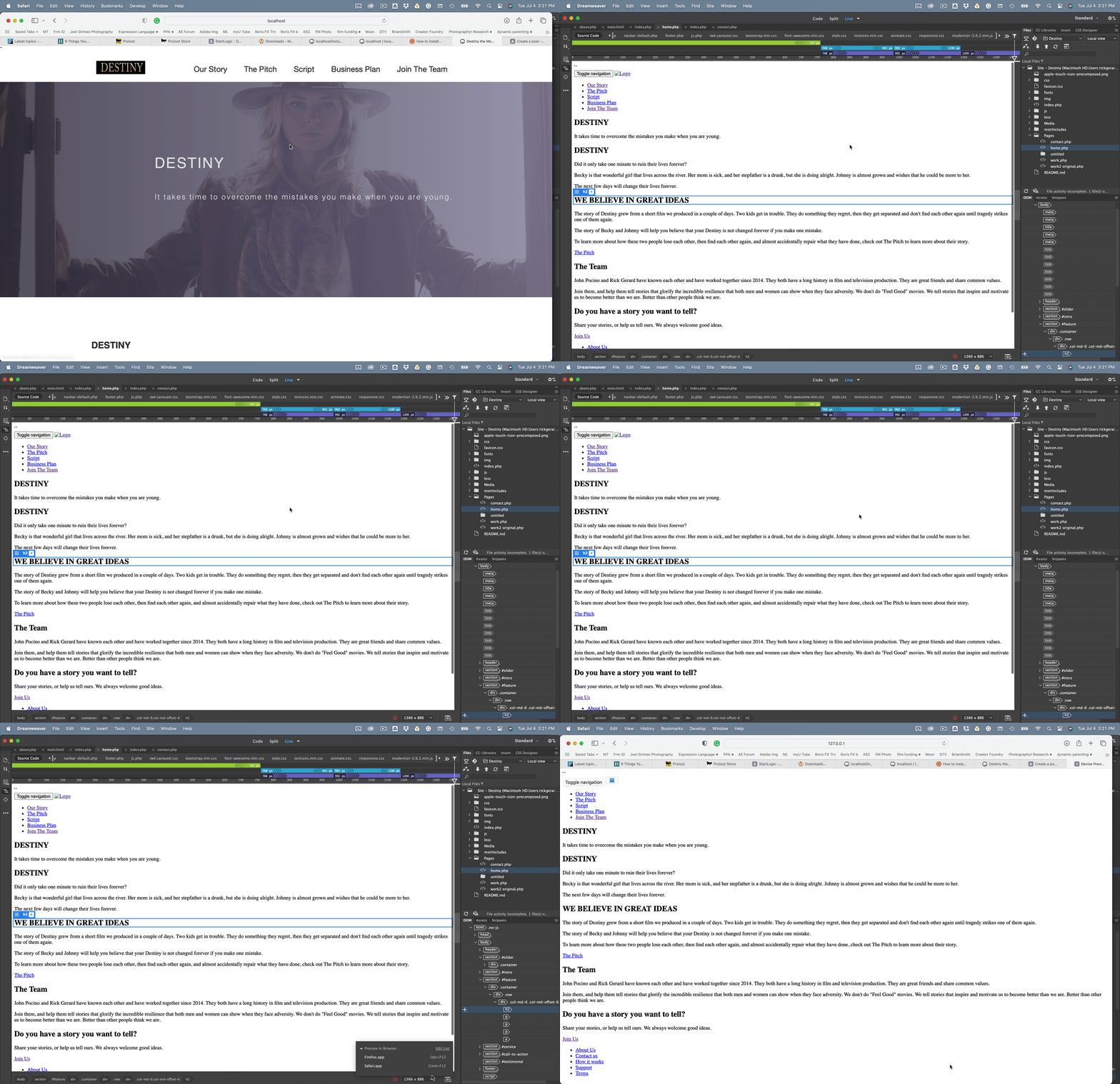
I admit that I have not updated this site in about 3 years. I have kept Dreamweaver updated, but now I need to work on the site and it's impossible to see what I'm doing inside Dreamweaver and I have to preview by manually typing in the php file name because preview is busted. I also get a File activity incomplete, 1 file or folder were not completed warning. That explains the missing CSS and images.


Anybody got any ideas on how to fix this. If the site is HTML, all the CSS and images preview fine, but if I change the extension to .php, all the CSS goes away and the images dissapear, even when I'm creating a new site and new page. 


I have gone through preferences, made sure that Preview using temporary files is not checked. 


Here's the error log:
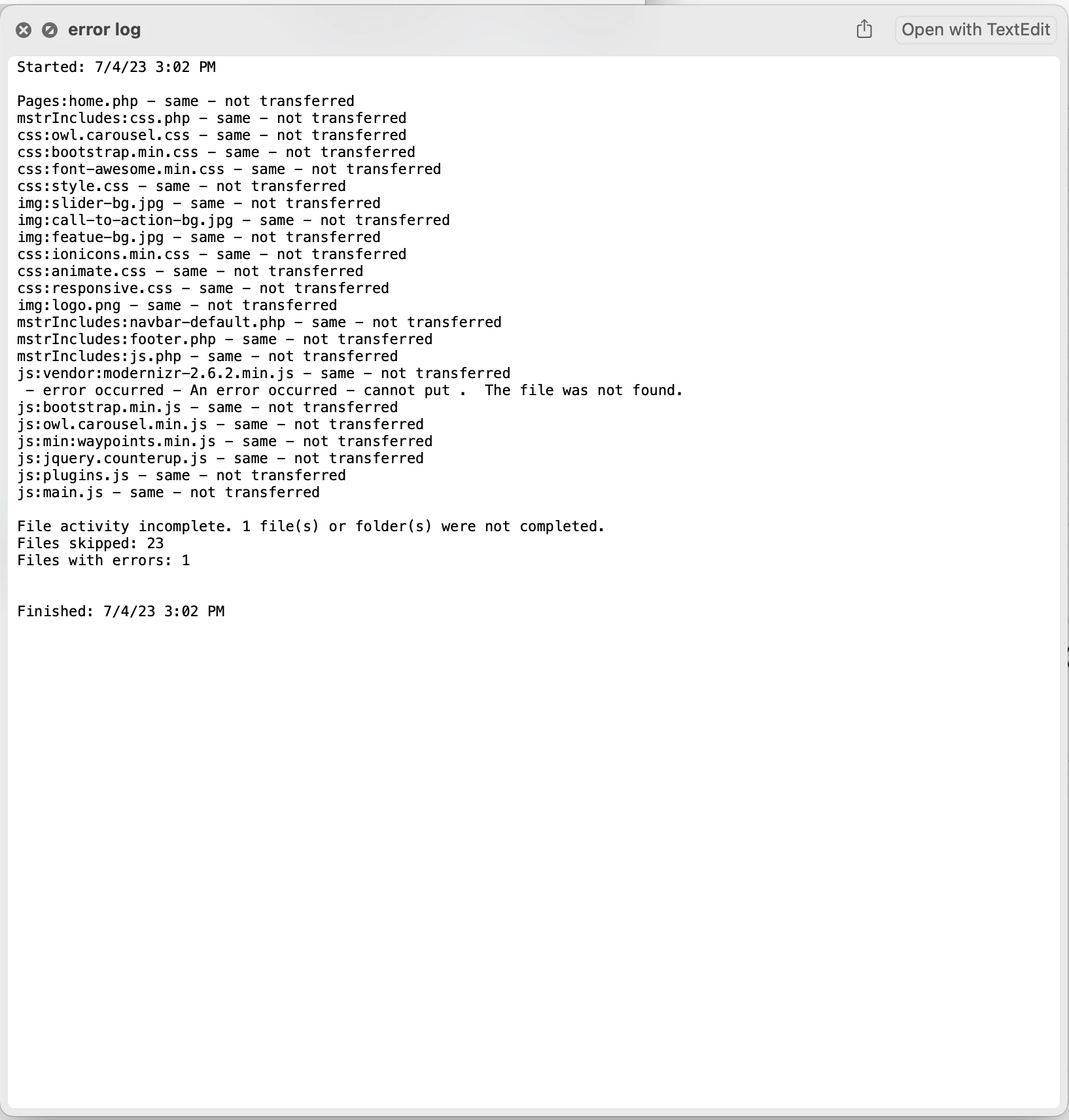
I appreciate any ideas anyone has for fixing this bug or helping me figure out how to preview PHP files in Dreamweaver so I can get some things done without having to go directly to the browser with a localhost:000/link the page every time I make a change. 

This topic has been closed for replies.

2 replies

Participant
July 7, 2023

I am having the exact same problem today (July 6, 2023)... this morning everything was working fine. This afternoon, the LIVE view stop working.

Nancy OShea
Community Expert
Community Expert
July 7, 2023

@fxoffroad2,

Validate Live Code and fix reported errors.

Dreamweaver doesn't like code errors.


Nancy O'Shea— Product User & Community Expert
Community Expert
July 9, 2023

There are no code errors. The problem is that the Preview/App folder is being created by the previews, and the subdirectories are not moving. I took all of the assets, images, CSS, Java Script, linked PHP menus, SQL segments for content, and moved them all to the root directory, and Now Live View works. Move images back to the /images folder and they no longer show up. Move the CSS files back to the CSS folder and the same thing, all the styling gets ignored. 


When I get the time I'm going to explore the problem further. Back in the good old days, about 3 years ago when I last worked on my site, the interaction between Dreamweaver and my PHP/MySQL site was perfect, and no /Preview/App/directories were created when previewing. Something changed somewhere and I hope I can find it a get it fixed. 

Nancy OShea
Community Expert
Community Expert
July 5, 2023

Real-time Preview is counterproductive with a local testing server.  Use Localhost instead.

Right-click on open document tab and select Open in Browser (localhost).


Live view works for me with document relative link paths.


Nancy O'Shea— Product User & Community Expert
Community Expert
July 6, 2023

That is exactly how I have everything set up for the local host server in the Site Setup panel. I am on a Mac with MAMP so the Server Folder is different, but accurate. Nothing changed in the Site definitions from previous versions of Dreamweaver, and they were working fine.


Localhost needs an 8888 when using MAMP.  If I copy the web url from the Site Setup which looks like this: http://localhost:8888/destiny.com/ and I get a proper preview. 


If I use Preview from Dreamweaver I get this URL and all the links are broken and the Live view in Dreamweaver is completely broken. It makes it impossible to figure out if the CSS is working. None of the formating comes through. This is the URL that Dreamweaver creates when I select Preview.

http://127.0.0.1:55006/preview/app/index.html


For some reason I cannot figure out the Previews are generating a URL based on an 127.0.0.1 instead of the localhost and file path.  Something is fouled up somewhere. I've even run Cleaner, deletd all the Dreamweaver files I could find on my machine, and then reinstalled. 


I even uninstallled MAMP, cleaned everything I could find there, and installed it again. 


I would love to get this fixed. I think it is a bug. It's like Dreamweaver is creating some temp file somewhere even though I have told it not to, and I can't find the files anywhere on my system.

Nancy OShea
Community Expert
Community Expert
July 6, 2023

I may be wrong but I think Real-Time Preview is discontinued.  😕😕


I never used it much.  It's was always too problematic because it relied on Adobe Servers and an iframe.  A few years ago, I changed my default Preferences to Static Browser Preview and never looked back.  See screenshot.


Hope that helps.


Nancy O'Shea— Product User & Community Expert