

Jeffery0D44
Inspiring
March 20, 2021
Answered

LIve View

  • March 20, 2021
  • 2 replies
  • 453 views

Greetings!

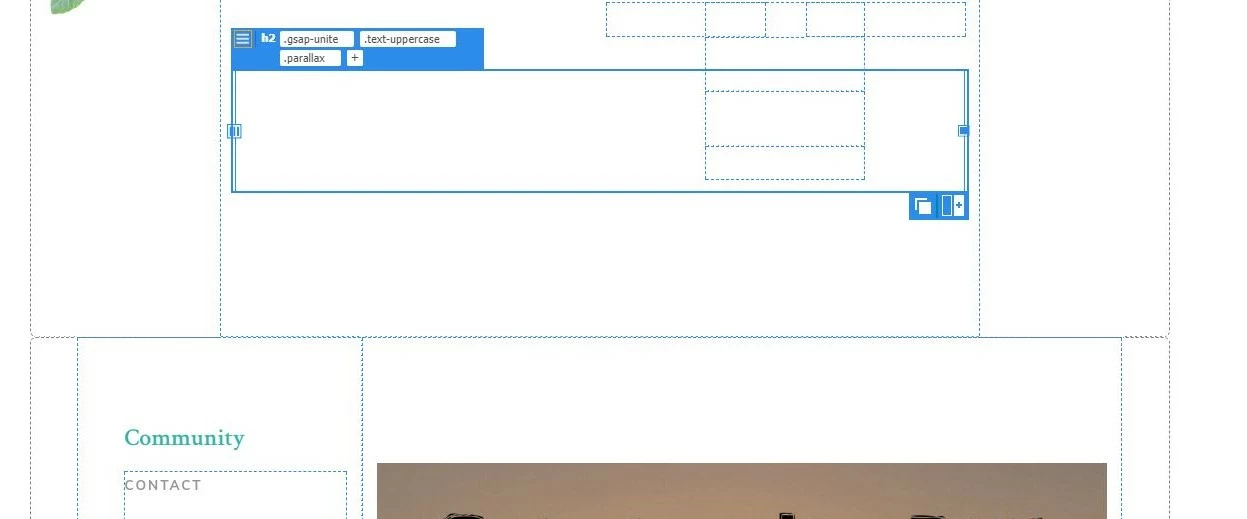
Since the last 2 updates my live view has changed to the view you see in the picture rather than the live view. Can someone help in how to get the actual live view back. I toggled before by accident and can't remember how I did it. Thanks! Just strating to use Dreamweaver and appreciate your help.


Jeff
    This topic has been closed for replies.
    Correct answer Jeffery0D44

    I figured out it it defaults to live view displays. I have to ctrl+alt+h to hide. So frustrating. This didnt happen on previous builds. I am running Windows 10 with DW 21.1. Anyone else have this issue?

    2 replies

    Nancy OShea
    Community Expert
    Community Expert
    March 20, 2021

    I have a custom workspace.  I save my workspace preset and sync settings to the cloud from Edit > Preferences > Sync.


    Live View Options can be found in your Common Toolbar.  Or click the 3 dots icon to enable it (see screenshot).


    Nancy O'Shea— Product User & Community Expert
    Jeffery0D44
    Inspiring
    March 20, 2021

    Thank you Nancy! I will try and save settings by syncing to the cloud and see how that works. 

    Jeffery0D44
    Jeffery0D44AuthorCorrect answer
    Inspiring
    March 20, 2021

    I figured out it it defaults to live view displays. I have to ctrl+alt+h to hide. So frustrating. This didnt happen on previous builds. I am running Windows 10 with DW 21.1. Anyone else have this issue?