
Participant
July 23, 2018
Answered

logic.js adding itself to documents

  • July 23, 2018
  • 3 replies
  • 616 views

Hi There!

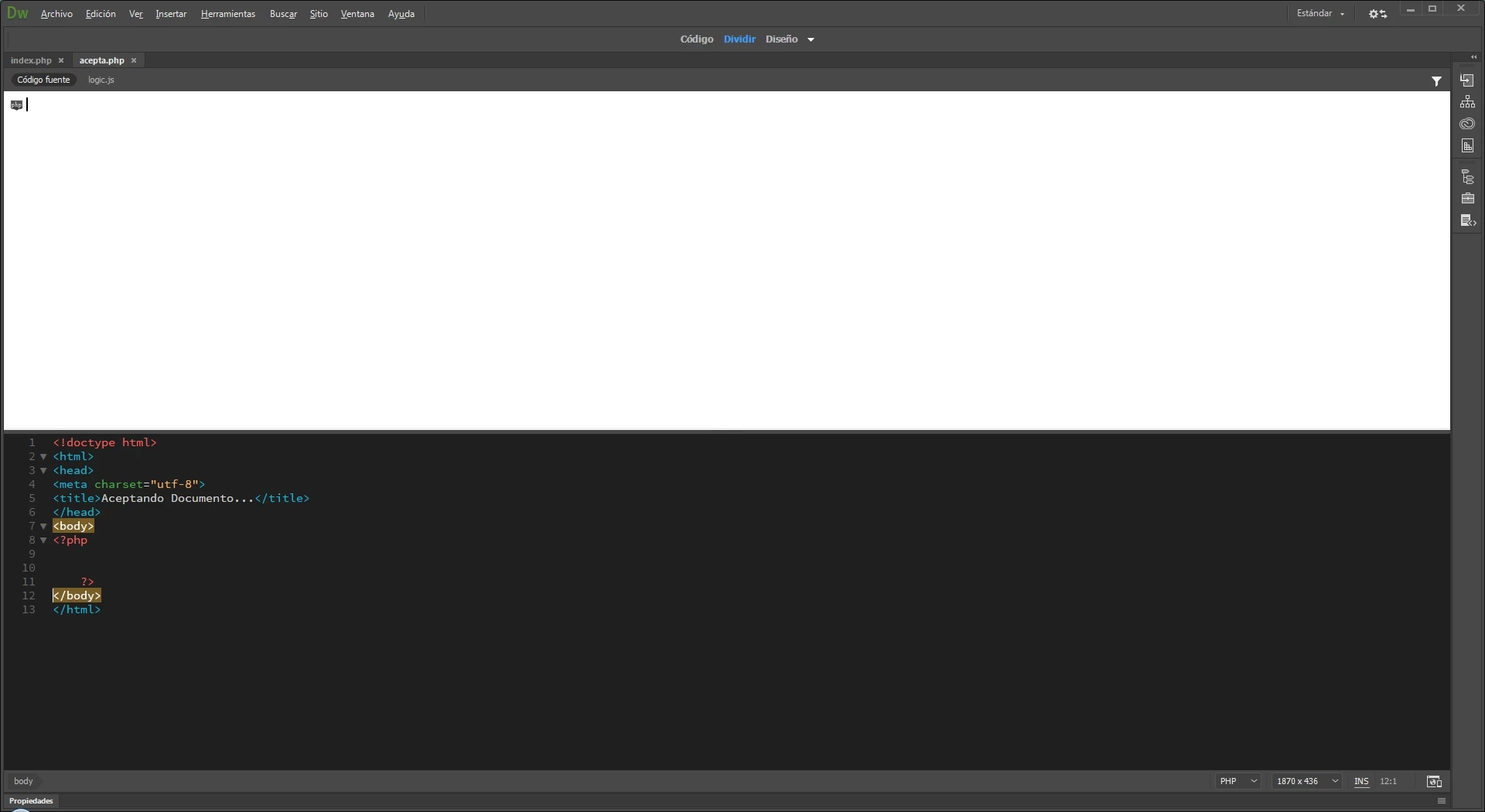
It's a simple question: I created an Blank PHP document and automatically it adds an 'logic.js' document link.

Why? I don't know but i've not added it to the document.

Here's a screenshot for the doubts:
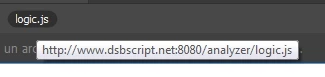
It's linked to this site (nonexistent).
Thanks for any response.

    This topic has been closed for replies.
    Correct answer Aoryu

    Hi again and thanks for your support.

    I have to tell you that my bank suggested to install an "Secure Transactions App" that as interfering into all my connections. I've uninstalled and now that 'logic.js' reference isnt appearing anymore.

    All your additional questions have helped me me a lot solving this issue.

    Thanks again.-

    3 replies

    AoryuAuthor
    Participant
    July 26, 2018

    For additional reference, i let you know the original bank website recommending this software for 'protection against false sites'

    But i think this wouldnt interfere with Dreamweaver when it detects all related files of the document without having some 'includes' on it.

    Community Manager
    July 25, 2018

    Hi,

    Thanks for reporting.

    We are not able to reproduce the issue at our end. Please let us know below information in resolving the issue

    • What is the Dreamweaver Version and OS are you using?
    • Please try clearing Dreamweaver Preferences and see if the issue is resolved.

    Unusual behavior in Dreamweaver? Try restoring preferences.

    • Is the issue happening every time you create a new site and create a new PHP page in that site

    Thanks

    Kratika

    AoryuAuthorCorrect answer
    Participant
    July 25, 2018

    Hi again and thanks for your support.

    I have to tell you that my bank suggested to install an "Secure Transactions App" that as interfering into all my connections. I've uninstalled and now that 'logic.js' reference isnt appearing anymore.

    All your additional questions have helped me me a lot solving this issue.

    Thanks again.-

    Nancy OShea
    Community Expert
    Community Expert
    July 26, 2018

    Aoryu  wrote

    I have to tell you that my bank suggested to install an "Secure Transactions App" that as interfering into all my connections. I've uninstalled and now that 'logic.js' reference isnt appearing anymore.

    Wow, that's a little scary.  Glad you were able to get rid of it.

    Nancy O'Shea— Product User & Community Expert
    Nancy OShea
    Community Expert
    Community Expert
    July 24, 2018

    I cannot reproduce what you describe.

    Does your site folder contain any exotic frameworks?

    Have you run a full system virus scan lately?

    Nancy O'Shea— Product User & Community Expert
    WolfShade
    Legend
    July 25, 2018

    https://forums.adobe.com/people/Nancy+OShea  wrote

    Have you run a full system virus scan lately?

    This was the first thought on my mind, when I first read the OP's post.  I don't even know what "logic.js" is.  I tried Googling it, but all I got were pages on JavaScript logic, nothing about logic.js.

    V/r,

    ^ _ ^