


Participating Frequently
February 28, 2018
Answered

Many files open when I close and open again Dreamweaver

  • February 28, 2018
  • 2 replies
  • 878 views

Hi,

I find it little practical to click on the small cross in order to close each file open with DW. So sometimes, I close the program, save the files when I prompted to do it and start again DW. Then DW opens all the files and even more files. How can I start with only one document?

    This topic has been closed for replies.
    Correct answer Jon Fritz

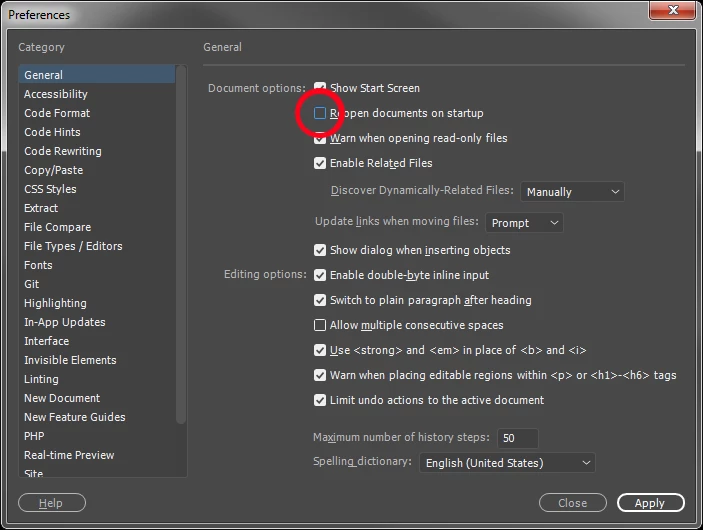
    Go to Edit > Preferences > General and turn off "Reopen documents on startup"...

    2 replies

    Jon Fritz
    Community Expert
    Jon FritzCommunity ExpertCorrect answer
    Community Expert
    February 28, 2018

    Go to Edit > Preferences > General and turn off "Reopen documents on startup"...

    BenPleysier
    Community Expert
    Community Expert
    February 28, 2018

    Right-click one of the file tabs and choose

    Wappler is the DMXzone-made Dreamweaver replacement and includes the best of their powerful extensions, as well as much more!
    WolfShade
    Legend
    February 28, 2018

    I'm a BIG FAN of the keyboard shortcut CTRL-SHIFT-W.

    V/r,

    ^ _ ^

    EDIT: Or did they remove that in CC?

    Jon Fritz
    Community Expert
    Community Expert
    February 28, 2018

    Nah, that shortcut's still there.