Hosun
Inspiring
May 7, 2019
Answered

Media Query

  • May 7, 2019
  • 2 replies
  • 486 views

Hi,

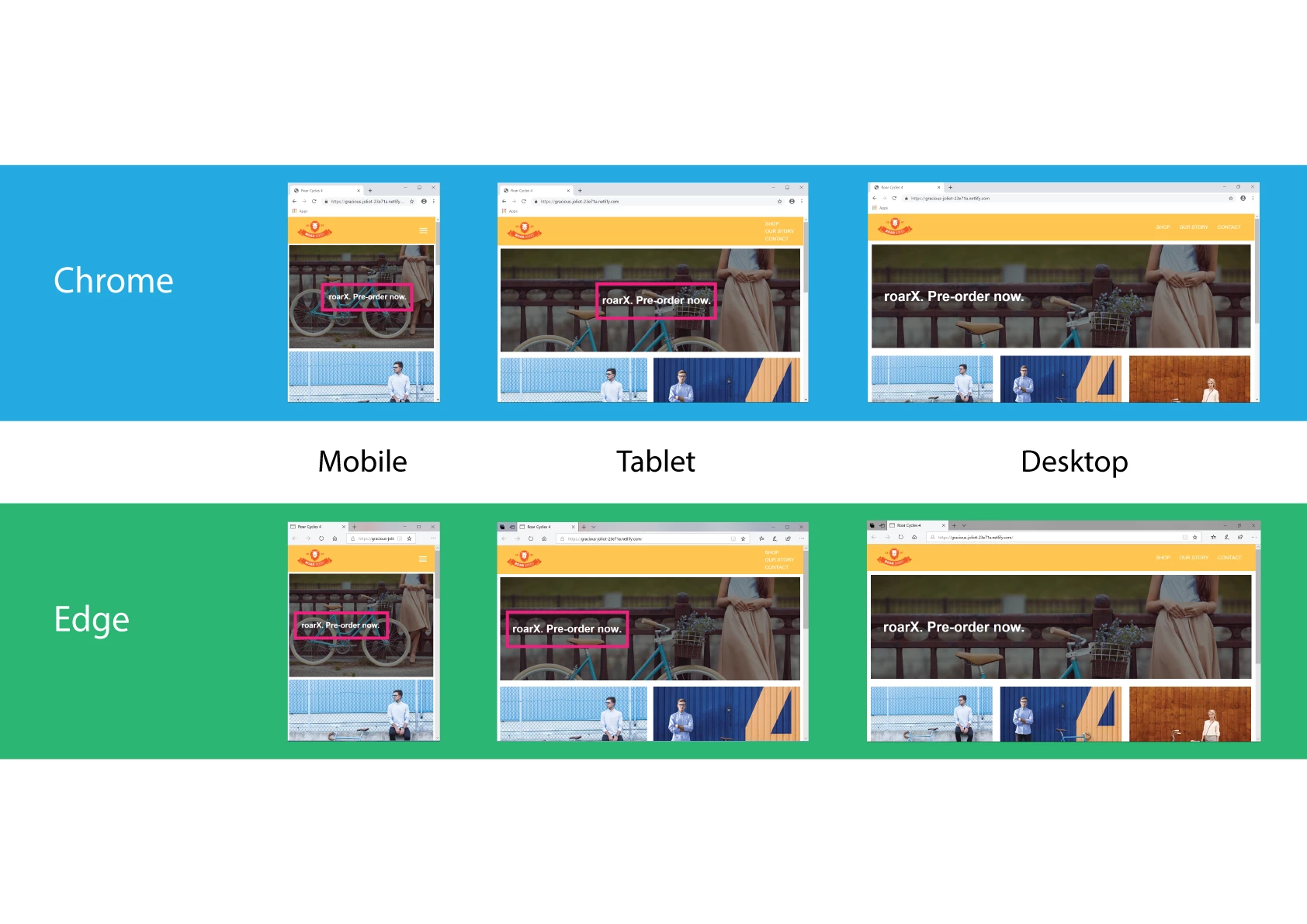
In Chrome, <h1> text is in the center vertically and horizontally on Mobile and Tablet.

In Edge, <h1> text is aligned left on Mobile and Tablet.

Is there any way to fix it?

(All 6 photos came from the screenshots on my laptop.

Everything is OK on my iPhone XS Max (Chrome and Safari).)

Link

Roar Cycles 4

Hosun Kang

This topic has been closed for replies.
Correct answer BenPleysier

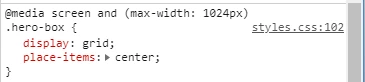
This means that you are centring the items within the hero-box using grid. This works fine when viewing the page in browsers that understand grid, see https://caniuse.com/#feat=css-grid

2 replies

Legend
May 8, 2019

What do you want, the h1 centering?

add this rule to H1 in you CSS:

margin: 0 auto;

Paul-M - Community Expert
Hosun
HosunAuthor
Inspiring
May 8, 2019

Thank you very much.

That is exactly what I've been looking for.

Thanks again.

Hosun Kang

BenPleysier
Community Expert
BenPleysierCommunity ExpertCorrect answer
Community Expert
May 8, 2019

This means that you are centring the items within the hero-box using grid. This works fine when viewing the page in browsers that understand grid, see https://caniuse.com/#feat=css-grid

Wappler is the DMXzone-made Dreamweaver replacement and includes the best of their powerful extensions, as well as much more!