Hosun
Inspiring
August 19, 2019
Answered

Media Query

  • August 19, 2019
  • 1 reply
  • 942 views

Hi,

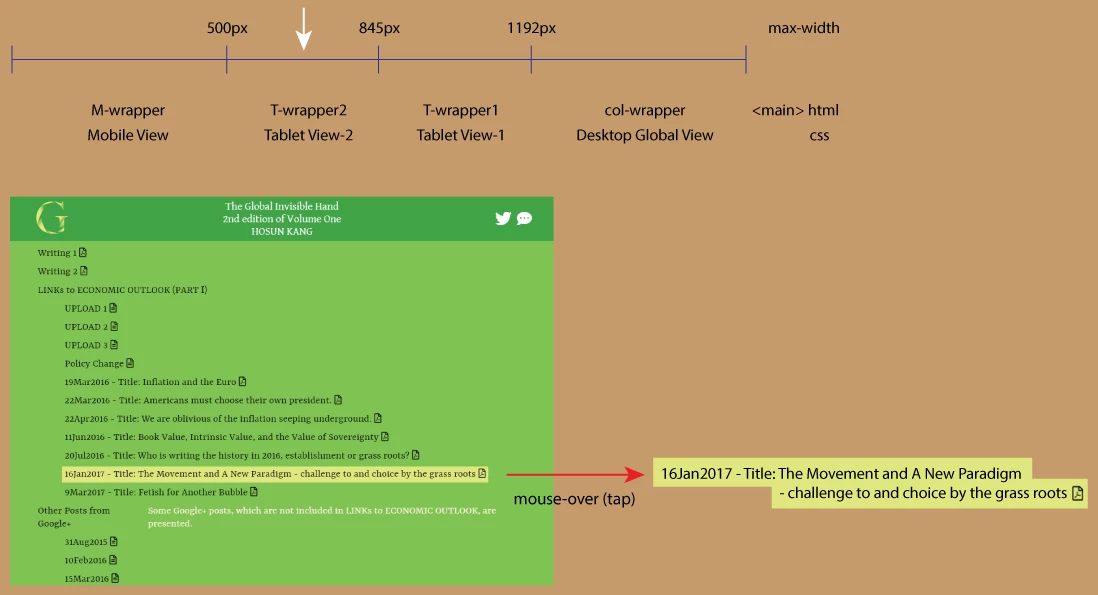
I am working on Tablet View-2.

There is a long line.

I want to change it into two short lines, keeping everything intact.

Is there any solution?

Global Invisible Hand

Hosun Kang

This topic has been closed for replies.
Correct answer B i r n o u

if you really want to control where to split the line, you can use either  a BR tag (alone) or a SPAN tag (completed by some CSS as display:inline:block, of block depending on what result you would like to get.

if you don't need to control exactly where to split the line, the text should run as the width of the container reduce

1 reply

B i r n o u
B i r n o uCorrect answer
Legend
August 19, 2019

if you really want to control where to split the line, you can use either  a BR tag (alone) or a SPAN tag (completed by some CSS as display:inline:block, of block depending on what result you would like to get.

if you don't need to control exactly where to split the line, the text should run as the width of the container reduce

Hosun
HosunAuthor
Inspiring
August 20, 2019

Hi,

Thank you very much for your reply.

I wrote the code below.

While moving from 845px to 500px, there appears an unexpected thing.

Is there any solution?

Global Invisible Hand

Hosun Kang

BenPleysier
Community Expert
Community Expert
August 20, 2019

Remove margin-left or change the value to 0 as in

margin-left: 0;

Also please note that spaces are not allowed as the value for the href attribute. See Showing results for https://xenodochial-kare-3d3608.netlify.com/ - Nu Html Checker

Wappler is the DMXzone-made Dreamweaver replacement and includes the best of their powerful extensions, as well as much more!