
Deaf_Guy
Inspiring
June 17, 2018
Answered

My CSS Works in Inspect but Not in DW?

  • June 17, 2018
  • 2 replies
  • 989 views

I created a very simple page in DW with an iframe of a countdown clock.  I then went into Google Inspect and added a small piece of CSS to get rid of a little handler for it.  Below is the code I added in Inspect and the end result:
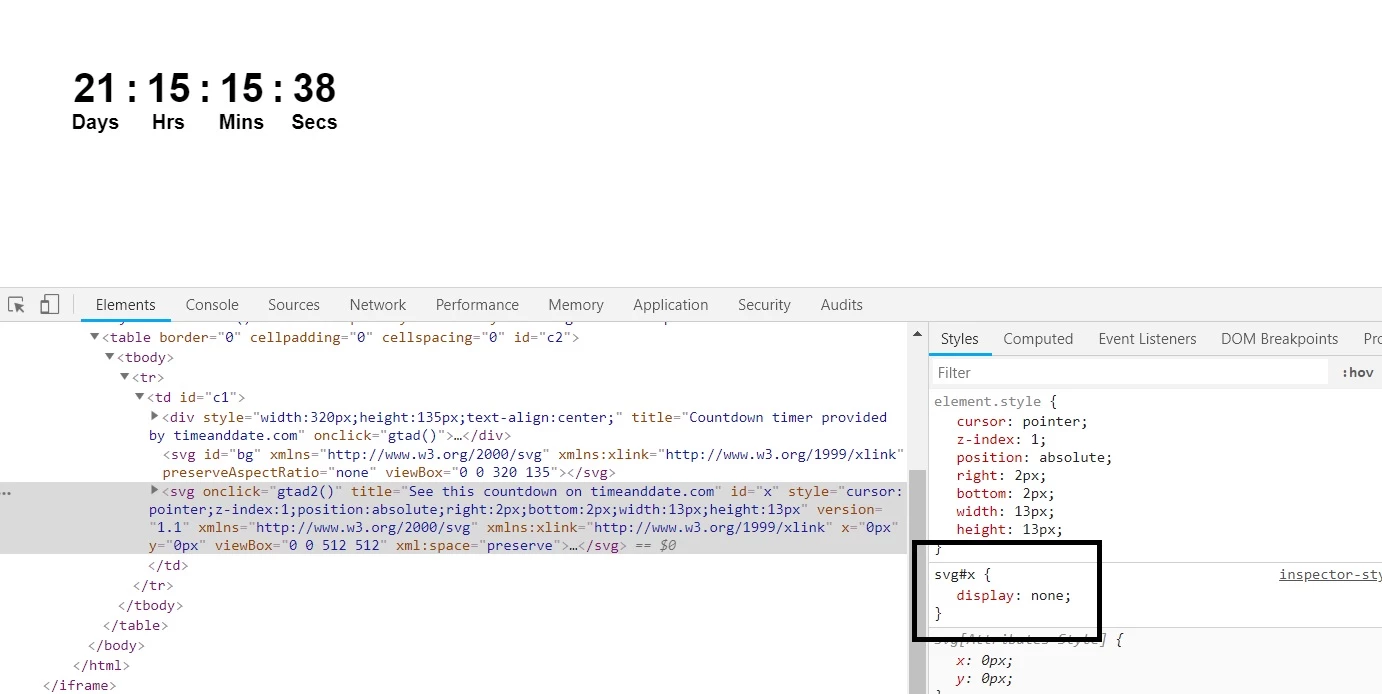
So I then grabbed the CSS and put it into the <head> on the DW page.  Weirdly, that CSS that works in Inspect won't work in the actual DW page.  I added:

svg#x {

    display: none;

}

I don't have a web host so I cannot send a URL of the actual page but here is the code from DW:

<!doctype html>

<html>

<head>

<meta charset="utf-8">

<title>Timer</title>

<style>

svg#x {

    display: none;

}

</style>

</head>

<body>

<iframe width="320" height="135" src="https&#58;//free.timeanddate.com/countdown/i69tgzak/n263/cf100/cm0/cu4/ct0/cs0/ca0/co0/cr0/ss0/cac000/cpc000/pct/tcfff/fs200/szw320/szh135/iso2018-07-09T00&#58;00&#58;00" frameborder="0"></iframe>

</body>

</html>

Can someone tell me why this works in Inspect but not when I add the CSS to the page and what I have to do to get it to work?

Thanks.

    This topic has been closed for replies.
    Correct answer Nancy OShea

    One of the limitations with using iframes is you have no control over what's coming in from the other site.   If you want to style something on their page, you need direct access to it.

    2 replies

    Legend
    June 18, 2018

    What I'm failing to understand is IF you don't want the svg icon and the header to appear in the countdown iframe why dont you cutomise it at:

    Free Countdown Timer for Your Website

    Deaf_Guy
    Deaf_GuyAuthor
    Inspiring
    June 18, 2018

    That's exactly where I got the free version.

    Legend
    June 18, 2018

    https://forums.adobe.com/people/Deaf+Mike  wrote

    That's exactly where I got the free version.

    Ok so I'm not quite sure what you are trying to do? It appears from the iframe code that you posted and your screen shot youre attempting to hide the 4 small little arrow icons to the right of the count down figures and the header and just have the countdown visible?

    Thats achievable if you customise the code at the link I provided but thn maybe I'm not understanding clearly what it is you are wanting to achieve.

    Nancy OShea
    Community Expert
    Nancy OSheaCommunity ExpertCorrect answer
    Community Expert
    June 17, 2018

    One of the limitations with using iframes is you have no control over what's coming in from the other site.   If you want to style something on their page, you need direct access to it.

    Nancy O'Shea— Product User & Community Expert
    Deaf_Guy
    Deaf_GuyAuthor
    Inspiring
    June 17, 2018

    OK thanks.  It's odd because it works in Inspect, but just not on my actual page.

    Nancy OShea
    Community Expert
    Community Expert
    June 17, 2018

    It works in Inspect mode because the iframe source is fully loaded.  

    Nancy O'Shea— Product User & Community Expert