Participant
Feb 10, 2022 6:46 AM UTC
Answered

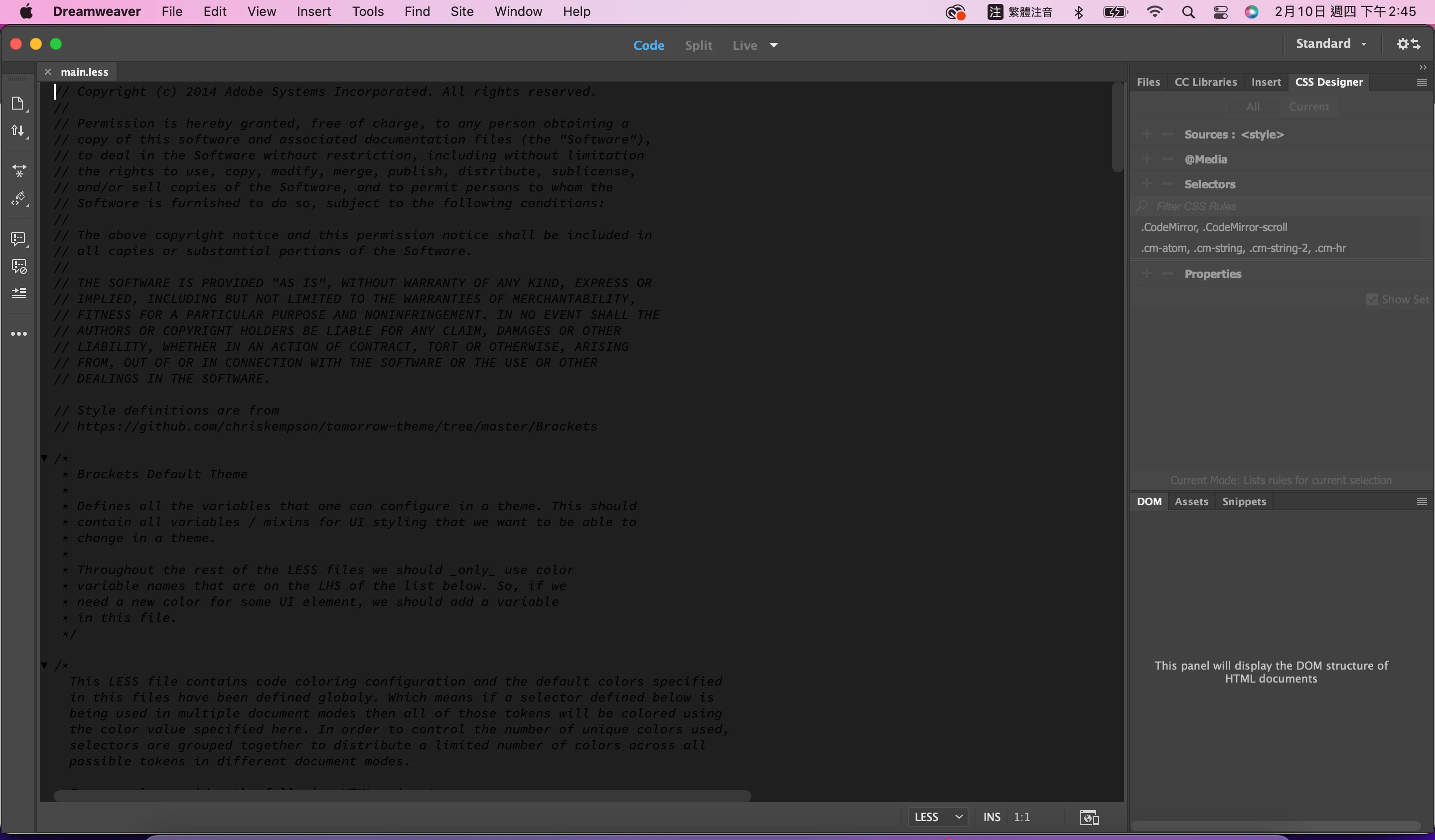
My default code theme color is very weird, can anyone tell me how to fix it?

I already changed the setting, but the code color always black.

Anyone know what happen?
    This topic is closed to new replies. Start a new post to keep the conversation going.
    Nayan_Kankariya
    Nayan_KankariyaCorrect answer
    Adobe Employee
    Feb 10, 2022 11:08 AM UTC


    Hi @曉芳2309197525pc,


    Thanks for providing the details. Please confirm the Dw version.


    As a work-around, can you please try the below steps.

    Steps:
    1. Launch Dw and Invoke Preferences dialog under Dreamweaver menu
    2. Switch to Fonts section
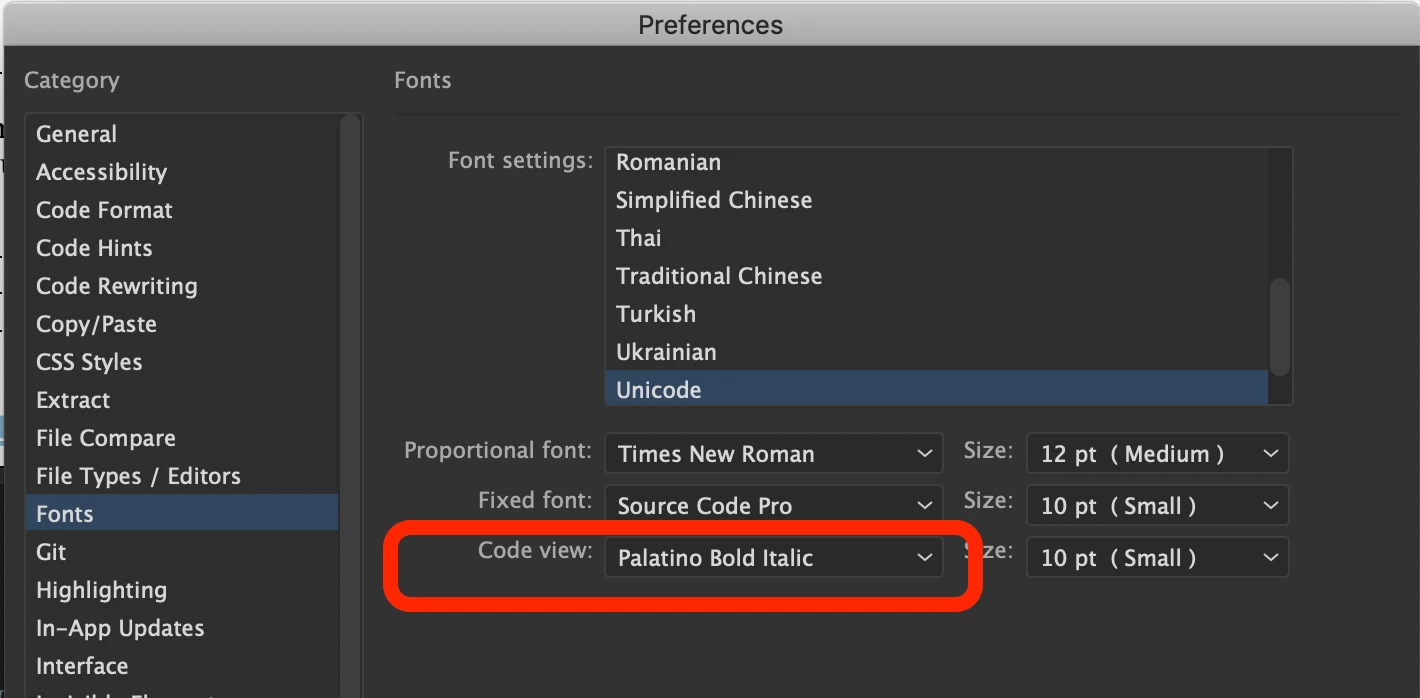
    3. Change the code view font to something else (Times New Roman etc)
    4. Click on Apply button and close Preferences dialog


    Please let us know if the above resolves the issue else we will further debug the issue. Please refer to the below screenshot for locating Code view font under Fonts section in Preferences dialog.


    Have a pleasant day!


    Regards,

    Nayan

    Dreamweaver Team

    6 replies

    เชษฐ์ โพธิ์ทอง
    Participant
    Feb 14, 2022 1:10 AM UTC
    •  
    Translate
    Nayan_Kankariya
    Adobe Employee
    Adobe Employee
    Feb 10, 2022 7:27 AM UTC

    Hi @曉芳2309197525pc,


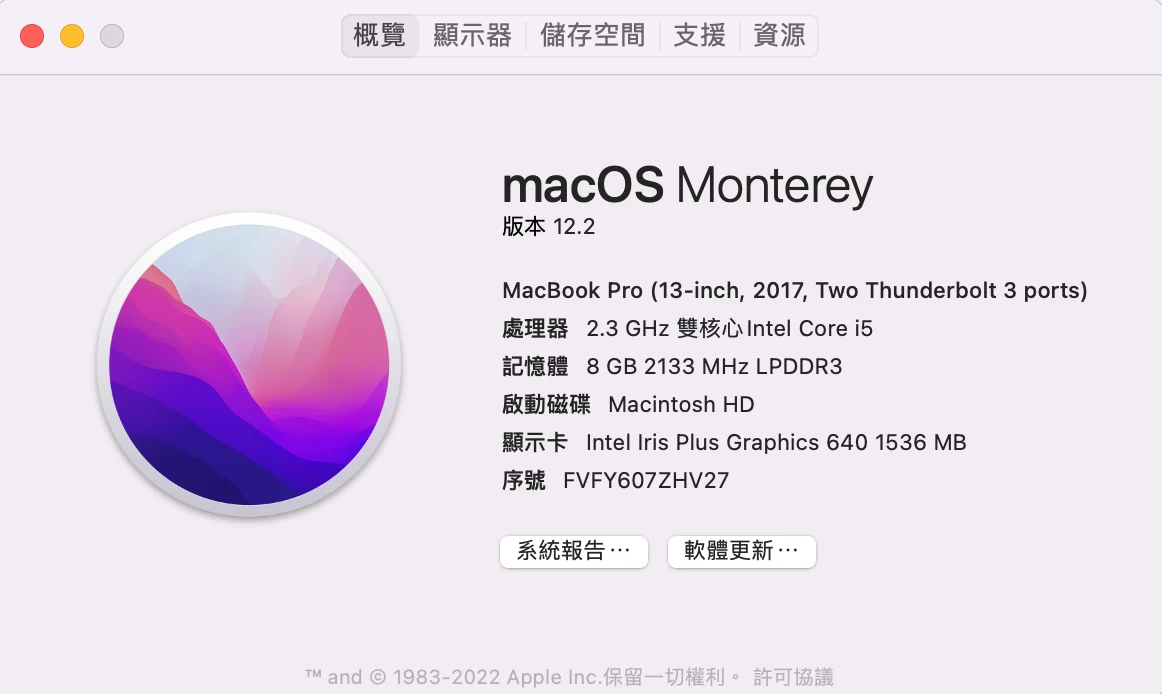
    Thanks for writing to us. Can you please let us know your OSX version and Mac machine configuration details where you are observing this issue. Also, can you please share Adobe logs collected via log collector tool for investigating the issue internally.


    Steps to collect Adobe logs: https://helpx.adobe.com/creative-cloud/kb/cc-log-collector.html


    Have a pleasant day!


    Regards,
    Nayan
    Dreamweaver Team

    Translate
    Participant
    Feb 10, 2022 8:17 AM UTC

    Her is my notebook detail. For ur reference.

    Translate
    Participant
    Feb 10, 2022 8:18 AM UTC

    Translate