


Need help creating a rollover image effect for Navbar
Hi All,
Does anyone have any experience/knowledge of making an image appear when rolling over it with your curser? This for a college course.
Thanks!
-Kyle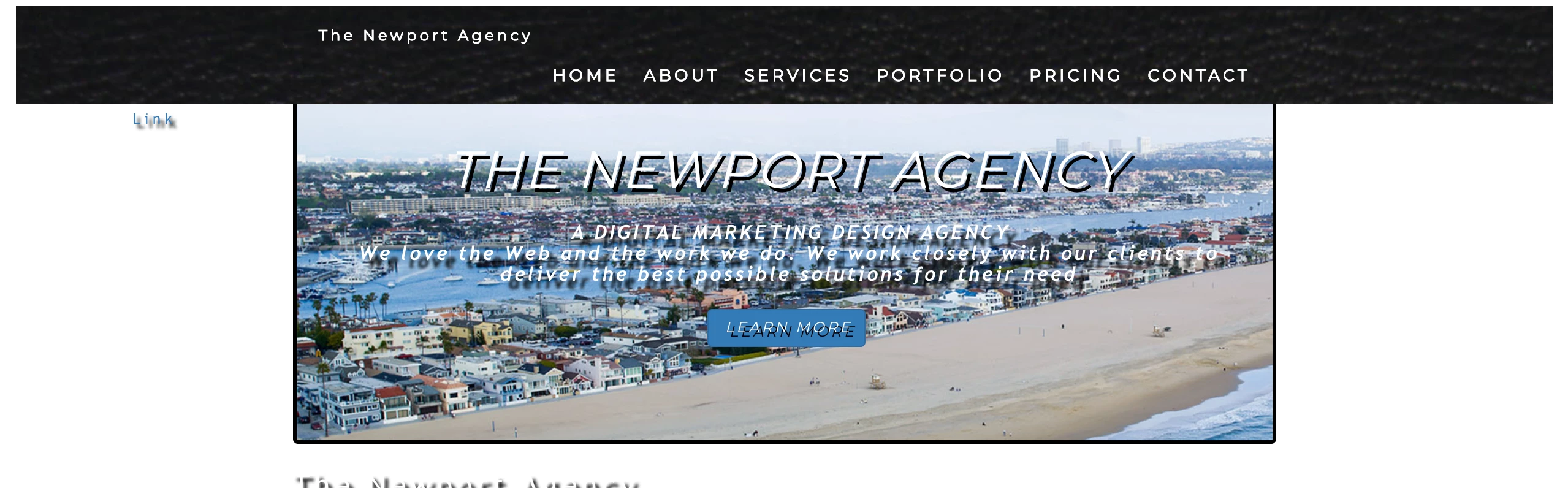
<!doctype html>
<html>
<head>
<meta charset="UTF-8">
<title>Home</title>
<link rel="stylesheet" href="css/bootstrap.css" type="text/css">
<link rel="stylesheet" href="styles.css" type="text/css">
<link rel="stylesheet" href="https://maxcdn.bootstrapcdn.com/bootstrap/3.3.7/css/bootstrap.min.css">
<link href="https://fonts.googleapis.com/css?family=Montserrat" rel="stylesheet" type="text/css">
<link href="https://fonts.googleapis.com/css?family=Lato" rel="stylesheet" type="text/css">
<link href="https://fonts.googleapis.com/icon?family=Material+Icons"
rel="stylesheet">
</head>
<body id="The Newport Agency" data-spy="scroll" data-target=".navbar" data-offset="60">
<nav class="navbar navbar-default navbar-fixed-top">
<div class="container">
<div class="navbar-header"><i class="material-icons">directions_boat</i>
<button type="button" class="navbar-toggle" data-toggle="collapse" data-target="#myNavbar"> <span class="icon-bar"></span> <span class="icon-bar"></span> <span class="icon-bar"></span> </button>
<a class="navbar-brand" href="contact.html">The Newport Agency</a></div>
<div class="collapse navbar-collapse" id="myNavbar">
<ul class="nav navbar-nav navbar-right">
<li><a href="index.html">HOME</a></li>
<li><a href="#about">ABOUT</a></li>
<li><a href="#services">SERVICES</a></li>
<li><a href="#portfolio">PORTFOLIO</a></li>
<li><a href="#pricing">PRICING</a></li>
<li><a href="#contact">CONTACT</a></li>
</ul>
</div>
</div>
</nav>
<div class="container-fluid">
<div class="jumbotron">
<h1>The Newport Agency</h1>
<h2><b>A DIGITAL MARKETING DESIGN AGENCY<br>
We love the Web and the work we do. We work closely with our clients to deliver the best possible solutions for their need</b></h2>
<p><a class="btn btn-primary btn-lg" href="#" role="button">Learn more</a></p>
</div>
</div>
<form>
<div class="form-group">
<label for="email">Email:</label>
<input name="Latest Promo's & Specials" type="email" class="form-control" id="email" placeholder="Enter email" autocomplete="on">
<button type="submit" class="btn btn-default">Submit</button></div></form>
<div class="container">
<div class="row">
<div class="col-lg-6">
<h1><b>About Us</b></h1>
<h2>The Newport Agency was founded firstly on the principal of providing exceptional customer service.</h2>
<br>
<p>By placing client needs first, the majority of our work is based upon referalls. We strive for nothing short of success and pride ourselves by going beyond our clients expectations. </p>
<br>
<button class="btn btn-default btn-lg">Get in Touch</button>
</div>
<div class="col-lg-6"><a href="mailto:kyle@newportadagency.com"><img src="images/wrapper-img.gif" alt="The Newport Agency's Creative Genuis" width="550"></a></div>
<footer class="container-fluid text-center">
<p>Footer Text</p>
</footer>
</body>
</html>

 AdChoices