


jenniferw17144857
Participant
February 7, 2017
Question

No document type -- then Dreamweaver closes

  • February 7, 2017
  • 2 replies
  • 325 views

I'm having some trouble opening Dreamweaver. I've uninstalled it and downloaded it to start over, but I keep getting this screen upon start up:
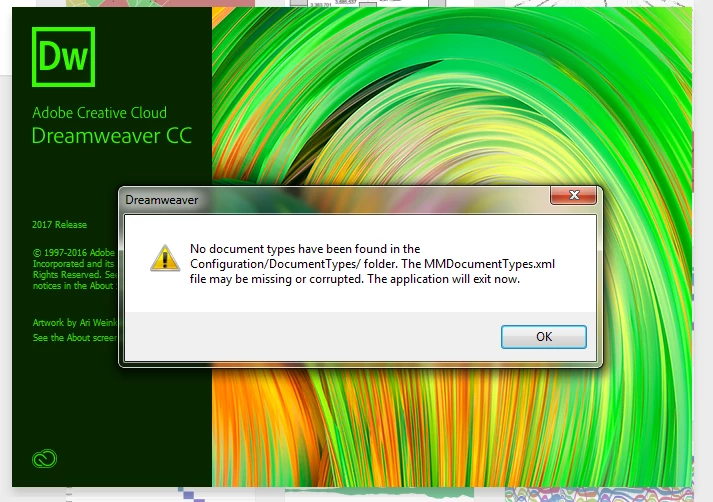
I have only opened Dreamweaver once before, months ago. Is there anything I can do, just as creating a document type? This only happens on my new work computer on my work Adobe account. My own personal account at home is perfectly fine -- I was playing around just yesterday night in Dreamweaver on a 2012 laptop with no problems!

Thanks in advance!

This topic has been closed for replies.

2 replies

Preran
Legend
February 8, 2017

Also see this solution and let us know if it helped.

http://neusenz.com/web-development/document-types-error-in-dreamweaver/

Nancy OShea
Community Expert
Community Expert
February 7, 2017

Try Restoring Preferences

https://helpx.adobe.com/dreamweaver/kb/restore-preferences-dreamweaver-cs6-cc.html

If that fails, use the CC Cleaner Tools below followed by a software re-install.

http://helpx.adobe.com/creative-suite/kb/cs5-cleaner-tool-installation-problems.html

Nancy

Nancy O'Shea— Product User & Community Expert