
Participant
July 13, 2019
Question

No screen display on css operation

  • July 13, 2019
  • 2 replies
  • 399 views
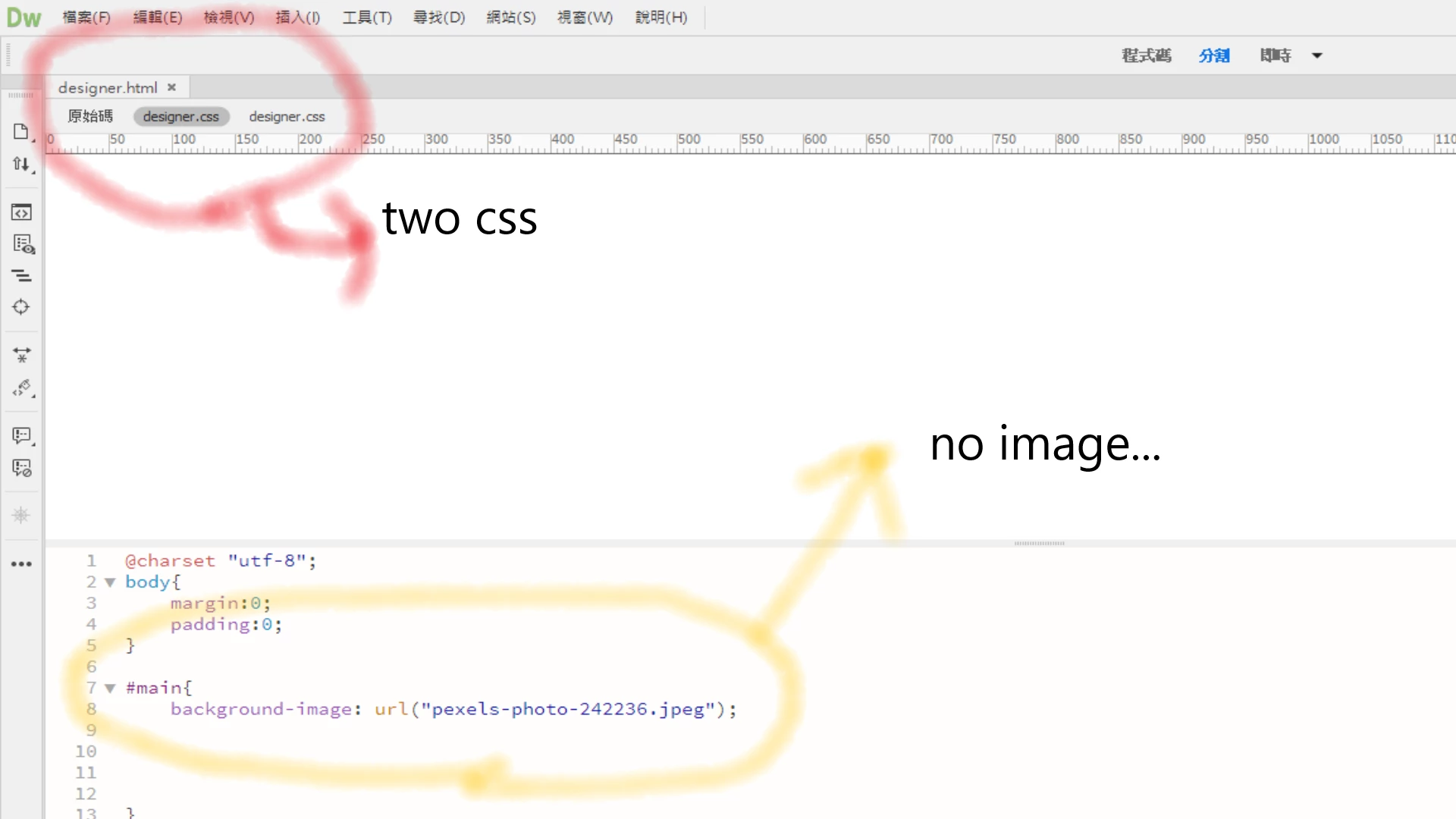
After opening a new html file archive, I have to open a new CSS file,
but DW will run two new CSS files, and when I try to preview it halfway,
things can't run out and I ran out of
「Dreamweaver. Has been modified externally, do you want to archive.」
such a pop-up window, please help, thank you!
    This topic has been closed for replies.

    2 replies

    Jon Fritz
    Community Expert
    Community Expert
    July 15, 2019

    You mention "archive" in your original post. Are you trying to use DW to read pages out of a .zip archive?

    If so, external sources to your html pages, like .css files, wont work correctly. You will need to first extract all files from your .zip archive, then create a new Site Definiton within DW to get those pages to work together.

    BenPleysier
    Community Expert
    Community Expert
    July 13, 2019

    The message says:

    The file has been modified outside of Dreamweaver. Do you want to reload it?

    I have never come across this problem before, except when a file has been modified outside Dreamweaver. However, whenever you get unexplained error messages in Dreamweaver, the cause is frequently a corrupted file cache. Follow Deleting a corrupted cache file

    If that doesn't do the trick, the next thing to try is renaming the Configuration folder where the file cache is located. Call it Configuration_old. When you restart Dreamweaver, it should generate a new Configuration folder with all the default settings.

    If that doesn't work... Sorry, I'm out of ideas. Time to contact Adobe technical support.

    Wappler is the DMXzone-made Dreamweaver replacement and includes the best of their powerful extensions, as well as much more!
    Participant
    July 13, 2019

    Hello Ben:
    Thank you for taking the time to reply, I will try again.
    At present, the preview on DW can be seen, but the preview of the web page is still not working.
    I will try the way you provide, and if you still can't, I will seek technical support from Adobe.
    Thank you very much, I wish you a wonderful day!

    (I am not from the English-speaking countries,

    I am using google translation to respond to you,

    if there is something wrong with the rhetoric, please forgive me, thank you!)