

Odd behaviour in jQuery UI dialog
Hello, all,
I'm trying to set up two dialogs. Each will contain a form for user input. I've got the dialogs opening and closing as I want them to. HOWEVER..
Upon initial page load, the first dialog to open does not open in the center of the browser window. Subsequent openings do, but the very first dialog to open will open near the bottom of the window. Here is my code. Assume that jQuery and jQuery-UI are being loaded at the top of the page (they are.)
<div class="rmh button"><a href="javascript:void(0);" title="Report an Event" id="rmn_rae">Report an Event</a></div>
<div class="rmh button"><a href="javascript:void(0);" title="Update Contacts" id="rmn_uc">Update Contacts</a></div><div id="dialog1" title="Basic dialog" class="dialog">
<p>1 This is an animated dialog which is useful for displaying information. The dialog window can be moved, resized and closed with the 'x' icon.</p>
</div>
<div id="dialog2" title="Basic dialog" class="dialog">
<p>2 This is an animated dialog which is useful for displaying information. The dialog window can be moved, resized and closed with the 'x' icon.</p>
</div>...
<script>
const rae = $('#rmn_rae'), uc = $('#rmn_uc');
$( ".dialog" ).dialog({
resizable: false,
position: {my:"center",at:"center"},
autoOpen: false,
show: {
effect: "blind",
duration: 1000
},
hide: {
effect: "blind",
duration: 1000
}
});
rae.on('click',function(){
$( "#dialog1" ).dialog( "open" );
});
uc.on('click',function(){
$( "#dialog2" ).dialog( "open" );
});</script>
Here is a screencap:
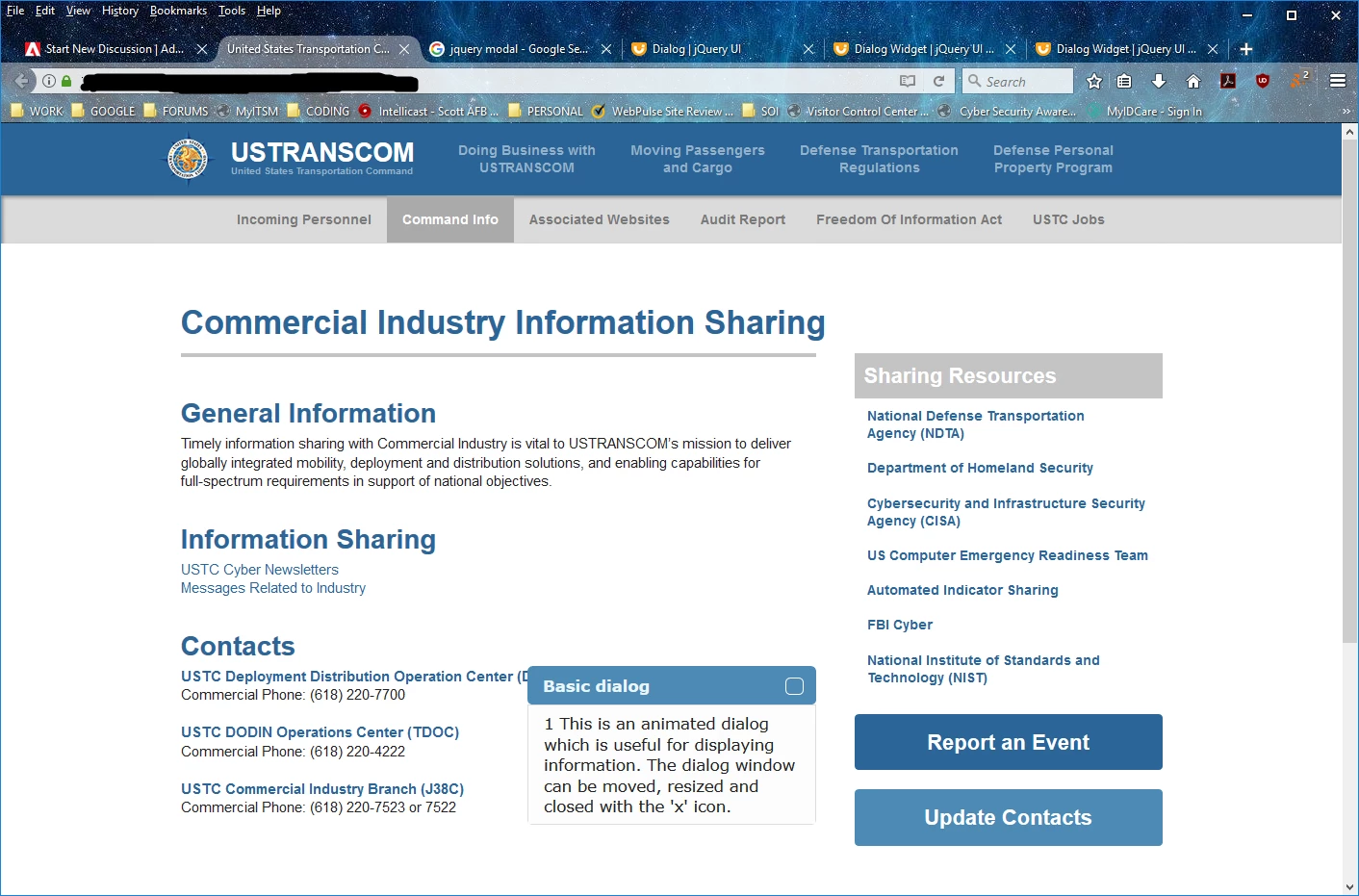
I can't understand what is going on, here. Please advise.
V/r,
^ _ ^



 AdChoices