
higgsyd
Inspiring
August 4, 2018
Answered

oh dear, my text is overlaying the image

  • August 4, 2018
  • 5 replies
  • 4750 views

I have created a responsive bootstrap page.  Can any of you kind souls tell me why, when I reduce the browser window, the text lays on top of the image?

The page is at http://v40.ancestry.higgsy.co.uk/higgs_harry_b1915.php

many thanks

David

This topic has been closed for replies.
Correct answer Nancy OShea

Start by fixing your code errors.  You have too many <head> and <title> tags on your page. 

Change columns from what you have now to this.

<div class="col-md-4">

IMAGE GOES HERE

</div>

<div class="col-md-8">

TEXT GOES HERE

</div>

5 replies

Legend
August 5, 2018

higgsyd  wrote

I have created a responsive bootstrap page.  Can any of you kind souls tell me why, when I reduce the browser window, the text lays on top of the image?

The page is at http://v40.ancestry.higgsy.co.uk/higgs_harry_b1915.php

many thanks

David

You have serious issues with the page disregarding the non-responsive image, which is a simple fix BUT if you want a page that works ie your navigation is disfuctional both on Desktop and mobile currently - you may want to condiser the revised Bootstrap code below If you must use Bootstrap, its NOT a very user-friendy framework and even less so if you are just going about trying to make it function blindly, without studying how it actually works and its plethora of class utilities.

<!DOCTYPE html>

<html>

<head>

<meta charset="UTF-8">

<title>Ancestry 40</title>

<link rel="stylesheet" href="https://maxcdn.bootstrapcdn.com/bootstrap/4.0.0/css/bootstrap.min.css" integrity="sha384-Gn5384xqQ1aoWXA+058RXPxPg6fy4IWvTNh0E263XmFcJlSAwiGgFAW/dAiS6JXm" crossorigin="anonymous">

<style>

/* ADD PADDING TO CONTAINER */

.container-fluid {

padding: 50px 80px;

}

@media screen and (max-width: 768px) {

.container-fluid {

padding: 50px 50px;

}

}

/* CHANGE NAV BACKGROUND COLOR */

.navbar {

background-color: #fcffb3!important;

}

/* CHANGE NAV FONT SIZE */

.navbar-nav > li > a {

font-size: 20px;!important

}

</style>

</head>

<body>

<nav class="navbar navbar-expand-lg navbar-light bg-light">

<a class="navbar-brand" href="#">Ancestry 40</a>

<button class="navbar-toggler" type="button" data-toggle="collapse" data-target="#navbarSupportedContent" aria-controls="navbarSupportedContent" aria-expanded="false" aria-label="Toggle navigation">

<span class="navbar-toggler-icon"></span>

</button>

<div class="collapse navbar-collapse" id="navbarSupportedContent">

<ul class="navbar-nav ml-auto">

<li class="nav-item active">

<a class="nav-link" href="#">Home<span class="sr-only">(current)</span></a>

</li>

<!-- start nav-item dropdown -->

<li class="nav-item dropdown">

<a class="nav-link dropdown-toggle" href="#" id="navbarDropdown" role="button" data-toggle="dropdown" aria-haspopup="true" aria-expanded="false">Harry</a>

<div class="dropdown-menu" aria-labelledby="navbarDropdown">

<a class="dropdown-item" href="#">Link 1</a>

<a class="dropdown-item" href="#">Link 2</a>

<a class="dropdown-item" href="#">Link 3</a>

</div>

</li>

<!-- end dropdown -->

<!-- start nav-item dropdown -->

<li class="nav-item dropdown">

<a class="nav-link dropdown-toggle" href="#" id="navbarDropdown" role="button" data-toggle="dropdown" aria-haspopup="true" aria-expanded="false">Trees</a>

<div class="dropdown-menu" aria-labelledby="navbarDropdown">

<a class="dropdown-item" href="#">Link 1</a>

<a class="dropdown-item" href="#">Link 2</a>

<a class="dropdown-item" href="#">Link 3</a>

</div>

</li>

<!-- end dropdown -->


<li class="nav-item">

<a class="nav-link" href="#">Archive</a>

</li>

<li class="nav-item">

<a class="nav-link" href="#">Extras</a>

</li>

<!-- start nav-item dropdown -->

<li class="nav-item dropdown">

<a class="nav-link dropdown-toggle" href="#" id="navbarDropdown" role="button" data-toggle="dropdown" aria-haspopup="true" aria-expanded="false">People</a>

<div class="dropdown-menu" aria-labelledby="navbarDropdown">

<a class="dropdown-item" href="#">Link 1</a>

<a class="dropdown-item" href="#">Link 2</a>

<a class="dropdown-item" href="#">Link 3</a>

</div>

</li>

<!-- end dropdown -->

<li class="nav-item">

<a class="nav-link" href="#">Google</a>

</li>

<li class="nav-item">

<a class="nav-link" href="#">Streets</a>

</li>

<li class="nav-item">

<a class="nav-link" href="#">Contact</a>

</li>

<form class="form-inline my-2 my-lg-0">

<input class="form-control mr-sm-2" type="search" placeholder="Search" aria-label="Search">

<button class="btn btn-outline-success my-2 my-sm-0" type="submit">Search</button>

</form>

</ul>

</div>

<!-- collapse navbar-collapse -->

</nav>

<div class="container-fluid">

<div class="row pb-4">

<div class="col-med-8 offset-md-4">

<h2 class="pb-2">Harry Charles Higgs 1915 - 1995</h2>

<a  href="trees/tree_in_higgs_word_B5.pdf" >View in Family Tree</a>

</div>

</div>

<!-- end row -->

<div class="row ">

<div class="col-md-4 d-flex flex-column align-items-center">

<figure>

<img src="http://v40.ancestry.higgsy.co.uk/archive/ANC/400b_young_harry_in_army2.jpg" alt="Harry in army beret smiling" class="img-fluid">

</figure>

<span class="archive_text">Archive: ANC400b</span>

</div>

<!-- end col-md-4 -->

<div class="col-md-8 p-0">

<p><strong> Ninth of Nine:</strong> Harry my father was born 9th November 1915. He was the last of the nine children of <a href="higgs_willie_hull.php">Willie Hull Higgs</a> and Willie himself was also one of nine children!</p>

<p>At that time the family were living at 19 East Street (later re-named Dombey Street). The witness on the birth certificate is shown as A Walker. I think it likely this was his eldest sister <a href="higgs_frides_adelaide_annie.php">Annie</a> who, three years earlier, at age 19, had married a Charles Walker. In 2014 I met their daughter <a href="walker_rosina_elizabeth.php">Rosina</a> who by this time was in her eighties</p>

<p>Harry's mother <a href="rosson_emma_georgina.php">Emma</a> is shown on the 1911 Census as blind. She died in 1931 when he was just 16. A few years later when Harry was 21, he lost his father <a href="higgs_willie_hull.php">Willie</a>.</p>

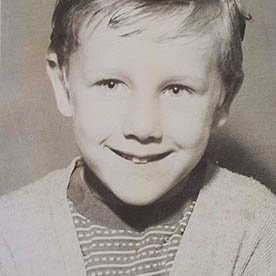
<p>This is the earliest photo we have of Harry. In this photograph he would be about twenty-seven years of age.</p>

<p> In 1942, aged 27 he was living just around the corner from Dombey Street at 43 Lambs Conduit Street.</p>

<p>That year he married<a href="peterson_kate_amelia.php"> Kate Amelia Peterson</a> The Petersons lived right next door to where Harry had been born, at number 18 Dombey Street. His witness this time was another sister, <a href="higgs_elizabeth_and_rosina.php">Elizabeth</a>, and Kitty's witness was <a href="peterson_archibald_edward.php">A E Peterson</a>. This would be her elder brother Archibald(Arch) who was later killed in the war.</p>

<p>Shortly after the wedding <a href="harrys_war_record.php">Harry went off to war</a>, serving with the Sherwood Foresters, and not returning for about three years.</p>

</div>

<!-- end col-md-8 -->

</div>

<!-- end row -->

</div>

<!-- end container-fluid -->

<script src="https://code.jquery.com/jquery-3.2.1.slim.min.js" integrity="sha384-KJ3o2DKtIkvYIK3UENzmM7KCkRr/rE9/Qpg6aAZGJwFDMVNA/GpGFF93hXpG5KkN" crossorigin="anonymous"></script>

<script src="https://cdnjs.cloudflare.com/ajax/libs/popper.js/1.12.9/umd/popper.min.js" integrity="sha384-ApNbgh9B+Y1QKtv3Rn7W3mgPxhU9K/ScQsAP7hUibX39j7fakFPskvXusvfa0b4Q" crossorigin="anonymous"></script>

<script src="https://maxcdn.bootstrapcdn.com/bootstrap/4.0.0/js/bootstrap.min.js" integrity="sha384-JZR6Spejh4U02d8jOt6vLEHfe/JQGiRRSQQxSfFWpi1MquVdAyjUar5+76PVCmYl" crossorigin="anonymous"></script>

</body>

</html>

higgsyd
higgsydAuthor
Inspiring
August 13, 2018

many thanks mr osgood.  I'll use this as a basis for further developing the page and begin poking around BS and it's classses of which there seem to be many! But there does seem to be some simple logic to the class names

Legend
August 13, 2018

higgsyd  wrote

But there does seem to be some simple logic to the class names

p-1, p-2, p-3 - what does that mean, ok its padding for sure but how much, would'nt it have been better to say p-32px or p-2em or m-r-32px - so you actually know what is going on, without refering to the helper classes to see what 2, or 3 represents, its all a bit too guess work for me really, or having to troll around to find out what attributes are applied to what classes.

Personally I dont want to spend all day using the browser inspect tool, Id rather be doing something positive, like learning to code, from which you will quickly realize how simple its is to produce a responsive grid, at least, and you'll wonder my you ever used Bootstrap in the first instance.

Probelm is once youre sucked in its hard to get out again. Of course if youre just a casual developer your time is not best spend learning to code so I guess the only option is to try and understand a rather complex and bloated framework.

None the less good luck with your project. If you have any more questions or run into more issues post and I'm sure someone will be abe to give you some guidance

BenPleysier
Community Expert
Community Expert
August 5, 2018

higgsyd

If you change

<img src="archive/ANC/400b_young_harry_in_army2.jpg" alt="Harry in army beret smiling" width="300" height="411"/>

to

<img src="archive/ANC/400b_young_harry_in_army2.jpg" alt="Harry in army beret smiling" width="300" height="411" class="img-fluid w-100">

This will solve the image problem.

After this, you will undoubtedly have more questions, in which case could you please start a new discussion.

Wappler is the DMXzone-made Dreamweaver replacement and includes the best of their powerful extensions, as well as much more!
Nancy OShea
Community Expert
Community Expert
August 4, 2018

Also remove height and width from image tag and add a class of "img-fluid".  It's not good practice to upscale small images with HTML   If you don't have bigger images to work with, use Photoshop to upscale them.

Nancy O'Shea— Product User & Community Expert
ALsp
Legend
August 4, 2018

https://forums.adobe.com/people/Nancy+OShea  wrote

Also remove height and width from image tag and add a class of "img-fluid".  It's not good practice to upscale small images with HTML   If you don't have bigger images to work with, use Photoshop to upscale them.

Note that if Adobe truly integrated Bootstrap as the basis for a page-building engine, then altering the default code Dreamweaver generates when inserting an image would not be necessary. Our Harmony tool surely doesn't require this. So,, it's one more reason why a beginner should avoid Bootstrap in Dreamweaver at all costs.

ALsp
Legend
August 4, 2018

ALsp  wrote

https://forums.adobe.com/people/Nancy+OShea   wrote

Also remove height and width from image tag and add a class of "img-fluid".  It's not good practice to upscale small images with HTML   If you don't have bigger images to work with, use Photoshop to upscale them.

Note that if Adobe truly integrated Bootstrap as the basis for a page-building engine, then altering the default code Dreamweaver generates when inserting an image would not be necessary. Our Harmony tool surely doesn't require this. So,, it's one more reason why a beginner should avoid Bootstrap in Dreamweaver at all costs.

You can circumvent Bootstrap's inadequacy as a Dreamweaver solution by adding this rule to your exceptions CSS:

img.scalable {

width: auto !important;

height: auto !important;

max-width: 100%;

}

You would then assign the scalable class to each image you require to be scalable.

If your design is such that all images can safely be made scalable, then you could use this rule:

img {

width: auto !important;

height: auto !important;

max-width: 100%;

}

ALsp
Legend
August 4, 2018

In addition to Nancy's comments, let me state, inarguably, that folks without intermediate-to-advanced coding skills, should not be using Bootstrap. It is not really part of Dreamweaver, but merely a free open source library that Adobe does not need to program or license. You should be looking at page-building methods more compatible with your skill set.

higgsyd
higgsydAuthor
Inspiring
August 7, 2018

I take your point but, inarguably. I'm gonna have a go!

Nancy OShea
Community Expert
Nancy OSheaCommunity ExpertCorrect answer
Community Expert
August 4, 2018

Start by fixing your code errors.  You have too many <head> and <title> tags on your page. 

Change columns from what you have now to this.

<div class="col-md-4">

IMAGE GOES HERE

</div>

<div class="col-md-8">

TEXT GOES HERE

</div>

Nancy O'Shea— Product User & Community Expert