


Known Participant
August 2, 2017
Answered

One of the biggest frustration with Dreamweaver 2017

  • August 2, 2017
  • 3 replies
  • 638 views

I know this is a minor thing but I sure wish it would be fixed as it is counter productive especially in a single screen use.

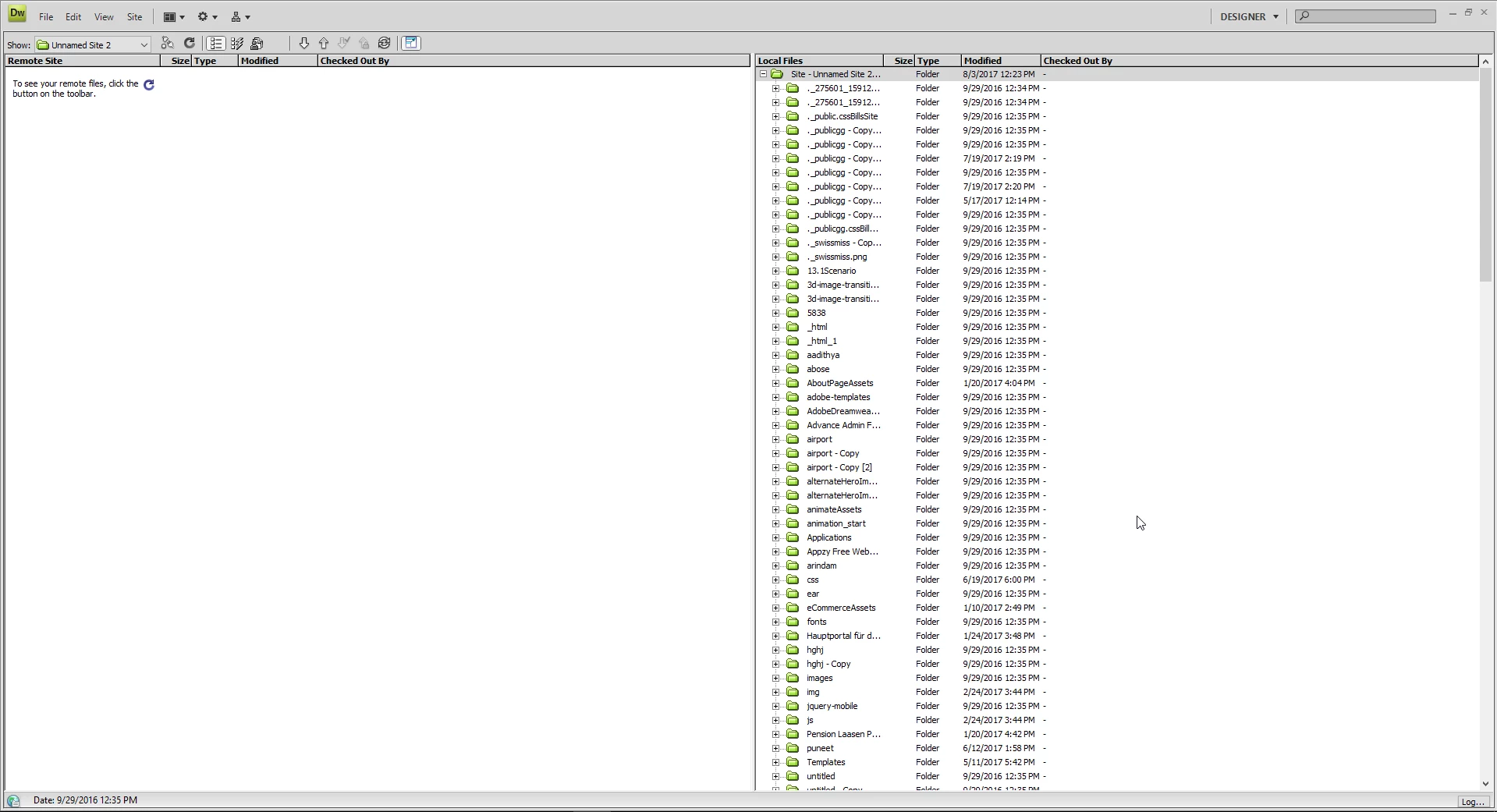
The File pane when its expended always stays on top and gets in the way all the time. I personally like to show both the local and server files always. I wish the Files pane would go behind the screens I am looking at like it use to in previous version. Right now having it on top always so annoying and frustrating.

This topic has been closed for replies.
Correct answer Niharika Jha

Hi,

As far as I can see in Dw CS4, it has been this way for far too long. But we are glad to have this feedback, we will surely raise this as an Enhancement Request to the team.

Regards,

Niharika Gupta

Adobe Dreamweaver

3 replies

Niharika Jha
Adobe Employee
Niharika JhaCorrect answer
Adobe Employee
August 3, 2017

Hi,

As far as I can see in Dw CS4, it has been this way for far too long. But we are glad to have this feedback, we will surely raise this as an Enhancement Request to the team.

Regards,

Niharika Gupta

Adobe Dreamweaver

Niharika Jha
Adobe Employee
Adobe Employee
August 3, 2017

In addition to the post above, for people working on multiple monitors this functionality is already there where they can drag Files Panel to the other window and expand it to see there file on local and server, while they keep on working on CodeView. Please refer screenshot below.

Also, I would like to mention how you could get a floating files panel in expanded mode in a single monitor and also work on Code View simultaneously.

1. Undock Files Panel from the tab group on the right side

2. Click on Expand Files Panel icon

Now Files panel can be seen as a floating expanded window. Hope this helps.

Regards,

Niharika Gupta

Adobe Dreamweaver

Nancy OShea
Community Expert
Community Expert
August 2, 2017

I've been using DW for a long time and the Expanded Files Panel has always taken up the entire screen.  On my  Win10 set-up, Remote or Testing Server on the left';  Local files on the right.  

Unless you're asking about something else?

Nancy

Nancy O'Shea— Product User & Community Expert
Jon Fritz
Community Expert
Community Expert
August 2, 2017

If you want the dev guys to see your suggestion, you'll need to post over in the Feature Request/Bug Report Forum: Adobe Dreamweaver CC: Feature Requests/Bug Reports

...or add your voice to one of the requests/bug reports already listed there about the Files Window.