


ruggedradios
Participant
October 13, 2022
Answered

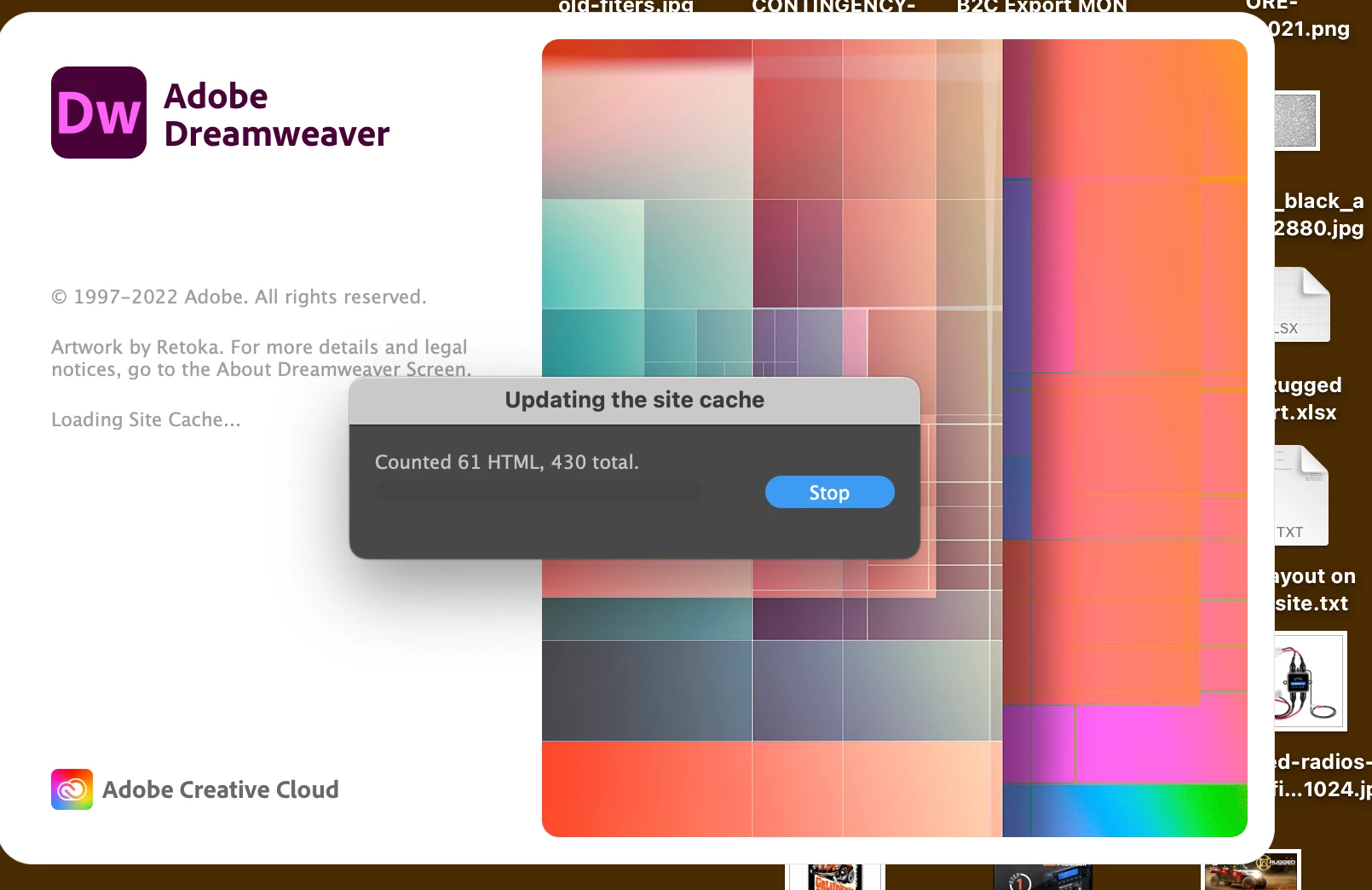
OSX Cannot Launch Dreamweaver - Stuck Updating Site Cache

  • October 13, 2022
  • 3 replies
  • 1834 views

I'm using the latest OSX and Adobe Cloud to keep apps up to date. Dreamweaver continues to get stuck upon launching with "Updating the Site Cache". I've deleted the app through the Creative Cloud, I've reinstalled it. I hunted down and removed permissions and .plst, but I'm missing something.


I've launched the app holding down COMMAND OPTIONS SHIFT, but that didn't purge the problem either. I'm completely fine deleting ALL sites and caches just to get Dreamweaver working again.


Any advice? Screenshot attached.
    This topic has been closed for replies.
    Correct answer roberts33286217

    I created a new root os user, it still crashed at the 'have you used dreamweaver before' loading screen.


    Creative cloud cleaner tool seems to have done the trick, I hope it lasts.

    3 replies

    roberts33286217
    Inspiring
    September 4, 2024

    I have had this problem since Feb 2023 and have not been able to use Dreamweaver since. It crashes on start up loading caches, I have to force quit. I have tried everything to no avail. I'm still looking for a solution.

    Community Expert
    September 4, 2024

    What version of DW and what version of Mac OS?

    roberts33286217
    Inspiring
    September 4, 2024

    DW 21.4.0 - macOS Sonoma 14.6.1 (Mac mini M2)

    Nancy OShea
    Community Expert
    Community Expert
    October 13, 2022

    Are you launching from your desktop icon or Creative Cloud desktop app?

    Do you have the latest updates for CC Desktop App?

    https://helpx.adobe.com/creative-cloud/help/creative-cloud-updates.html


    Modern Dreamweaver works best with modern operating systems.   Make sure your computer meets the minimum CPU & GPU requirements. Most Creative Cloud apps work on:

    • Windows 11 (64 bit), Windows 10 versions 21H2, 21H1, 20H2, 2004, and 1909 (LTSB branches are not supported;)
    • macOS 12 (Monterey), macOS 11 (Big Sur), macOS 10.16 or 10.15 (Catalina).

    - https://helpx.adobe.com/creative-cloud/system-requirements.html
    - https://helpx.adobe.com/dreamweaver/system-requirements.html


    Nancy O'Shea— Product User & Community Expert
    ruggedradios
    Participant
    October 13, 2022

    Thank you. Yup, I'm on an iMac, late 2015 with OS 12 and using the latest Creative Cloud.

    Community Expert
    October 13, 2022

    If you have trashed the preferences folder and that is not curing this, can you try logging in as another user and see if the issue persists?

    ruggedradios
    Participant
    October 13, 2022

    So - MAYBE I'm not deleting all the preferences. Can you provide a path in OSX for the preference files?

    Jon Fritz
    Community Expert
    Community Expert
    October 14, 2022

    You can try manually reseting your preferences by renaming the personal Configuration folder, DW will create a new factory fresh version on restart.

    First, make sure your hidden files are turned on at your OS level (hit "cmnd + shift + ." ), you should then be able to find it here:

    Macintosh HD > your username > Library > Application Support > Adobe > Dreamweaver (version) > your language > Configuration

    DW has 2 configuration folders, the one within Applications should not be touched, only rename the one in the Library directory. That will completely restore DW's prefs, and hopefully, allow you to open the program.
