
Outdated "SWF Objects" Lead to Missing Buttons Online
Every time I open Dreamweaver on my Mac, I get the following message:
"This page contains some SWF objects that may not work properly in the most recent versions of Internet Explorer. Dreamweaver cannot convert them to the new SWF markups. Please delete each of them and insert again."
On my website, this means the buttons in the margins do not show up on my website on the internet, and thus it is no longer possible to navigate from one page to another.
Correct me if I'm wrong, but as far as I can understand, the simplest solution is for me to go into the html of the template page and replace the html of each SWF object (of each button) with more recent html. Correct?
The question is, what (what exact html) do I replace it with?
Isn't there a web page that gives directions what to do (if not at Adobe, then somewhere else)?
It seems a given that such a page would/should exist, but I can't find any.
Thanks for helping me solve this
ES
PS: here is the exact html of one SWF objct, along with a screenshot:
<object classid="clsid:D27CDB6E-AE6D-11cf-96B8-444553540000" codebase="http://download.macromedia.com/pub/shockwave/cabs/flash/swflash.cab#version=5,0,0,0" width="103" height="24">
<param name="movie" value="../button3.swf">
<param name="quality" value="high">
<param name="bgcolor" value="#3399FF">
<embed src="../button3.swf" quality="high" pluginspage="http://www.macromedia.com/shockwave/download/index.cgi?P1_Prod_Version=ShockwaveFlash" type="application/x-shockwave-flash" width="103" height="24" bgcolor="#3399FF"></embed>
</object>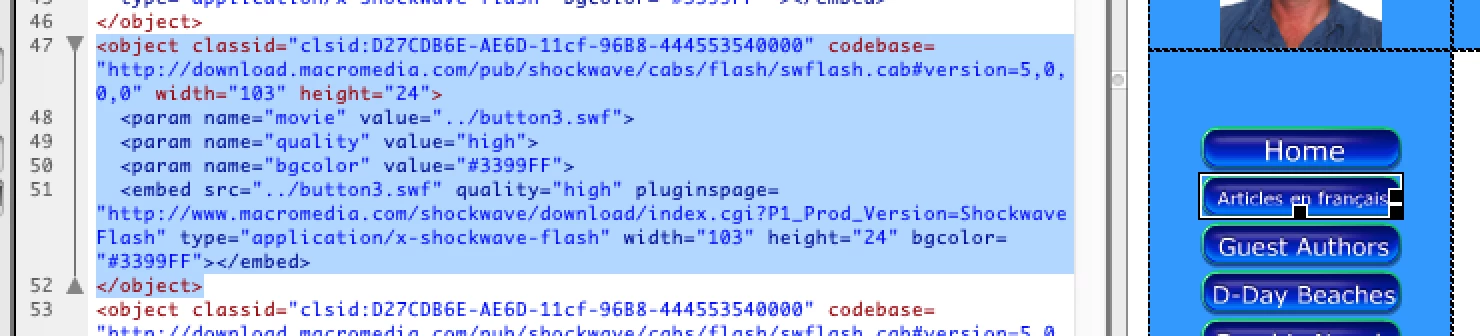


 AdChoices