nigelh70638339
Inspiring
April 17, 2026
Answered

Pages showing without CSS in preview

  • April 17, 2026
  • 2 replies
  • 92 views

This has just started to happen, but not on every page.

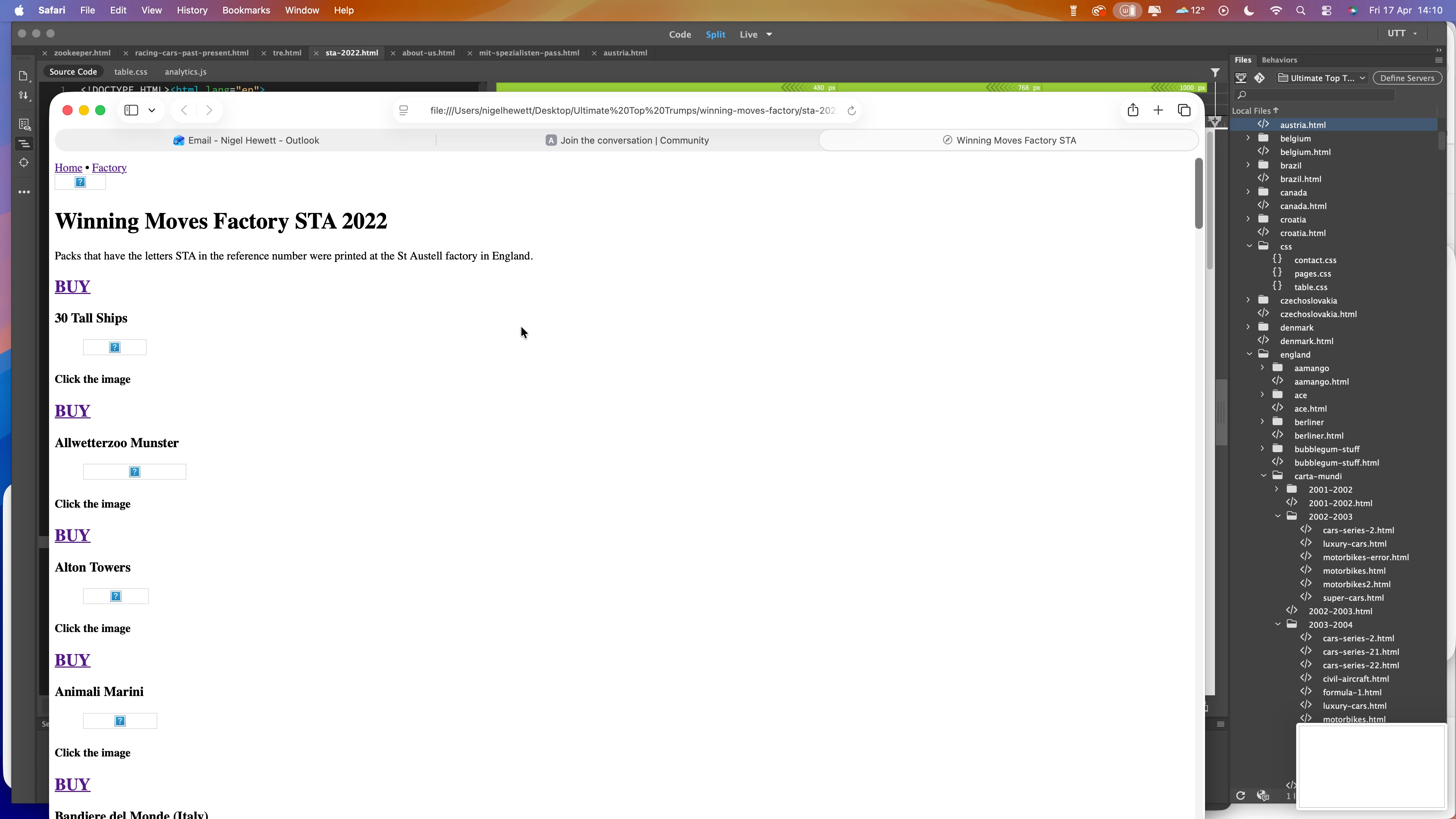
I create a new page (copy existing page in same folder and the edit with new information etc)  and when finished I check that it looks and works by using the Open in Browser command. Some pages as I have mentioned open fully but some look as if the CSS has been left out or is pointing to the wrong folder. 

I have checked that pages have the correct CSS which they do. I have attached some examples of the issue. 

When I check other pages that link the pages that don’t open directly from the Open in Browser do work as expected.

Any help would be greatly appreciated.
 

    Correct answer Nancy OShea

    @nigelh70638339 

    Browsers are separate apps from DW. 

    Can you open saved HTML files from Mac Finder or Windows File Explorer?


    2 replies

    Nancy OShea
    Community Expert
    Community Expert
    April 19, 2026

    I see nothing wrong with the page at

    https://ultimate-top-trumps.co.uk/winning-moves-factory/sta-2022.html.  

    It contains valid code and document-relative link paths.

    It should display normally when Opened in Browser


    Try clearing cached data to free up some browser memory. Or test with another browser.


    Nancy O'Shea— Product User & Community Expert
    nigelh70638339
    Inspiring
    April 20, 2026

    I have cleared the cache and tried with Safari and Firefox. Both browsers still  do not show correctly.

    Every page now is not opening correctly. The pages that are uploaded work as expected. I am thinking of doing a fresh re-install of DW.

    Nancy OShea
    Community Expert
    Community Expert
    April 21, 2026

    Where are you saving files?  On your primary hard drive or a cloud drive?


    Nancy O'Shea— Product User & Community Expert
    Nancy OShea
    Community Expert
    Community Expert
    April 17, 2026

    It’s not just CSS that’s missing, your images are not loading either.

    Are you using links relative to the document or the site root?

    Does the page work when uploaded to your remote server?


    Nancy O'Shea— Product User & Community Expert
    nigelh70638339
    Inspiring
    April 18, 2026

    Not sure but all changes are made inside DW. When creating a new page I always scan to make sure all links etc are checked.

    Yes, when the pages are uploaded to the server they do load.

    Nancy OShea
    Community Expert
    Community Expert
    April 18, 2026

    Document-relative and Site Root-Relative Link Paths.

    https://helpx.adobe.com/dreamweaver/using/linking-navigation.html


    Set Relative Path for New Links

    https://helpx.adobe.com/dreamweaver/using/linking.html#set_the_relative_path_of_new_links


    For most people, site root-relative links don’t work when previewed locally.  However, they work as expected on the remote server.


    Hope that helps. 


    Nancy O'Shea— Product User & Community Expert