

PHP File Not Being Discovered After Saving And Discover Resource Link Clicked
Hello,
I have defined a site (testing server) that I am using with Wamp64 with Win 10 Pro (with latest updates). And I have been using a couple of PHP files that I have in the same root folder as I have two other PHP files that are working great with DW build 10165. And one HTML file that captures the form data to send to register_add.php. I am having issues though after clicking Discover after making changes and saving to the orders.php file using DW.
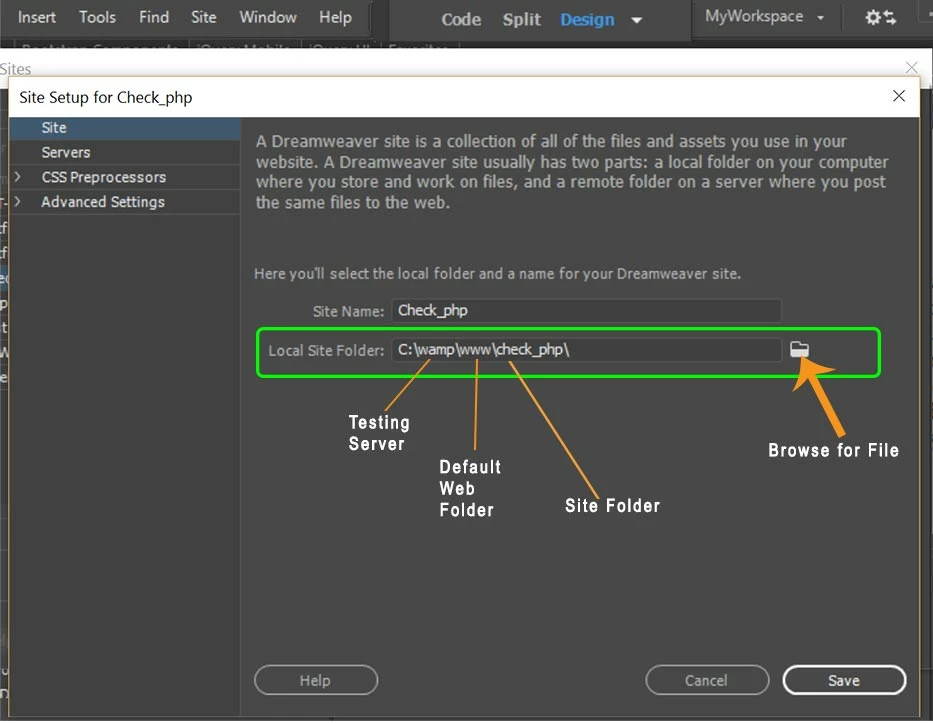
I used this post to set up my testing server correctly according to this response I received when posting this question to the DW Community Forum: Having Trouble With Defining a Local Site With a Testing Server
Here are the links to the other files that I have been working with that might be relevant to this issue:
Microsoft OneDrive - Access files anywhere. Create docs with free Office Online.
Microsoft OneDrive - Access files anywhere. Create docs with free Office Online.
Here's a link to the snippet that I took of the Discover Resource thing that keeps on trying to discover the resources about 3 minutes and then it stops and tells me to retry it:
Microsoft OneDrive - Access files anywhere. Create docs with free Office Online.
Here's the link to a snippet of the file structure that I set up locally with the orders.php file in it:
Microsoft OneDrive - Access files anywhere. Create docs with free Office Online.
Here's the file (orders.php) I have been working with:
<?php
// declared order variable
$handler = 0;
$outputstring = $date."\t".$fname." ".$lname." ".$tickets." ".$total;
// set up error message in case the event_orders.txt tried to be opened at once
@$handler = fopen('event_orders.txt', 'r');
if (!$handler)
{
echo "<p><strong>No orders pending. Please try again later.</strong></p>";
exit;
}
?>
<!doctype html>
<html>
<head>
<meta charset="utf-8">
<title>Event Registration Orders</title>
<link href="assets/bootstrap.min.css" rel="stylesheet" type="text/css">
<link href="assets/styles.css" rel="stylesheet" type="text/css">
</head>
<body>
<div class="row">
<div class="col-md-8 col-md-offset-2">
<p><a href="register.html">Order Now</a> | <a href="orders.php">View All Orders</a></p>
<h2>List of all orders for this event</h2>
<hr/>
table class="table table-striped table-hover">
<thead>
<tr>
<th>Date</th>
<th>Event Participant</th>
<th>Email</th>
<th>Tickets</th>
<th>Total</th>
</tr>
</thead>
<tbody>
<tr>
<?php
while (!feof($handler))
fwrite($handler, "<tr><thead>><th>$date</th><th>$fname</th><th>$lname</th><th>$tickets</th><th>$total</th></thead></tr");
fclose($handler);
?>
</tr>
</tr>
</tbody>
<tbody>
</tbody>
</table>
</div>
</div>
</body>
</html>



 AdChoices