This topic is closed to new replies. Start a new post to keep the conversation going.
osgood_Correct answer
Legend
Sep 26, 2019 8:56 PM UTC

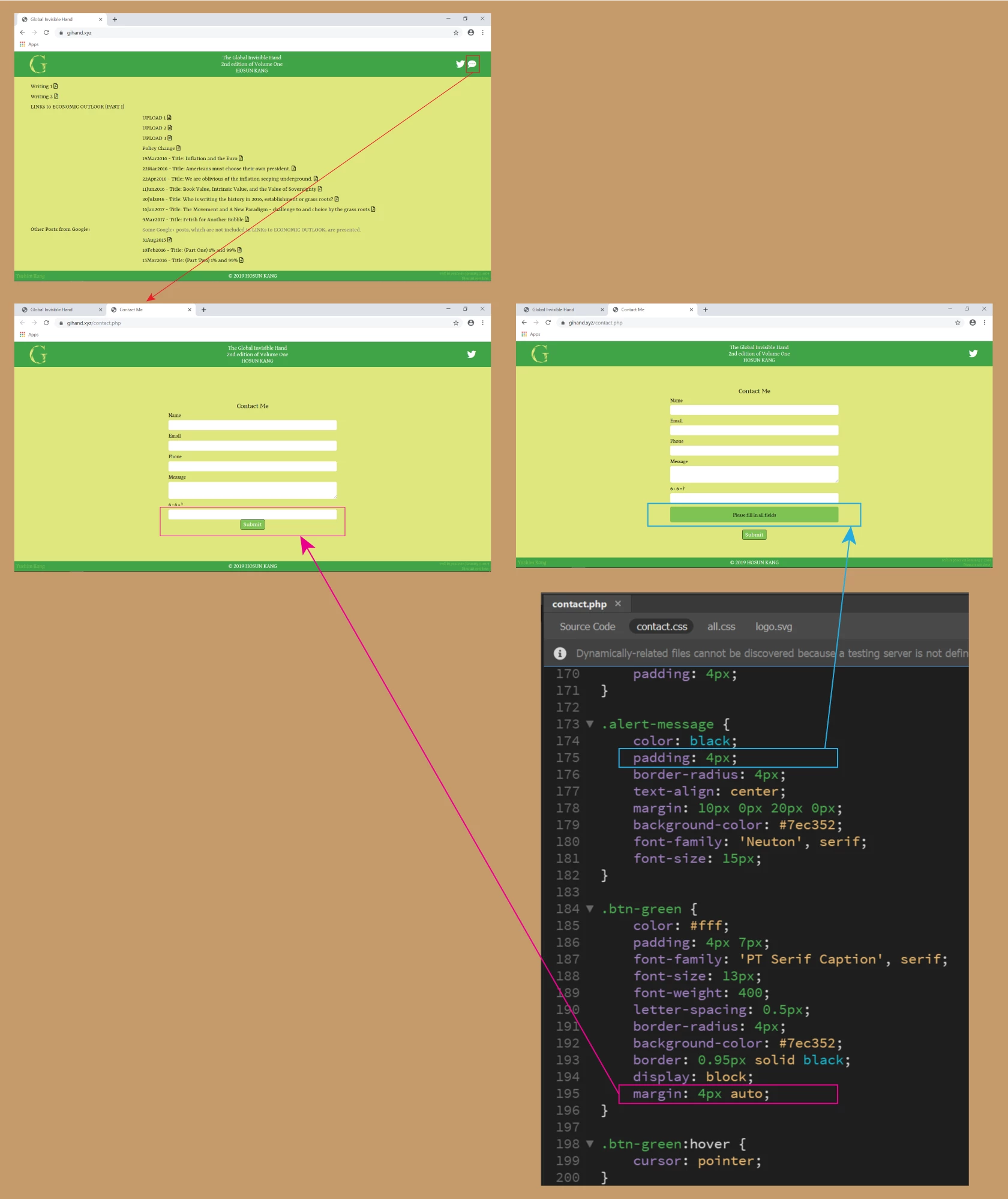
To me it looks like a browser cache issue - the visuals you have posted shows Chrome is also not applying the 4px padding on the 'alert message' which it would have no issue with.

5 replies

Legend
Sep 26, 2019 8:53 PM UTC

It should work in Chrome. Have you emptied the chrome browsers cache. Bens post shows it working in the Chrome browser.

Translate
osgood_Correct answer
Legend
Sep 26, 2019 8:56 PM UTC

To me it looks like a browser cache issue - the visuals you have posted shows Chrome is also not applying the 4px padding on the 'alert message' which it would have no issue with.

Translate
Legend
Sep 26, 2019 7:35 AM UTC

You should not have any issues with reducing the top/bottom padding on the 'alert_message' css from 12px to 4px:


Have you uploaded the revised css file or maybe its a browser cache issue, where you are seeing a previous version?


.alert-message {
color: black;
padding: 4px 12px;
border-radius: 4px;
text-align: center;
margin: 10px 0px 20px 0px;
background-color: #7ec352;
font-family: 'Neuton', serif;
font-size: 15px;
}


Similarly as Ben has pointed out there should be no issues with adding some margin to the 'btn-green' css:


.btn-green {
color: #fff;
padding: 4px 7px;
font-family: 'PT Serif Caption', serif;
font-size: 13px;
font-weight: 400;
letter-spacing: 0.5px;
border-radius: 4px;
background-color: #7ec352;
border: 0.95px solid black;
display: block;
margin: 20px auto;
}

Translate
Hosun
HosunAuthor
Inspiring
Sep 26, 2019 6:22 PM UTC

Hi,


I applied your padding and margin.
It works on Edge, but not on Chrome.


Is it the best I can do?
Or are there more things to do?


Hosun Kang


Translate
BenPleysier
Community Expert
Community Expert
Sep 26, 2019 7:16 AM UTC

Q1


Q2. I do not see the alert message to give you an answer.


Off Topic:

If you are using the Chrome browser, right-click th page and choose Inspect

This will give you the Developer's window as in above.


Translate
Wappler is the DMXzone-made Dreamweaver replacement and includes the best of their powerful extensions, as well as much more!