


Participating Frequently
November 21, 2017
Answered

Picture won't show up in browser!

  • November 21, 2017
  • 3 replies
  • 753 views

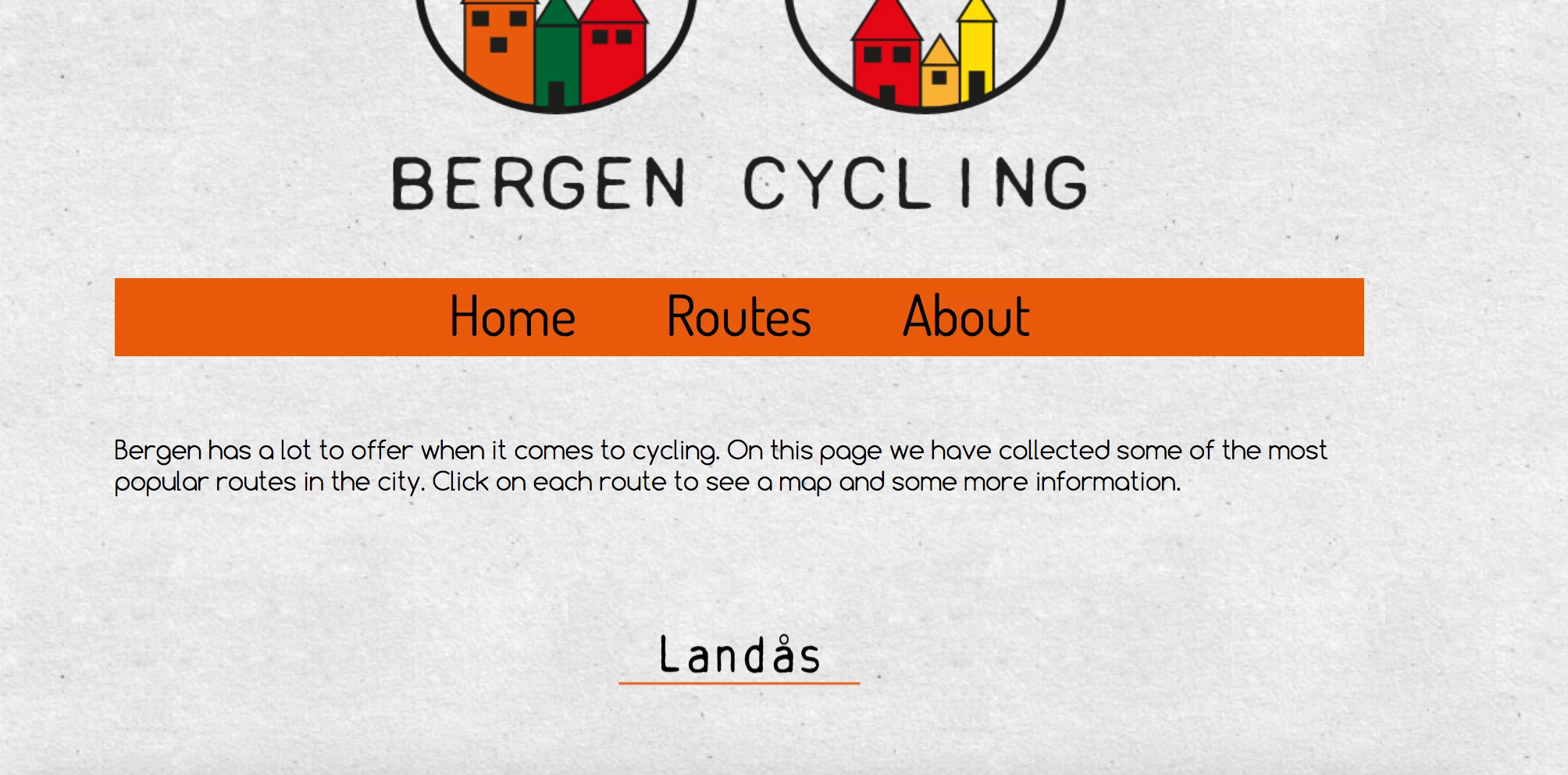
I'm working on a school project and are having a hard time with all this coding since I'm new to this. The screenshot I uploaded is how it's supposed to look, but when upload it to my server it won't show... There's just an question mark where the picture ("Landås" with an orange underline) should be, and when I click on it I get to an error page, not a new page as I'm supposed to. When I try to real-time preview it in Dreamweaver everything seems to be fine. What have I done wrong?

The picture I'm talking about is the one named "Landås heading", the code: <div align="center"><div class=".landås" id="landås"><a href="Landås.html" title="Landås"><img src="Landås heading.png" width="200" height="140" alt=""></a></div>.

I've uploaded my site via FTP so you can see the whole coding on this link: Routes

This topic has been closed for replies.
Correct answer B i r n o u

I suspect the white space in the image filename... so your local server must be more indulgent than the remote one...

in an other hand you should avoid all the specific char as å, and refer to Grammar of CSS 2.1 to be sure to not be in a trap somewhere.

3 replies

Participating Frequently
November 21, 2017

It was as simple as the special letter "å", when I changed the name using an "a" instead everything seems to be okay! Thanks for the help :-)

B i r n o u
Legend
November 21, 2017

cool... but as we told you, you also should avoid the white space in a filename... you can adopt the hypen, the undescrore, or the camel case...

so instead of having

Landas heading.png

you could have

Landas-heading.png (hypen)

Landas_heading.png (underscore)

landasHeading.png (camel case)

but whatever you choose, avoid the uppercase or number as a first letter...

Participating Frequently
November 21, 2017

I've never thought that it would be a problem, there's so much to learn and I'm happy for all the tips and help I get! I will change the names of my pictures, and have that in mind for all of the future picture I'm dealing with for web sites.

Jon Fritz
Community Expert
Community Expert
November 21, 2017

A couple of things to check...

1. Make sure your image file name and link href are identical, right down to case structure. On your local OS, IMAGE.jpg and image.jpg would reference the same file. On a server, they are two different items.

2. You should also avoid using special characters and spaces (use hyphens or underscores instead). Normalize your file names to avoid possible accidents involving your case structures.

3. Verify you have uploaded the picture as well as the html file. When you add images to .html files, they're not actually embedded in the page, they are only referenced via the src attribute in the <img> tag. So when you upload the .html, you also need to upload the .jpg file separately.

B i r n o u
B i r n o uCorrect answer
Legend
November 21, 2017

I suspect the white space in the image filename... so your local server must be more indulgent than the remote one...

in an other hand you should avoid all the specific char as å, and refer to Grammar of CSS 2.1 to be sure to not be in a trap somewhere.