
Please help me correct my pathway error
Nancy helped me four years ago to set up XAMPP Apache PHP developer on DW. I use it for ±30 sites without a problem. I hope that she or someone else can enlighten me as to how to correct this glitch.
On a new site and a new directory, to which I applied XAMPP, I seem to have an incorrect pathway to this new site's pages. When I right-click a file in this new site (using Mac Catalina), the "Open in Browser" option opens and I select Safari. However, the page does not open. Instead, Safari shows this error message. . .
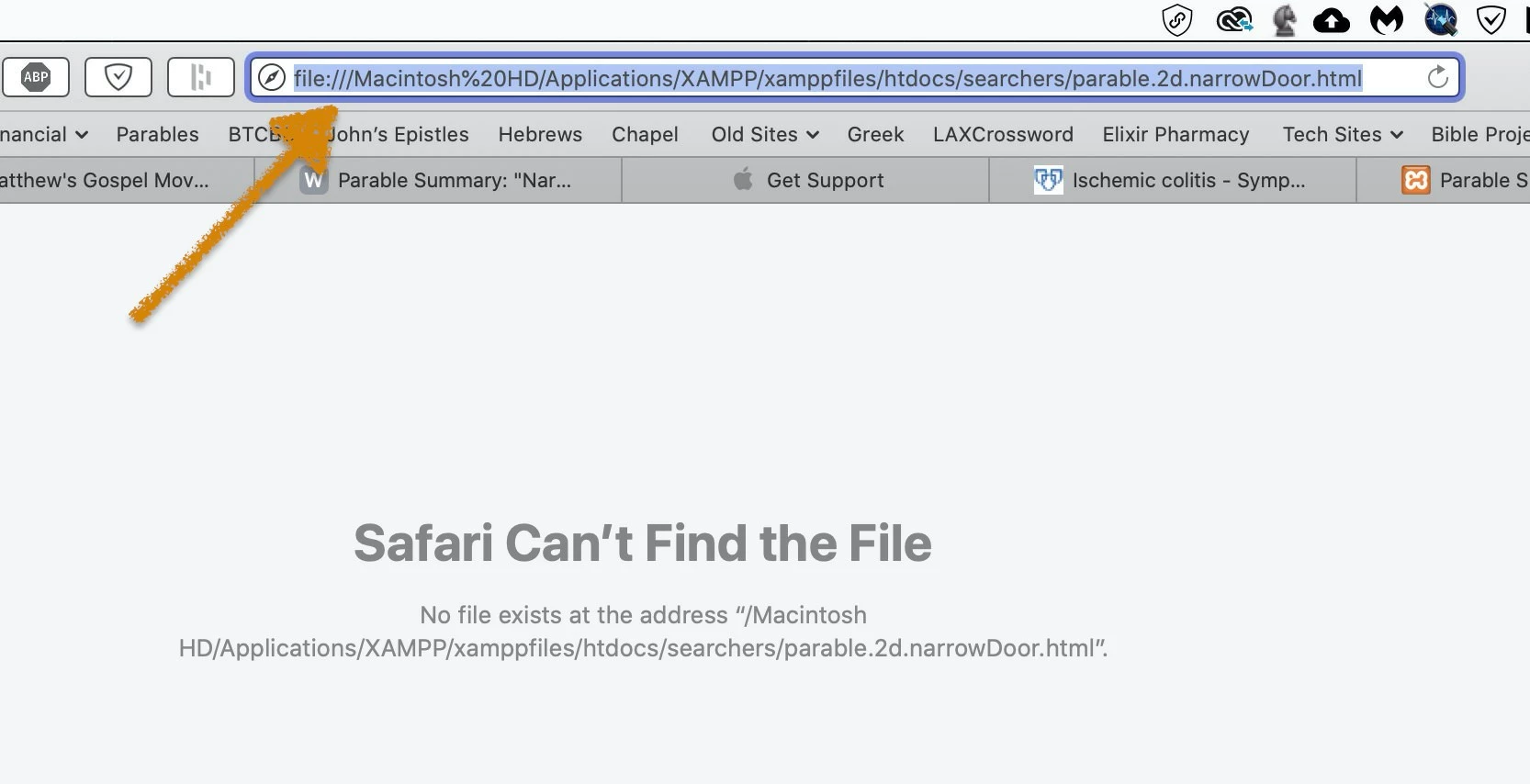
I suspect that the referenced pathway error indicates that I loaded the site's files in an inappropriate Applications folder location. I say that because, instead of seeing the hyperlink start with the usual "localhost/..." this new site's hyperlinks start with "file:///" (see arrow above). This problematic site's files are in a different directory (titled "searchers") than the root directory "WCD" whose files all open locally without a snag.
This next screenshot documents the start of the hyperlink on my root directory's XAMPP-related like-kind page that opens successfully when right-clicked from DW CC.
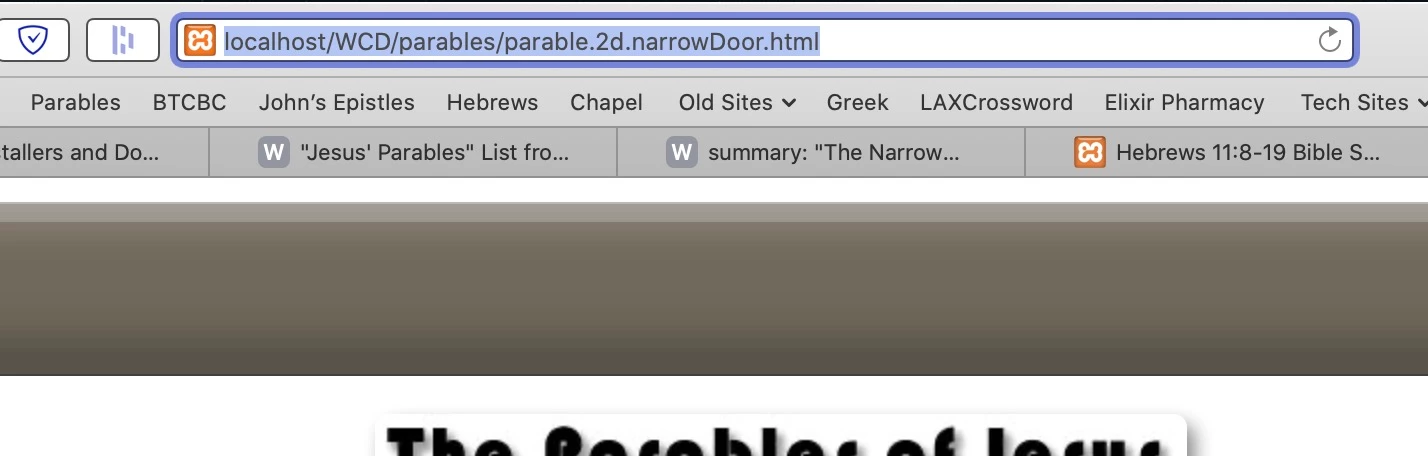
Yet, although I cannot open the problematic page's local file in the "searchers" directory, the online file opens as it should. Here's the "searchers" directory's successful hyperlink.
https://www.warrencampdesign.com/searchers/parable.2d.narrowDoor.html
Assuming that this last screenshot will reveal my pathway error, please tell me what I've done incorrectly. . .
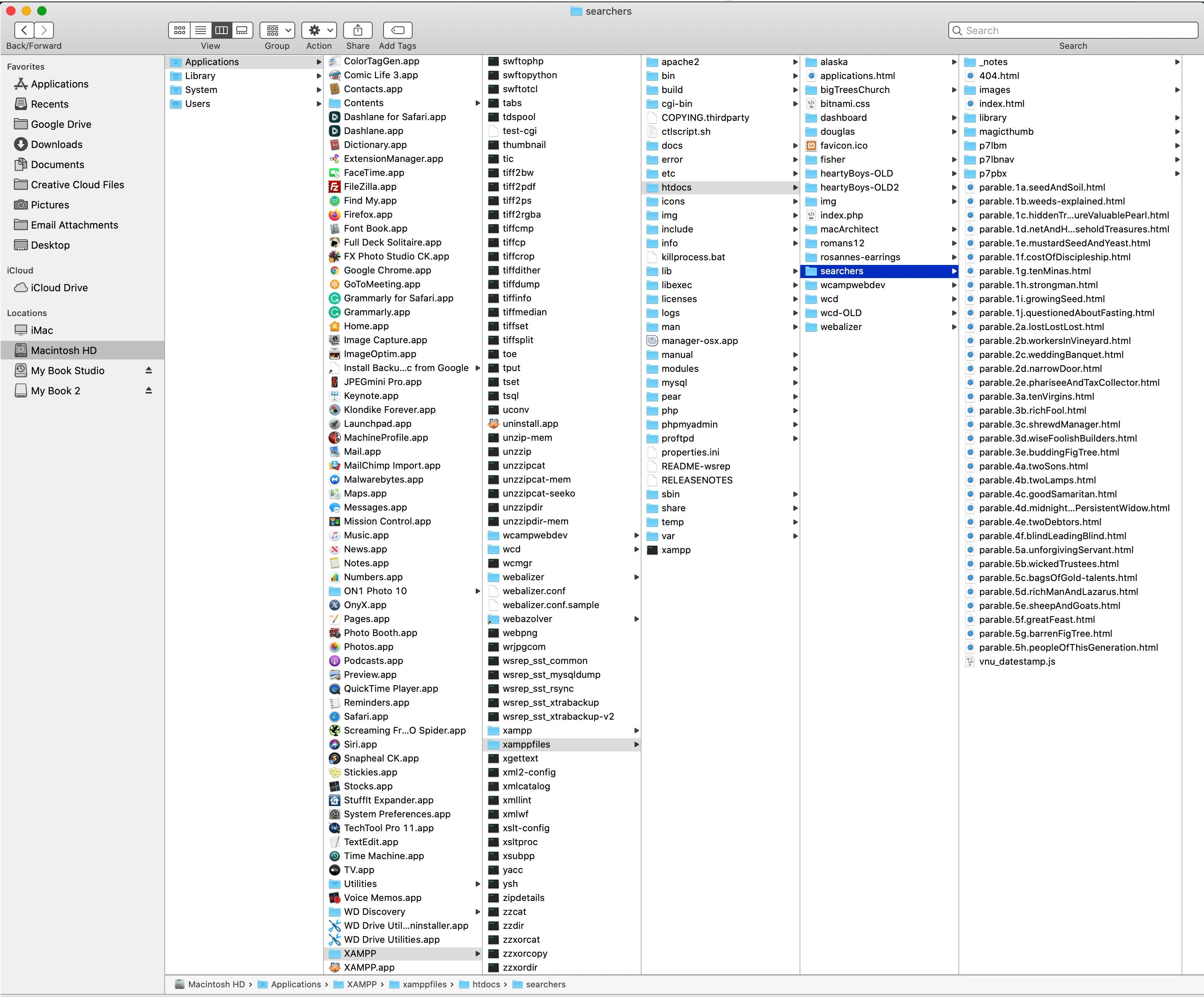
Many thanks, in advance, for comparing the pathways of the problematic "searchers" file to the operational "WCD" file of the same page.
Warren


 AdChoices