

position and color help
Hello there,
I am very new to the dreamweaver so appreciate for an help. I created an online training on captivate and this is how the page looks on the browser. I want to do some adjustments on positioning and color but don’t know the exact parameters on the code for that aim. I need to change the white background to other darkest color and move the page down that is sticked to the top on regular. Code is also attached… Thanks in advance.
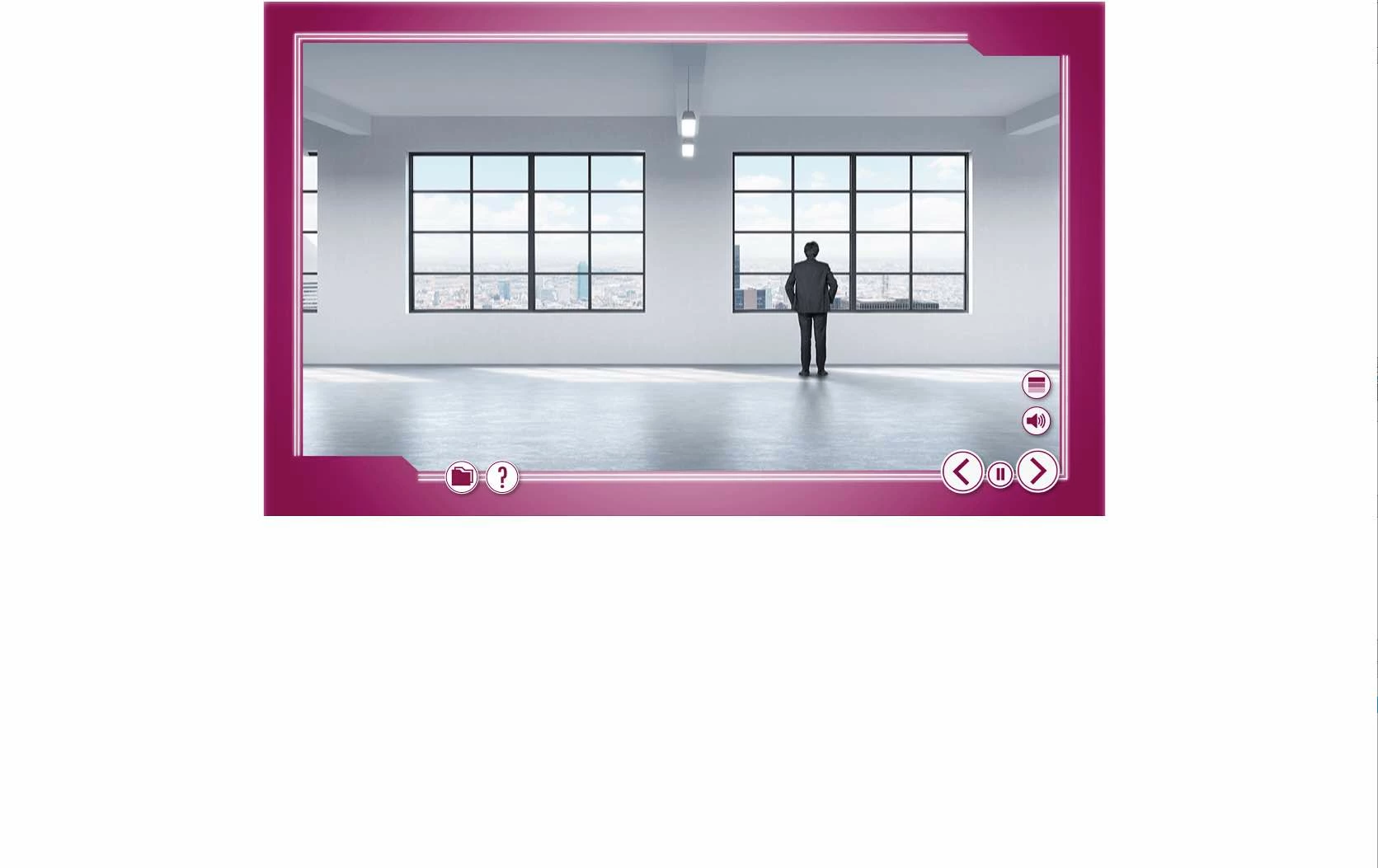
<!DOCTYPE html>
<html lang="en">
<head>
<meta name='viewport' content='initial-scale = 1, minimum-scale = 1, maximum-scale = 1'/>
<meta http-equiv="Content-Type" content="text/html; charset=utf-8" />
<meta http-equiv="x-ua-compatible" content="IE=10">
<title></title>
<style type="text/css">#initialLoading{background:url(assets/htmlimages/loader.gif) no-repeat center center;background-color:#ffffff;position:absolute;margin:auto;top:0;left:0;right:0;bottom:0;z-index:10010;}</style>
<script>
var deviceReady = false;
var initCalled = false ;
var initialized = false;
function onBodyLoad()
{
if(typeof window.device === 'undefined')
{
document.addEventListener("deviceready", onDeviceReady, false);
}
else
{
onDeviceReady();
}
}
function onDeviceReady()
{
deviceReady = true ;
if(initCalled === true)
initializeCP();
}
function initializeCP()
{
if(initialized)
return;
initCalled = true ;
if(cp.pg && deviceReady === false)
return;
function cpInit()
{
document.body.innerHTML = " <div class='cpMainContainer' id='cpDocument' style='left: 0px; top:0px;' > <div id='main_container' style='top:0px;position:absolute;width:100%;height:100%;'> <div id='projectBorder' style='top:0px;left:0px;width:100%;height:100%;position:absolute;display:block'></div> <div class='shadow' id='project_container' style='left: 0px; top:0px;width:100%;height:100%;position:absolute;overflow:hidden;' > <div id='project' class='cp-movie' style='width:100% ;height:100%;overflow:hidden;'> <div id='project_main' class='cp-timeline cp-main'> <div id='div_Slide' onclick='cp.handleClick(event)' style='top:0px; width:100% ;height:100% ;position:absolute;-webkit-tap-highlight-color: rgba(0,0,0,0);'></div> </div> <div id='autoplayDiv' style='display:block;text-align:center;position:absolute;left:0px;top:0px;'> <img id='autoplayImage' src='' style='position:absolute;display:block;vertical-align:middle;'/> <div id='playImage' tabindex='9999' role='button' aria-label='play' onkeydown='cp.CPPlayButtonHandle(event)' onClick='cp.movie.play()' style='position:absolute;display:block;vertical-align:middle;'></div> </div> </div> <div id='toc' style='left:0px;position:absolute;-webkit-tap-highlight-color: rgba(0,0,0,0);'> </div> <div id='playbar' style='bottom:0px; position:fixed'> </div> <div id='cc' style='left:0px; position:fixed;visibility:hidden;pointer-events:none;' onclick='cp.handleCCClick(event)'> <div id='ccText' style='left:0px;float:left;position:absolute;width:100%;height:100%;'> <p style='margin-left:8px;margin-right:8px;margin-top:2px;'> </p> </div> <div id='ccClose' style='background-image:url(./assets/htmlimages/ccClose.png);right:10px; position:absolute;cursor:pointer;width:13px;height:11px;' onclick='cp.showHideCC()'> </div> </div> <div id='gestureIcon' class='gestureIcon'> </div> <div id='gestureHint' class='gestureHintDiv'> <div id='gImage' class='gesturesHint'></div> </div> <div id='pwdv' style='display:block;text-align:center;position:absolute;width:100%;height:100%;left:0px;top:0px'></div> <div id='exdv' style='display:block;text-align:center;position:absolute;width:100%;height:100%;left:0px;top:0px'></div> </div> </div></div><div id='blockUserInteraction' class='blocker' style='width:100%;height:100%;'> <table style='width:100%;height:100%;text-align:center;vertical-align:middle' id='loading' class='loadingBackground'> <tr style='width:100%;height:100%;text-align:center;vertical-align:middle'> <td style='width:100%;height:100%;text-align:center;vertical-align:middle'> <image id='preloaderImage'></image> <div id='loadingString' class='loadingString'>Loading...</div> </td> </tr> </table></div> <div id='initialLoading'></div>";
cp.DoCPInit();
var lCpExit = window["DoCPExit"];
window["DoCPExit"] = function()
{
if(cp.UnloadActivties)
cp.UnloadActivties();
lCpExit();
};
}
cpInit();
initialized = true;
}
</script>
</head>
<body onload="onBodyLoad()">
<div id='initialLoading'></div>
<script>
(function()
{
if(document.documentMode < 9)
{
document.body.innerHTML = "";
document.write("The content you are trying to view is not supported in the current Document Mode of Internet Explorer. Change the Document Mode to Internet Explorer 9 Standards and try to view the content again.<br>To change the Document Mode, press F12, click Document Mode: <current mode>, and then select Internet Explorer 9 Standards.");
return;
}
window.addEventListener("load",function()
{
setTimeout(function()
{
var script = document.createElement('script');
script.type = 'text/javascript';
script.src = 'assets/js/CPXHRLoader.js';
script.defer = 'defer';
script.onload = function()
{
var lCSSLoaded = false;
var lJSLoaded = false;
function constructDIVs()
{
if(lCSSLoaded && lJSLoaded)
{
initializeCP();
}
}
cpXHRJSLoader.css('assets/css/CPLibraryAll.css',function() {
lCSSLoaded = true;
constructDIVs();
});
var lJSFiles = [ 'assets/js/jquery-1.6.1.min.js','assets/js/CPM.js' ];
cpXHRJSLoader.js(lJSFiles,function()
{
//console.log("js loaded");
lJSLoaded = true;
constructDIVs();
});
}
document.getElementsByTagName('head')[0].appendChild(script);
},1);
},false);
})();
</script>
<noscript style="text-align:center;font-size:24px;">Enable Javascript support in the browser.</noscript>
</body>
</html>
 AdChoices