
July 11, 2019
Question

Preview no longer works after testing server established (to wrong path)

  • July 11, 2019
  • 2 replies
  • 1237 views

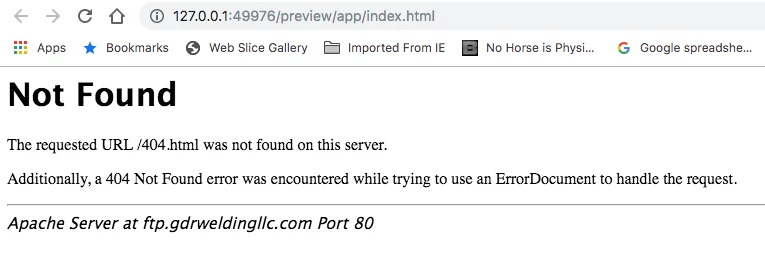
The Preview function was working fine throughout my site construction UNTIL Dreamweaver said I needed to set up a testing server when I added a PHP script for a contact form. Now Preview doesn't work at all, in any browser or on any device. I'm attaching a screen grab of the error message.

I think I understand the problem but don't know how to fix it: When establishing the test server, I specified the wrong path on my host's server, so Dreamweaver put the PHP script (and associated pages) in the root directory rather than in the public_html directory where the site is located. Is there a way to fix this?
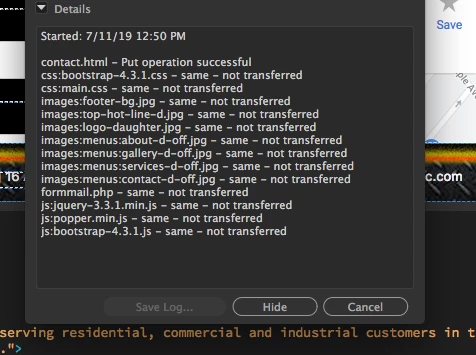
I don't know if this is helpful or not, but I also managed to get a screen grab of the Background File Activity dialog box while Dreamweaver was connecting to the test server.
    This topic has been closed for replies.

    2 replies

    Nancy OShea
    Community Expert
    Community Expert
    July 11, 2019

    Your local testing server does not require a public_html folder.  That only applies to your remote hosting server.

    What Jon said is correct.  You don't need Real-Time Preview with a local testing server.  Preview in browser will work better.   The address bar will revert to localhost

    Nancy O'Shea— Product User & Community Expert
    July 11, 2019

    My apologies to Jon, I don't know why I thought that was your answer. But I did try Jon's suggestion and the result was the screen shot above; Preview still doesn't work. I don't know what else to do...

    July 11, 2019

    Again, Preview worked perfectly, on all devices, UNTIL I let Dreamweaver establish a testing server. Then it stopped working completely (404 messages as shown above).

    Isn't there a way to "undo" the testng server? There must be some setting in Dreamweaver for this, somewhere, no? I'm using DW CC 2019.

    Jon Fritz
    Community Expert
    Community Expert
    July 11, 2019

    The easiest way to get this up and running again is to stop using DW's Real Time Preview (it's flakey, at best) and switch to the older Preview in Browser.

    Go to Edit > Preferences > Real-Time Preview and check the box for "Default to Static Browser Preview".

    That will bypass Adobe's servers (that odd IP address in the location bar of your screenshot) and use a normal "localhost" address that your browser will understand (as long as your testing server is running).

    July 11, 2019

    Thanks Nancy, I just tried that, but it still does the same thing.

    The preview was really helpful for viewing the site with my iPhone, using the QR code.

    Is there a way to get Dreamweaver to stop using the testing server, assuming that's the problem? Or is there a way to correct the path to the testing server?

    July 11, 2019

    Screen shot showing new error message after making the change: