Inspiring
July 7, 2019
Answered

Preview WebPage Issue

  • July 7, 2019
  • 2 replies
  • 774 views

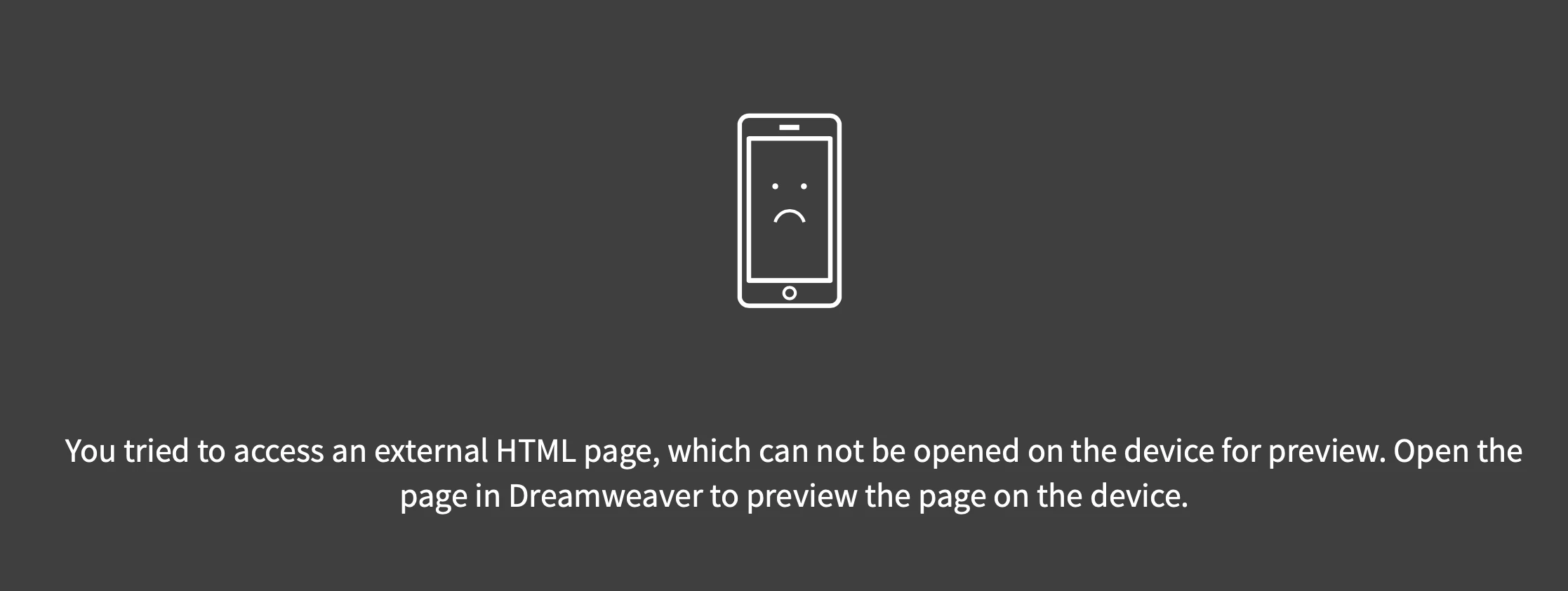
Sometimes when I try to preview my webpage I get the message in the attached screenshot. Other times it works just fine. Any idea why? I'm using Safari but I get the same message on Chrome.
Thanks

Alan

This topic has been closed for replies.
Correct answer Nancy OShea

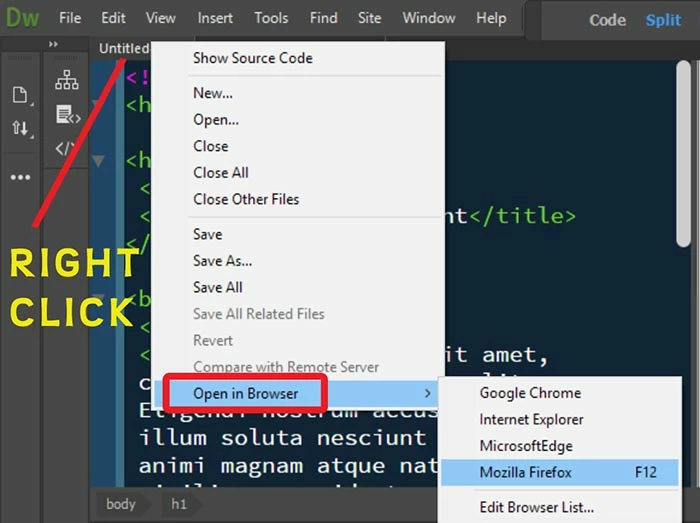
Real-Time Preview is flaky.  Sometimes it works, sometimes not.

Use right click > Open in Browser.  See screenshot.

Or change your Prefences In the latest DW CC 2019 to Default to Static Browser Preview.

2 replies

Legend
July 8, 2019

if you want a live preview/update in browser give LiveReload a try, you can download extensions for Firefox and Chrome that work with the app. I've used the Firefox extension and it worked perfectly for me. The real-time preview in Dreamweaver is a hit and miss so I I never use it.

Paul-M - Community Expert
Nancy OShea
Community Expert
Nancy OSheaCommunity ExpertCorrect answer
Community Expert
July 7, 2019

Real-Time Preview is flaky.  Sometimes it works, sometimes not.

Use right click > Open in Browser.  See screenshot.

Or change your Prefences In the latest DW CC 2019 to Default to Static Browser Preview.

Nancy O'Shea— Product User & Community Expert
Inspiring
July 10, 2019

Thanks Nancy

Alan