

Known Participant
June 11, 2020
Answered
Program background color
- June 11, 2020
- 3 replies
- 918 views
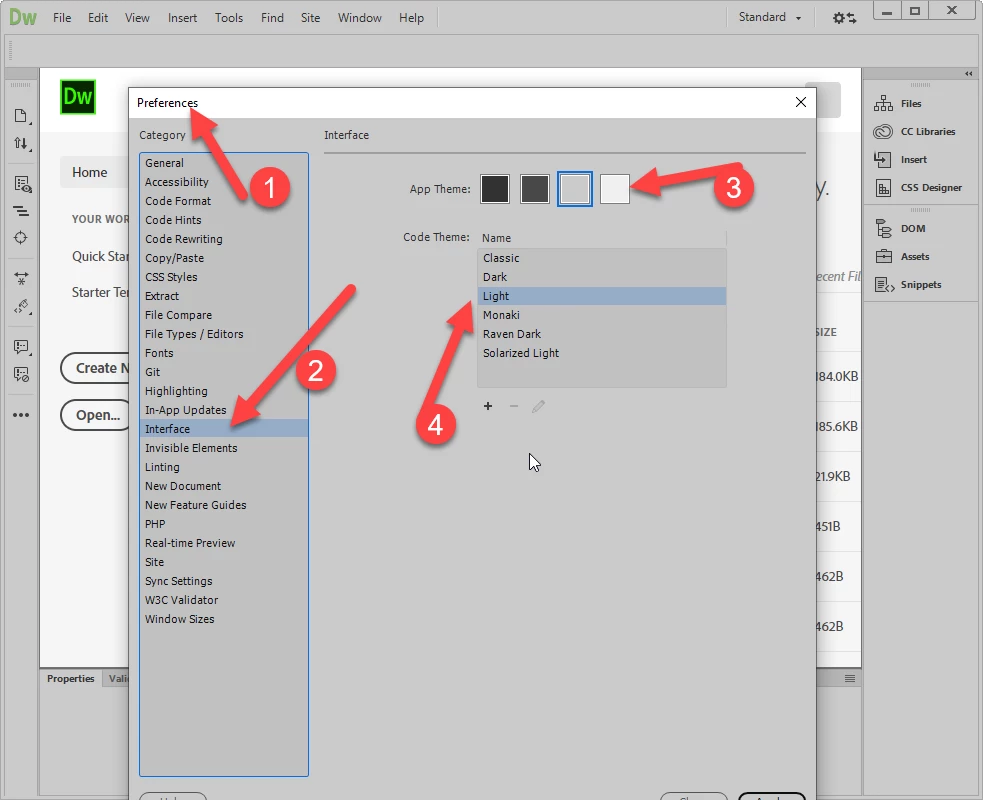
I just upgraded from CS3 to CC2020 (Win10). I can't stand the charcoal and black as it's too hard to read. What steps do I follow to change it to something like black text on white background, or a color scheme similar to Fireworks CS 3 or CS6 or Acrobat.
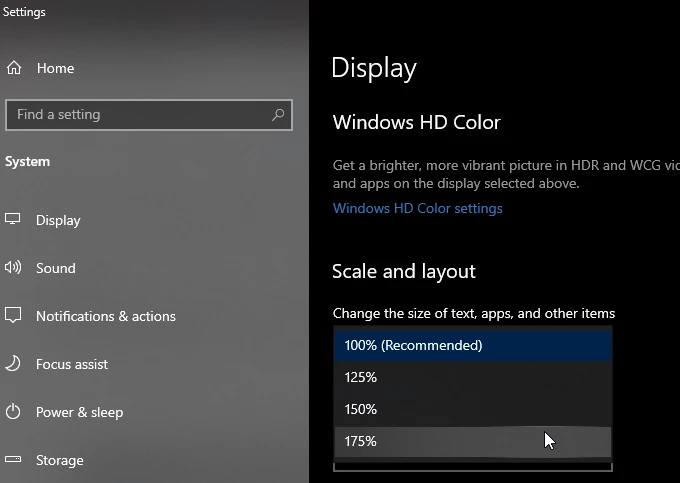
Also, is there a way to increase the size of the font in the menu, listing of files etc? That might be ok once I can get rid of the charcoal/black, but just in case I still need the larger size, I might as well ask now vs later.


 AdChoices