SnikketyNikkety
Participant
January 8, 2018
Answered

Properties Panel Greyed Out

  • January 8, 2018
  • 1 reply
  • 3560 views

I see this is a long-standing issue.

The properties panel isn't functioning, just a greyed out blank panel.

I see there is a fix where you open (or close) the fonts Trebuchet and Verdana. I have no idea how to do this; are there instructions anywhere?

I deleted the cache, have uninstalled and reinstalled but Properties panel still greyed out.

OS High Sierra 10.13.2

DWCC 2018 10.13.16

Thank you.

This topic has been closed for replies.
Correct answer Jon Fritz

Is there another way to use the Properties Panel? Otherwise I can't use DW.


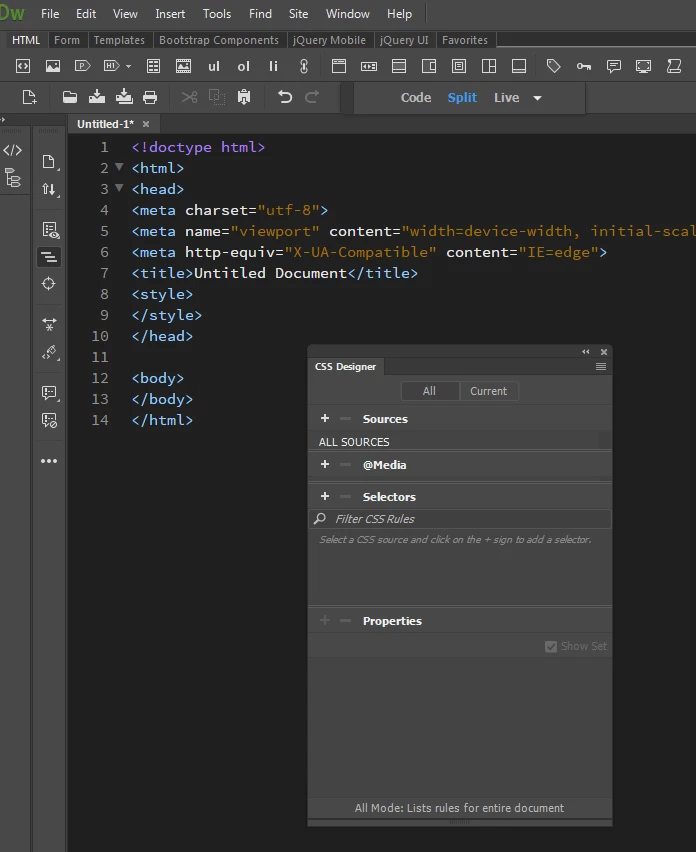
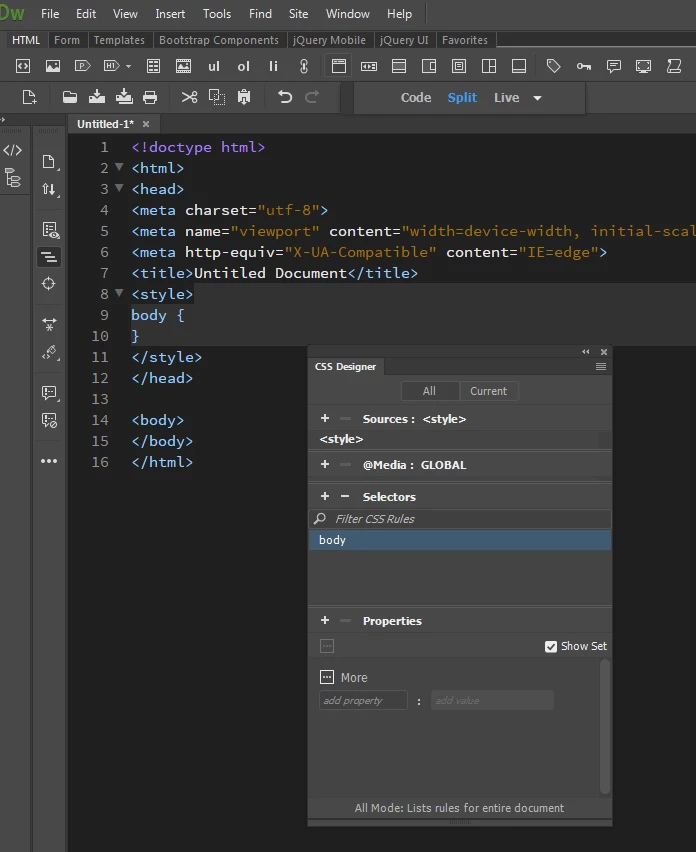
Are you talking about the Properties sub section of the CSS Designer?

If so, that Properties section won't light up until you have a selector defined and highlighted in the Selector section...

Before creating a selector:

After creating a selector:

1 reply

BenPleysier
Community Expert
Community Expert
January 8, 2018

This happens when you work in Live view

Wappler is the DMXzone-made Dreamweaver replacement and includes the best of their powerful extensions, as well as much more!
SnikketyNikkety
Participant
January 9, 2018

Thank you!

I don't mean the Properties toolbar but the Properties Panel. I work in Split Code View and the Properties panel, on the right is non-functional.

I have deleted the cache.

I see in the past here on the forums that there is some bug in font but I do not understand the fix.

Frustrating.

SnikketyNikkety
Participant
January 9, 2018

Is there another way to use the Properties Panel? Otherwise I can't use DW.