



thierry_dehove
Known Participant
October 9, 2017
Answered

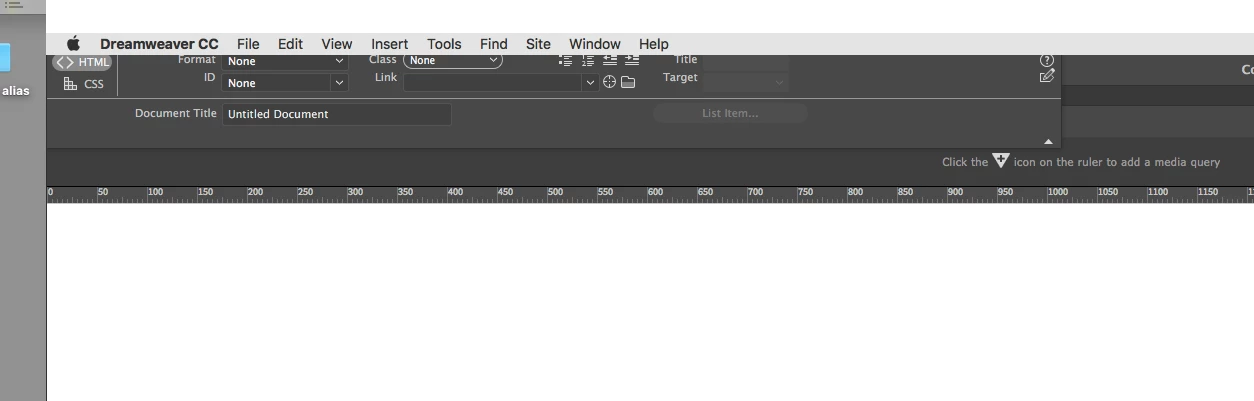
Properties panels dreamweaver on the top

  • October 9, 2017
  • 2 replies
  • 665 views

HI Guys

I have to reinstalled all my apps. MacBook crashed today, very disappointed with the last MacOs FYI

so see attached the properties panel is on the top and I could not find the way to "find" this bug

Can you help me ?

Many thanks, Thierry
This topic has been closed for replies.
Correct answer Jon Fritz

You should be able to fix that by going to Window > Workspace Layout > Reset 'selected workspace'

2 replies

Nancy OShea
Community Expert
Community Expert
October 9, 2017

Is DW docked in its Application Frame?

Which Workspace are you using?

You can usually LEFT-CLICK & drag panels or panel groups where desired until they snap in place.  On my version, I get a blue border around the panel when I'm dragging it.

Nancy O'Shea— Product User & Community Expert
thierry_dehove
Known Participant
October 9, 2017

Thanks Nancy, good to know

Jon Fritz
Community Expert
Jon FritzCommunity ExpertCorrect answer
Community Expert
October 9, 2017

You should be able to fix that by going to Window > Workspace Layout > Reset 'selected workspace'

thierry_dehove
Known Participant
October 9, 2017

Thanks so much, embarrassing, I did not check this money... Thanks again
