
Participant
August 20, 2018
Question

Real-time preview

  • August 20, 2018
  • 2 replies
  • 530 views

Hi,

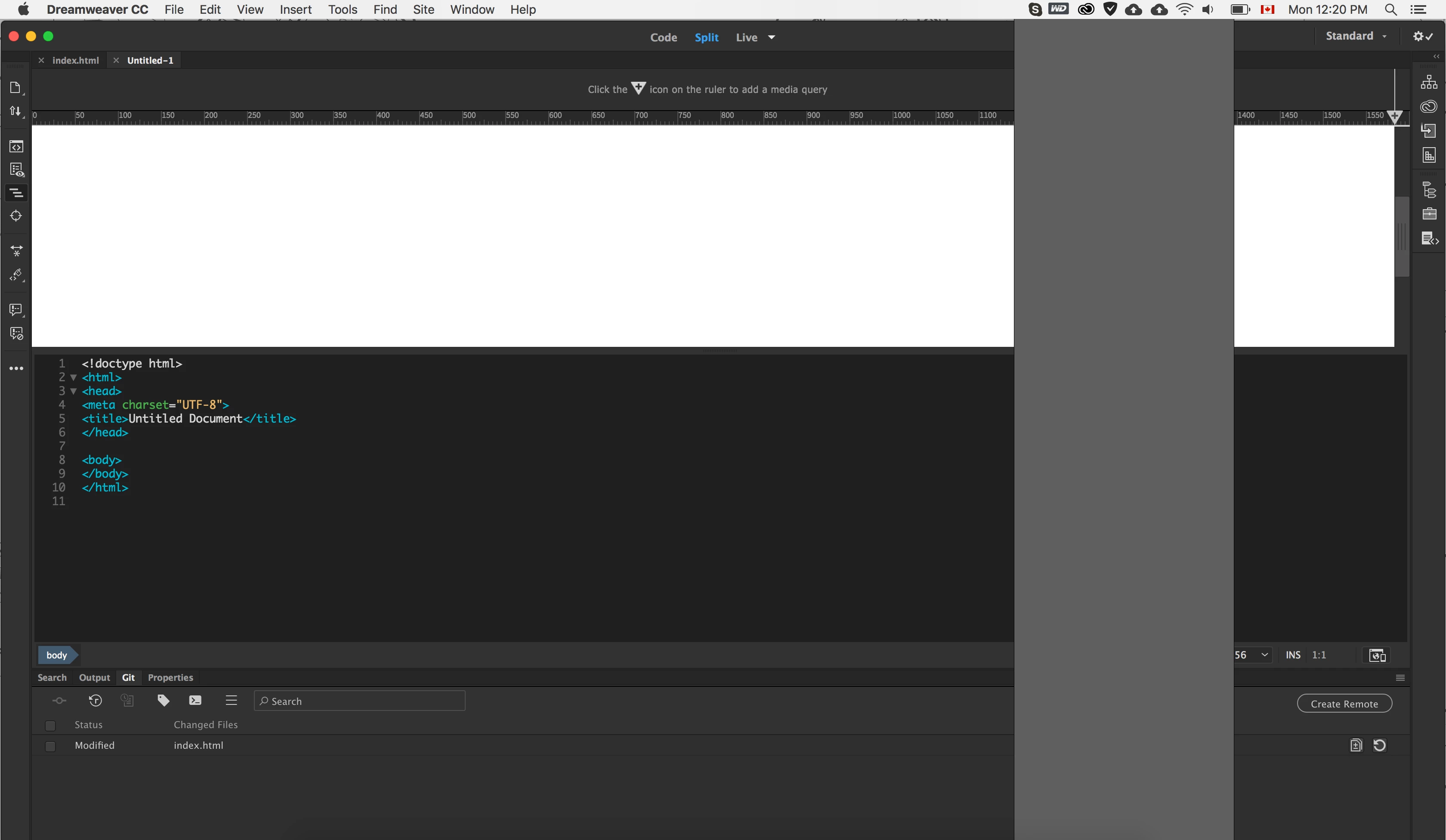
After a while working with Dreamweaver when I click on real-time preview button this happens (check the image).

And the only temporary solution is to close and open Dreamweaver again.

I am in Mac mid-2015. and Dreamweaver 2018.

Any idea?
This topic has been closed for replies.

2 replies

Nancy OShea
Community Expert
Community Expert
August 22, 2018

I use right-click > open in browser.  Real-Time Preview doesn't always play nice with my local testing server.

Nancy O'Shea— Product User & Community Expert
Community Expert
August 20, 2018

Could be something corrupt in the installation.  Have you tried the usual suspects of deleting the file cache and re-creating the user folder (see this article for reference - JavaScript errors in Dreamweaver​ ). If that doesn't work, does the same occur in another user profile on your computer or just this particular profile?

sa_moAuthor
Participant
August 22, 2018

Hi Ben,

Thanks for the good points. I followed the Troubleshoot even removed the Dreamweaver and installed it again.

And the result is the same after a while when I working with Dreamweaver!

Community Expert
August 22, 2018

Is it only with specific pages or code? If so, could you share a sample? Is it happening regardless of the default browser you are using as well?