



johns45317965
Known Participant
April 3, 2018
Answered

Remove Google Maps, but "remote file and cannot be edited"

  • April 3, 2018
  • 1 reply
  • 1055 views

Hello to all. I'll give a brief description and use pictures to the situation:

I'm using a Bootstrap template that has a Google Maps location script near the bottom. However, it is not working. I have no problem removing it - and perhaps trying another in the near future. One concern is will it leave space when I remove it because this is what shows as of now ->

Once it's removed as long as space is enclosed that would be fine.

Second, as I check all the Source Codes I noticed how the last 7 javascripts (.js's) are all "remote file(s) and cannot be edited".
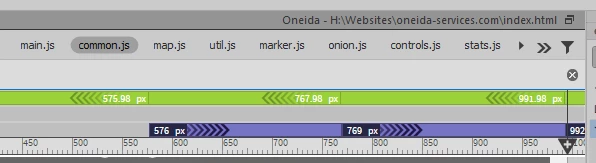
EACH of those 7 are all Google Maps-related , so they are in the way and online so I don't care if they can't be edited...but I want to know if/how I can get them outta there???
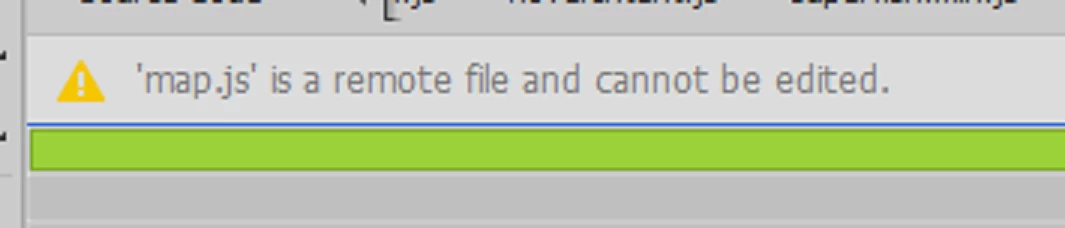
As you can see above it reads I can't do anything with it as they are not in any of "my" source files. Which like I said is fine. I just want it gone from my DW page and maybe find another way/source to put in another Google Maps or maps source. (if anybody has a map source I'm all ears too )

Thanks for any advice if this is possible.

This topic has been closed for replies.
Correct answer osgood_

Just delete the .js files from the pages code if you dont want them and also delete the google map container div - it should also be in your page code somewhere.

That oops something went wrong message  is usually associated with the google map 'key' code which is most likely missing fron the link to the map.js file.

If you include any google map these days you will need to generste a key code and add it to the js link to google maps, the key code can be generated from the google maps website.

1 reply

osgood_Correct answer
Legend
April 3, 2018

Just delete the .js files from the pages code if you dont want them and also delete the google map container div - it should also be in your page code somewhere.

That oops something went wrong message  is usually associated with the google map 'key' code which is most likely missing fron the link to the map.js file.

If you include any google map these days you will need to generste a key code and add it to the js link to google maps, the key code can be generated from the google maps website.

johns45317965
Known Participant
April 3, 2018

Hi osgood,

Ok I easily found the div and that was aligned right with where the map would have been placed. Here's what I'll delete:

<div id="google-map" data-latitude="40.713732" data-longitude="-74.0092704"></div>

Now as far as the seven .js boxes I want to get rid of which (as far as I know) all represent to .js map, I only found a single web links code on the entire main script and it was located at the near bottom. Here's what it is:

<script src="https://maps.googleapis.com/maps/api/js?key=AIzaSyD8HeI8o-c1NppZA-92oYlXakhDPYR7XMY">

So if I deleted just that one alone, would that be like deleting all seven of those .js(es) I pictured above...and then would they all, like, disappear from the top of DW page? Or should I be able to find more than just that single one throughout the script? I even question how to delete them because when I right-click on those little boxes and ask to "open as separate file" I get the expected pop-up (see pic) that it "was not found"...because it's through a link anyway, right? I just want to make sure I'm doing it right.

Legend
April 3, 2018

I dont know what the other js files do so don't delete them. You can safely delete the one below as that is the main google map js file.

<script src="https://maps.googleapis.com/maps/api/js?key=AIzaSyD8HeI8o-c1NppZA-92oYlXakhDPYR7XMY">

marker.js could be being used for inserting a marker on the map, unless I can actually see the code I dont know.

If you do want a Google map then create a personal key on the google maps website and replace AIzaSyD8HeI8o-c1NppZA-92oYlXakhDPYR7XMY