
Retaining the position in a table and return to it after having follow a link to another a page (PART II)
I had to launch a new discussion (PART II) because no action are available on the first part (Why? I would have liked to reply to Nancy https://forums.adobe.com/people/Nancy%20OShea on the first part).
First, I would like to answer to Nancy. Let us assume that you have selected <Creative> on the menu of the home page of http://www.danielpisters.be/. Go to the second part of the window, bellow the first table “Les pouhons spontanés de l'Esprit au jour le jour”:
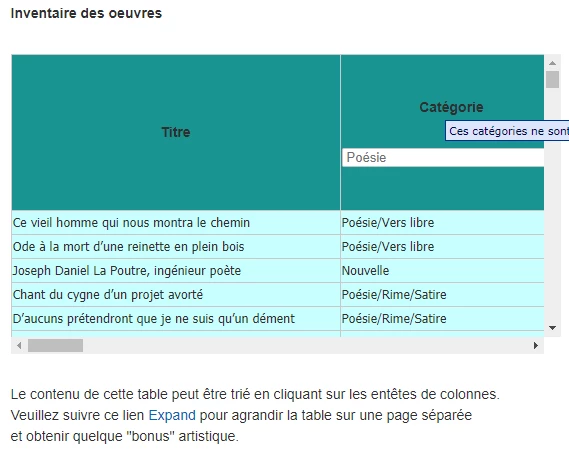
You click on « Expand » and get a (nearly) full screen view of the table. I can only reproduce a part of the expanded table too large vertically as horizontally:
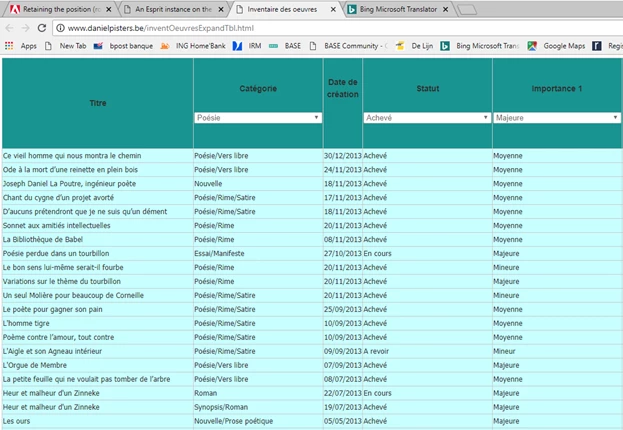
After having built a new table based on the content of the first one, I get this expanded view on a new page using the following method:
<script type="text/javascript">
function openCreativePouhonsTblInNewTab(page)
{
if(typeof(Storage)!=="undefined")
{
// Yes! localStorage and sessionStorage support!
// Some code.....
}
else
{
alert("Sorry! No web storage support to rebuild the table on another page.");
return;
}
var func = "";
func = storeLocCreativePouhonsTbl();
var versIE = isIE();
if ((versIE == false) || (versIE > 8))
{
window.open(page, '_blank')
}
else
{
//'height='+ screen.availHeight, // winHeight,
//'width='+ screen.availWidth, // winWidth,
var params = [
'location=yes',
'menubar=yes',
'status=yes',
'scrollbars=yes',
'fullscreen=yes'
].join(',');
var w = window.open(page, '_blank', params);
w.focus();
}
}
</script>
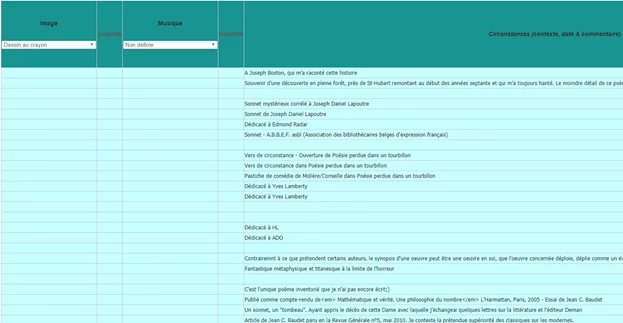
Let us assume that you scrolled horizontally until you reached the column “Image” (the first on the left in the partial screenshot bellow):
You click twice on the "Image" column header to sort the content of the column:
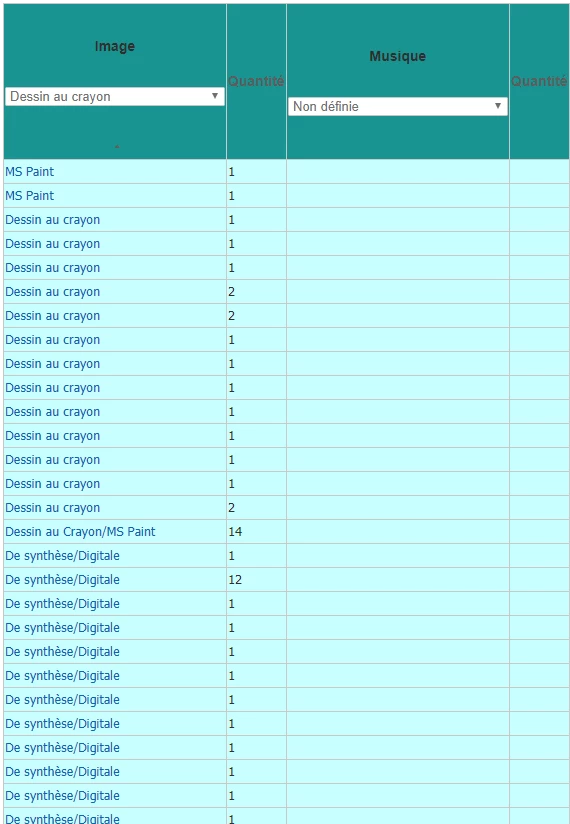
So, all poems illustrated by a drawing (dessin au crayon) are grouped near the top of the table.
You follow the link <Dessin au crayon> on the twelfth row, for example, and get a view of the drawing on a new page:
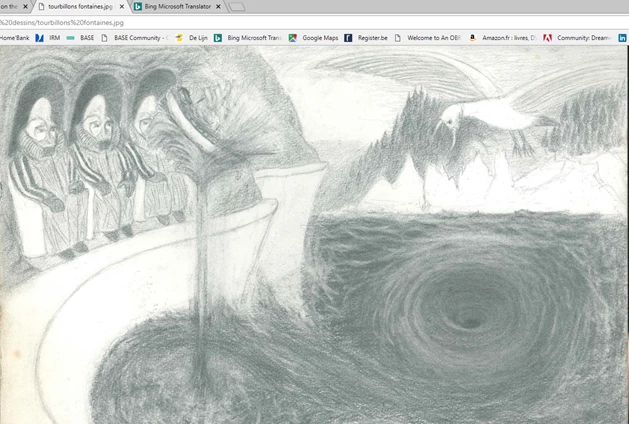
When a you click on the back arrow, you return to the previous page with the table but the position in terms of row/column (In this case the “Image” column on the twelfth row) isn’t retained and the table has been shifted horizontally to its beginning row/column, no matter the position you reached in the expanded view of the table.
I'll test now at least some variant of Ben BenPleysier solution <input type="button" value="Go Back From Whence You Came!" onclick="history.back(-1)" /> but as the image is shown on full screen, I have no more place for a "Go Back" button.



 AdChoices