Participant
September 1, 2017
Answered

RollOver Image and OnClick Event

  • September 1, 2017
  • 4 replies
  • 2963 views

Hello.

I want to make a rollover button and when I click it to change the button's image to Image_SELECTED image.

I have 3 images for the button

Image_NORMAL

Image_MOUSEOVER

Image_SELECTED

How can I do to change the button's image with Image_SELECTED image and the button still work correctly on Mouse Rollover ?

I want to use Image Behavoirs for that purpose.

Thank You !

This topic has been closed for replies.
Correct answer italosan

hi tomcat2900 ,
if you want to use behaviours
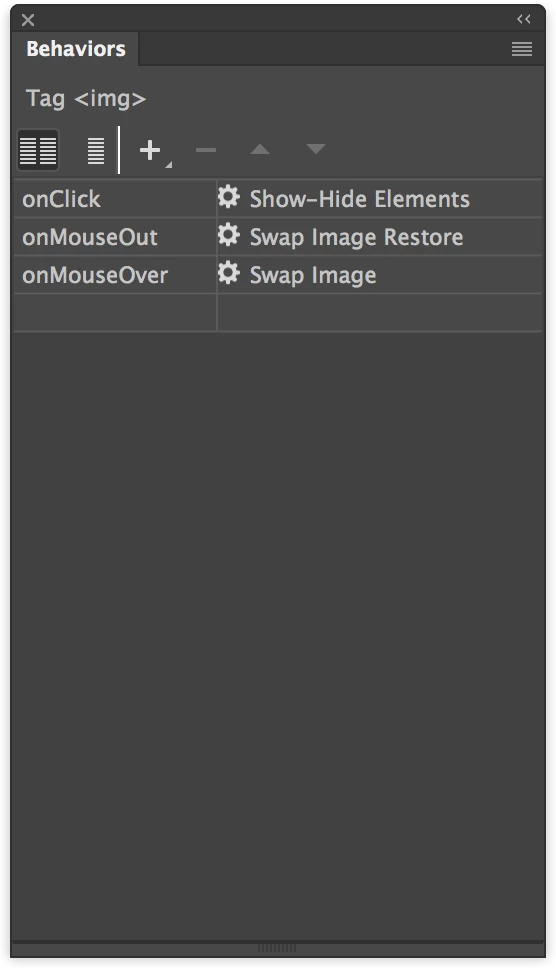
and not "external" DW technologies you can try a combo of classical swap/restore image via the "Behaviours" panel and mix it with a "Show-Hide Elements" for the "Image_SELECTED". But in this case you will need an element (a div with an image or an image) with absolute positioning matching the same position of your button (I assume its a button).

hope this can be of any help. Cheers.

4 replies

italosan
Community Expert
italosanCommunity ExpertCorrect answer
Community Expert
September 2, 2017

hi tomcat2900 ,
if you want to use behaviours
and not "external" DW technologies you can try a combo of classical swap/restore image via the "Behaviours" panel and mix it with a "Show-Hide Elements" for the "Image_SELECTED". But in this case you will need an element (a div with an image or an image) with absolute positioning matching the same position of your button (I assume its a button).

hope this can be of any help. Cheers.

Participant
September 3, 2017

Thank You All for your answers !

Participant
September 2, 2017

But I want to use only Dreamweaver Image Behavoirs...

Please tell me how can I do that.

Thank You !

Nancy OShea
Community Expert
Community Expert
September 2, 2017

tomcat2900  wrote

But I want to use only Dreamweaver Image Behavoirs...

Image behaviors alone won't do what you want.  You still need some CSS.

Nancy O'Shea— Product User & Community Expert
hans-g.
Legend
September 2, 2017

Hello Tom,

as an addition: I like to use this disjont technique, as you can it see there: DisjointTest

It might be of interest to you.

Hans-Günter

P.S.

It's Dreamweaver technique, you simply could use the source code adapted to your needs. The theory behind this is written in italosan's reference.

Nancy OShea
Community Expert
Community Expert
September 1, 2017

You do not need complicated JavaScript behaviors for this.  Use pure CSS instead.

CSS Button Sprite - http://alt-web.com/

Nancy

Nancy O'Shea— Product User & Community Expert