I'm no fan of XARA or MUSE or any other so called WYSIWYG editor because what you see on a desktop screen is not what you get on other web devices. More importantly, the click & drag "ease of use" comes at a price which is bloated & confusing code. Believe me, it's no fun to work with awful code.
It's not hard to build your project with DW using one of the built-in Starter Templates. Even a rank beginner can build a responsive web page in DW & publish it on line in under 30 minutes.
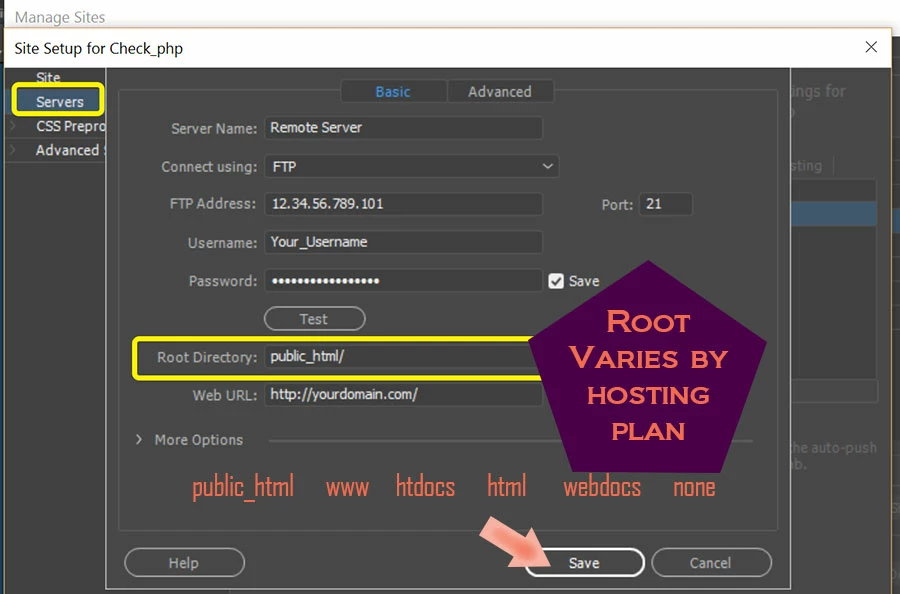
As stated previously, you must define a local site folder and enter your server's FTP credentials and root directory in the Manage Sites panel. This is a critical first step to ensuring that your files & assets are properly linked & uploaded to the correct location on your server. Do not skip this step.
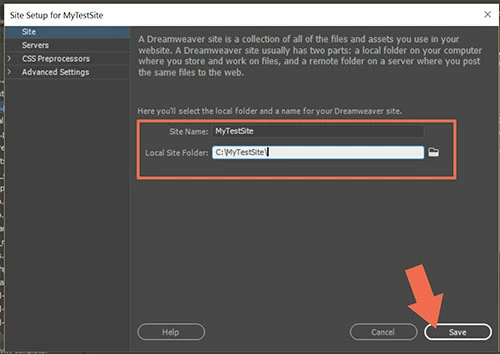
Site > New Site. Give your site definition a name. Designate or create a folder on your hard drive for your project files. See screenshots.
Servers: Enter your server's FTP Log-in credentials and Root Directory.
Once your site is defined, go to File > New > Starter Templates. Choose one & hit CREATE button.
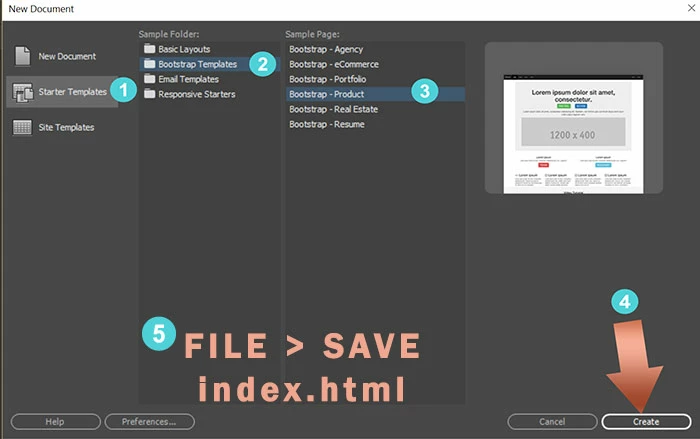
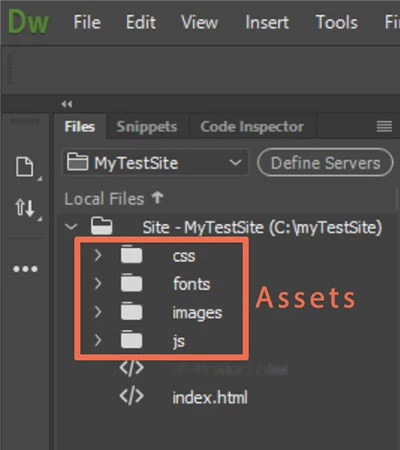
Save your file as index.html (your site's home page). Once saved, DW will resolve link paths and create Asset folders for you in your local Files Panel (F8).
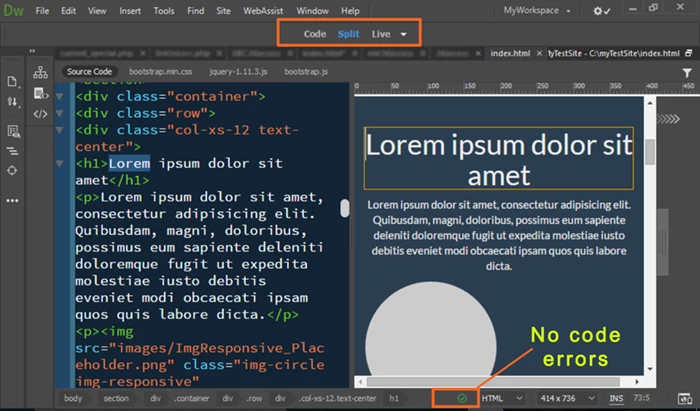
You now have a site to work with in Split View.
Code on one side, responsive view on the other side.
Have fun!
Nancy

 AdChoices