Participating Frequently
June 6, 2019
Answered

Select text in Code View does not select text in Design View

  • June 6, 2019
  • 2 replies
  • 328 views

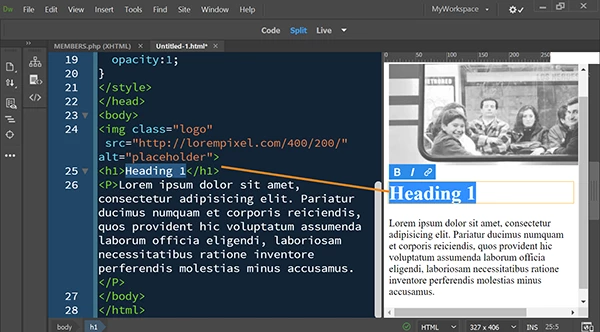
This was a feature forever in previous versions.  In split view, select text in code view and it becomes selected in design view.  With CC version, this only works on occasion.  This is a pretty crucial feature when editing large files on a regular basis, and it's a major reason I use Dreamweaver as opposed to other software.  Other than rebooting the program or repeatedly going back and forth between design & code view, it is hit or miss and lags with a lot of other tasks as well. I'm using Windows 10 and really miss the download versions of this software.

This topic has been closed for replies.
Correct answer Nancy OShea

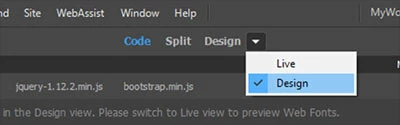
Switch to Live view on the document toolbar.

Double click in Live View.  Text and code highlighting works as expected for me in the latest version of DW 2019.

2 replies

Nancy OShea
Community Expert
Nancy OSheaCommunity ExpertCorrect answer
Community Expert
June 6, 2019

Switch to Live view on the document toolbar.

Double click in Live View.  Text and code highlighting works as expected for me in the latest version of DW 2019.

Nancy O'Shea— Product User & Community Expert
Legend
June 6, 2019

Since CC 2017 & the native code editor was replaced with Brackets  switching between design view & code view  doesn't always work as expected. I sometimes find the cursor in the wrong place when switching between design & code view too.  You could post the issue here: Adobe Dreamweaver: Bugs:

Design view hasn't been updated for a long time so I"m not sure if this issue would be looked at. The Brackets integration was a bit of a shambles if I'm honest, its a lot better now  but personally I would have preferred the old code editor with a few enhancements

Paul-M - Community Expert