muhammadsabrykhedr
Participant
May 13, 2018
Question

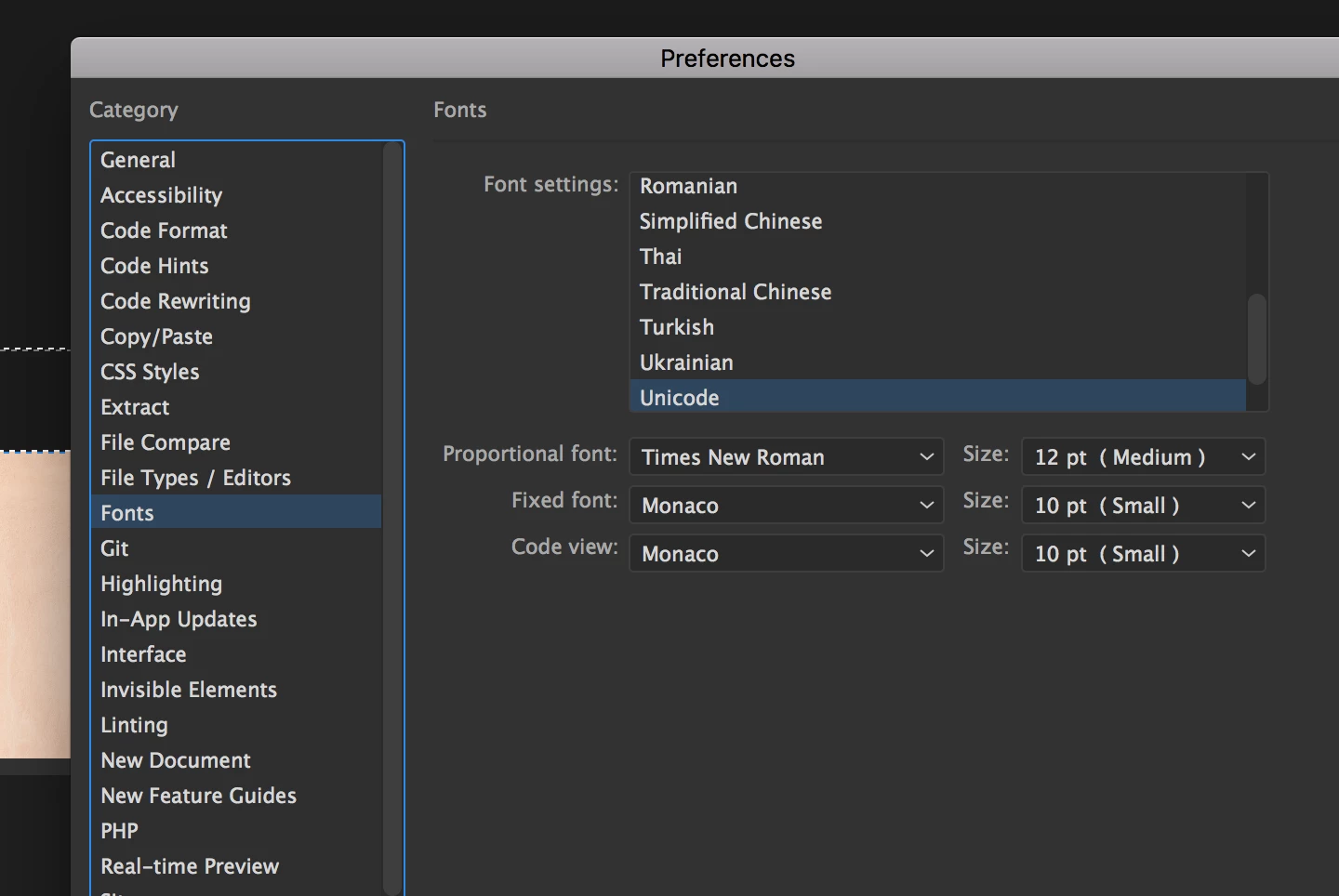
Source Code Pro Font is not showed in DW Font list!

  • May 13, 2018
  • 1 reply
  • 997 views

Hello,

It is very annoying that I can't view my code as everybody else, I had DW reinstalled.. checked the font.. reactivate.. everything! and yet it's not working.

I have the latest DW version. I am on a Mac. Currently it's showing "Monaco" instead..

Please how can I fix that?

Thank you

    This topic has been closed for replies.

    1 reply

    David_Powers
    Inspiring
    May 13, 2018

    Obvious question: Have you tried selecting Source Code Pro from the drop-down list for Code View?

    If it's not there, check whether Source Code Pro is installed on your Mac. Open Font Book and select Fixed Width under Smart Collection. If it's not listed, you don't have the font on your computer.

    muhammadsabrykhedr
    Participant
    May 13, 2018

    Hello Mr. Powers, First let me say that I am honored and happy to meet you I studied most of your courses and I love it.

    I have the font listed in Fixed Width in Font Book.

    I really don't know what's wrong. I even uninstalled Dreamweaver then reinstalled.

    There was a duplicate -resolved, I also have FontExplorer. It shows in other Apps. All seems to be fine, yet it refuses to show up in DW.

    Thank you very much

    David_Powers
    Inspiring
    May 13, 2018

    Thanks for your kind words about my courses.

    If Source Code Pro is showing up in Font Book, I don't understand why it's not showing up in Dreamweaver. I'm not really a Mac expert. I have a MacBook Pro, but I spend 95% of my time on my Windows 10 desktop. I hope someone else can join this conversation to offer further advice.