

iamrobinson
Participant
February 1, 2022
Question

SPLIT VIEW | CODE NOT SHOW UP IN LIVE VIEW WHEN DIV IS SELECTED

  • February 1, 2022
  • 3 replies
  • 508 views

Hello, I am working with DW 21.2 Build 15523

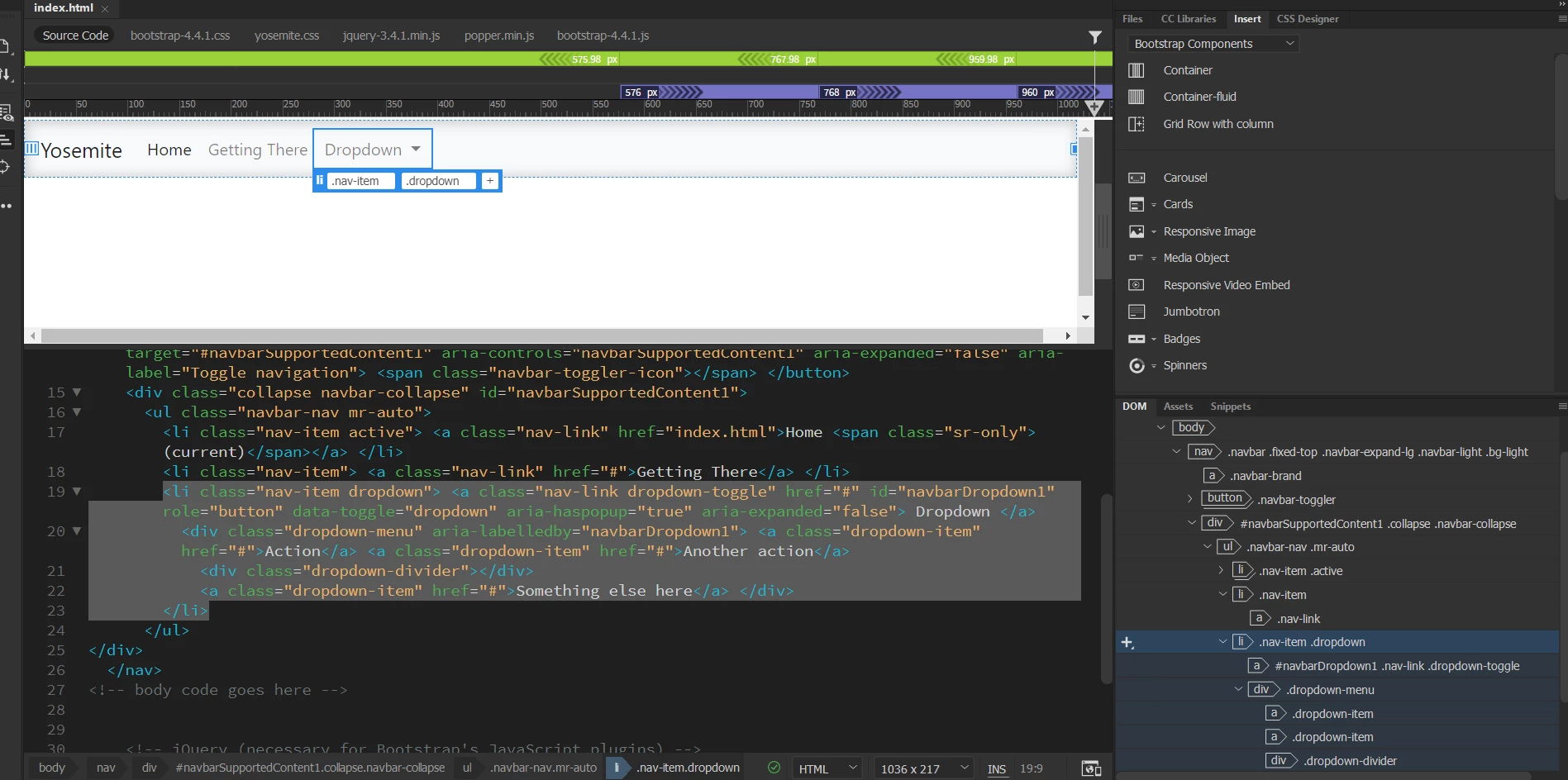
See Screen Shot.

Issue: I am working with a Nav bar | selected the "Dropdown" text. The only thing showing in the Live View is the List \ .nav-item and \ .dropdown.. Missing from the Live View is the "Action", "Another action"  "Devidor line" and "Something else here". 

Please share your constructive comments. Thank you in advance for sharing your insight.  


    This topic has been closed for replies.

    3 replies

    Jon Fritz
    Community Expert
    Community Expert
    February 2, 2022

    Another option would be to temporarily hide your Live View Displays...

    1. Press Ctrl + Alt + H to hide the guide lines in Live View
    2. Click the dropdown menu item to activate the sub menu
    3. Hit Ctrl + Alt + H again which will now allow you to select one of the sub menu items.

    This is especially useful in non-Bootstrap dropdown menu systems that don't react to the Control + Click function.

    Nancy OShea
    Community Expert
    Community Expert
    February 1, 2022

    Ctrl + Click in Live View.


    Keeping in mind that Dreamweaver is not a browser,  always test web pages in real browsers.

    Use Real-Time Preview or right-click on open tab and select Open in Browser.


    Nancy O'Shea— Product User & Community Expert
    Jon Fritz
    Community Expert
    Community Expert
    February 1, 2022

    Have you tried Ctrl/Cmnd + Clicking the Dropdown?

    iamrobinson
    Participant
    February 1, 2022

    Thank you for sharing , have a fine day

    iamrobinson
    Participant
    February 1, 2022

    Got it to toggle on and now off. What has to be selected to make the "Ctrl +" work to show the missing code? Now everytime I try the Ctrl + is zooms the webpage. 

    There must be a required step I am missing.

    Thank you in-advance for a second reply.

    Newbie,

    Jack